


Join us to show up for other Firefox users 🦊. Earn fun badges and Mozilla swag vouchers! Find out more: https://mzl.la/askafox150

Windows 10 reached EOS (end of support) on October 14, 2025. If you are on Windows 10, see this article.

Caută ajutor

Atenție la excrocheriile de asistență. Noi nu îți vom cere niciodată să suni sau să trimiți vreun SMS la vreun număr de telefon sau să dai informații personale. Te rugăm să raportezi activitățile suspecte folosind opțiunea „Raportează un abuz”.

Află mai multe

Firul de discuție a fost închis și arhivat. Adresează o întrebare nouă dacă ai nevoie de ajutor.

ROBLOX's webpage doesn't load after the new update (unless in incognito)

  • 1 răspuns
  • 1 are această problemă
  • 204 vizualizări
  • Ultimul răspuns dat de Jackson Jacksonjack
  • Închis

The issue is very simple. When loading into the roblox website, the page becomes almost completely empty aside from the buttons at the top like Charts, Marketplace and the roblox icon at the top left. All of which do nothing when pressed.

The weird thing is that it works completely fine on an incognito tab..? Now I noticed something similar happening with other roblox's websites, where some parts of the site would break in very similar ways, but I thought nothing of it cause it didn't affect me too much. But after the new update, it extends to everything, not just one sub-page of roblox, the entire website is like this.

I removed my extensions and restarted my browser to see if that would fix anything but it didn't help.
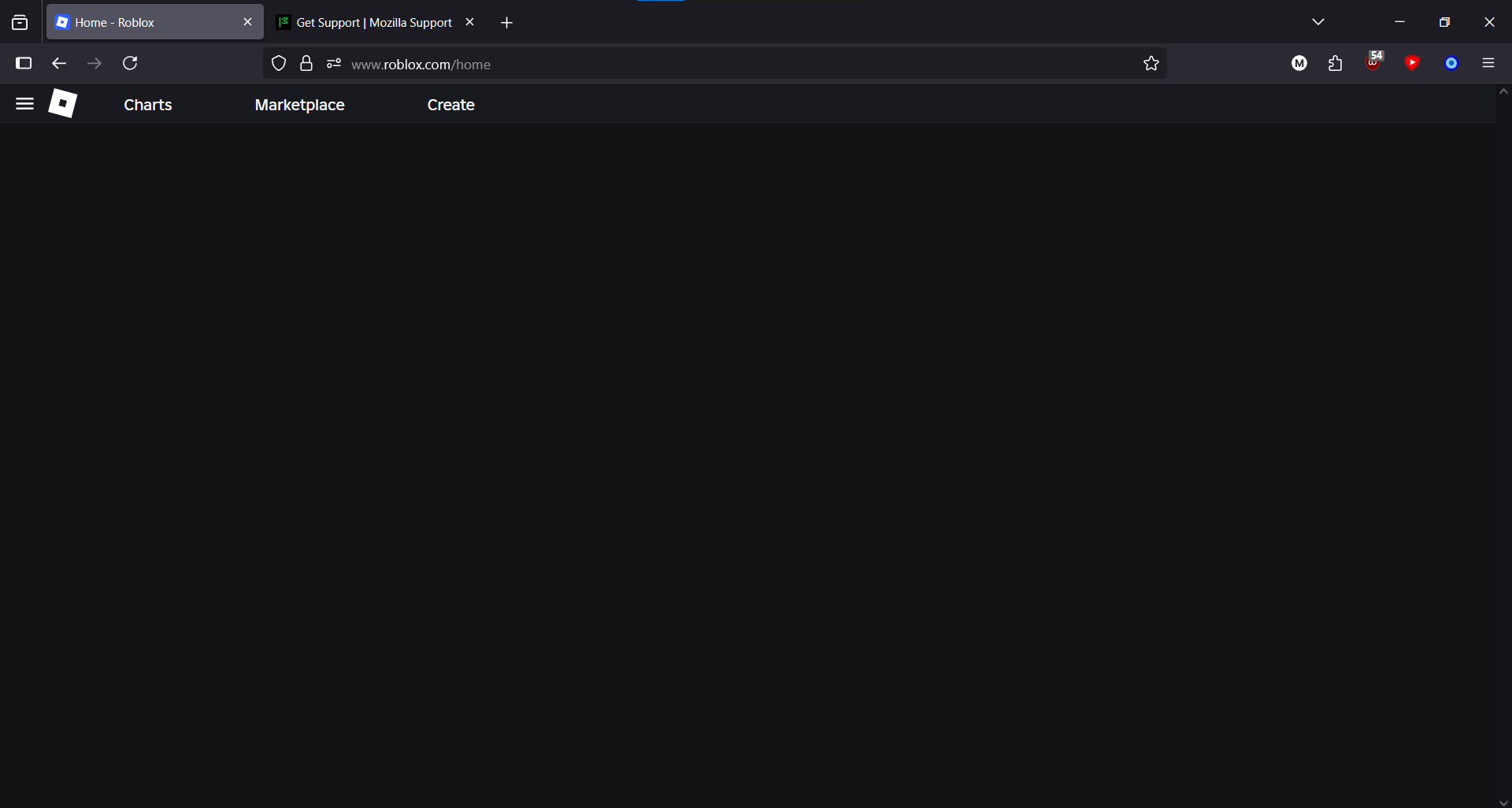
The issue is very simple. When loading into the roblox website, the page becomes almost completely empty aside from the buttons at the top like Charts, Marketplace and the roblox icon at the top left. All of which do nothing when pressed. The weird thing is that it works completely fine on an incognito tab..? Now I noticed something similar happening with other roblox's websites, where some parts of the site would break in very similar ways, but I thought nothing of it cause it didn't affect me too much. But after the new update, it extends to everything, not just one sub-page of roblox, the entire website is like this. I removed my extensions and restarted my browser to see if that would fix anything but it didn't help.
Capturi de ecran atașate

Toate răspunsurile (1)

issue fixed by clearing cookies oops