


Windows 10 reached EOS (end of support) on October 14, 2025. If you are on Windows 10, see this article.

Caută ajutor

Atenție la excrocheriile de asistență. Noi nu îți vom cere niciodată să suni sau să trimiți vreun SMS la vreun număr de telefon sau să dai informații personale. Te rugăm să raportezi activitățile suspecte folosind opțiunea „Raportează un abuz”.

Află mai multe
Arhivate

Firefox ESR - Remove/Delete Extension with GroupPolicy

Mike Kaply răspuns
michael.reiter

Hi guys,

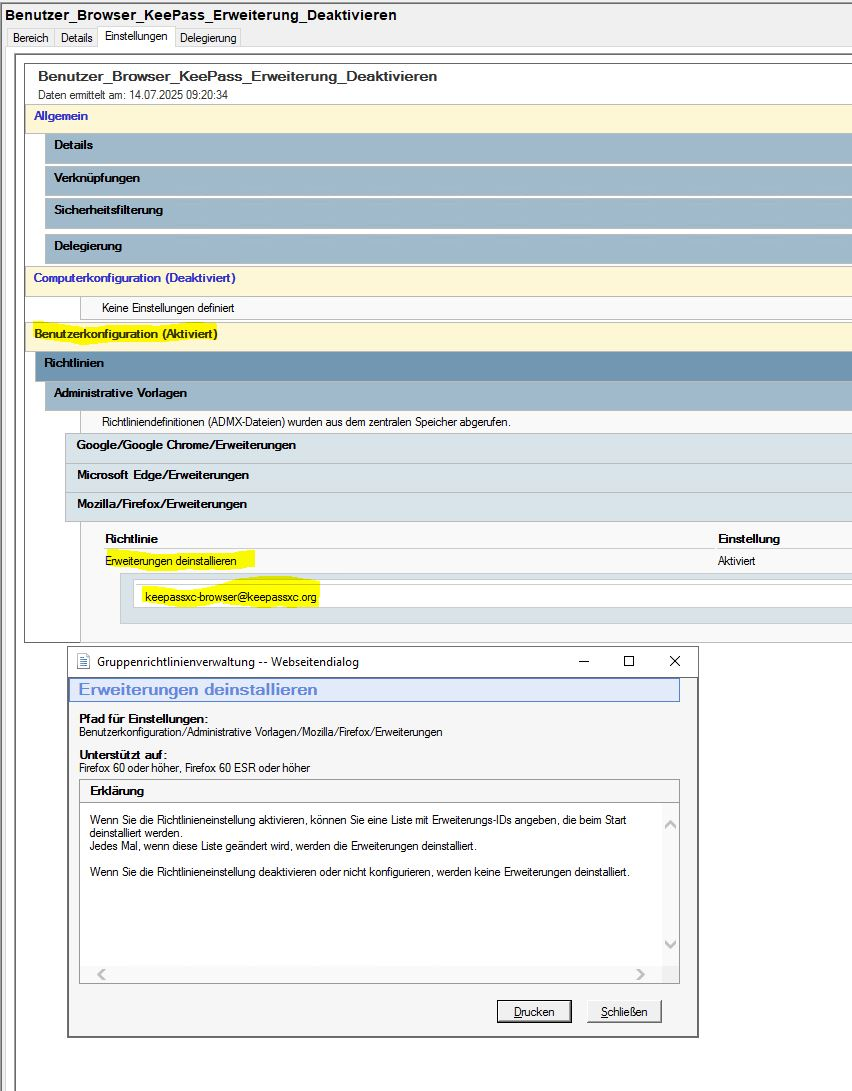
I'm trying to uninstall an extension using a GPO, but it's not working.

I've placed a GPO on the user's OU and configured the ID to be removed in the User-Part of that GPO. I previously retrieved the ID using about:debugging.

But nothing happens; the extension isn't removed. (Logoff/Logon/reboot/gpupdate /force .....)

128.11.0esr (64-Bit)

KeePassXC-Browser Extension

The GPOs for Edge and Chrome have the same function. Enter the ID there, and the extension is reliably removed.

Any suggestions? Thanks

Michael
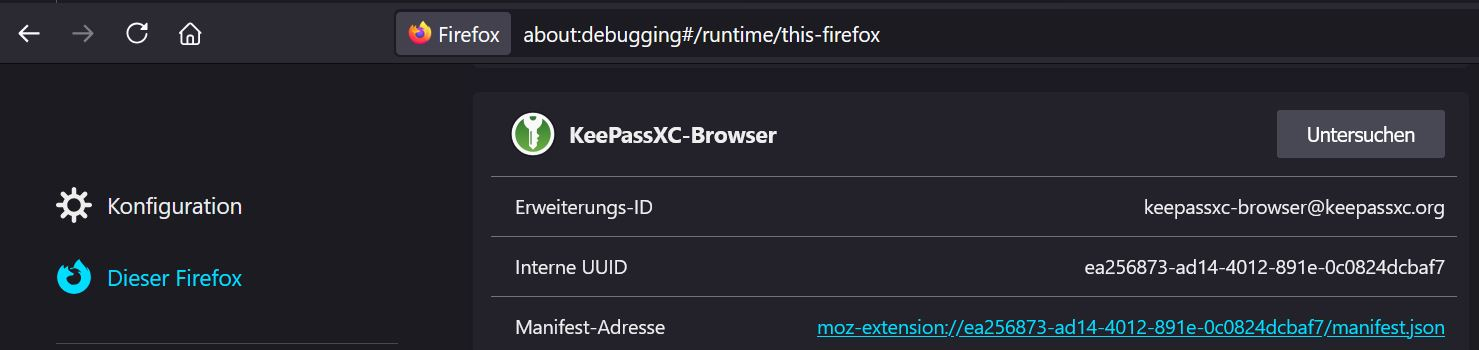
Hi guys, I'm trying to uninstall an extension using a GPO, but it's not working. I've placed a GPO on the user's OU and configured the ID to be removed in the User-Part of that GPO. I previously retrieved the ID using about:debugging. But nothing happens; the extension isn't removed. (Logoff/Logon/reboot/gpupdate /force .....) 128.11.0esr (64-Bit) [https://addons.mozilla.org/de/firefox/addon/keepassxc-browser/?utm_source=addons.mozilla.org&utm_medium=referral&utm_content=search KeePassXC-Browser Extension] The GPOs for Edge and Chrome have the same function. Enter the ID there, and the extension is reliably removed. Any suggestions? Thanks Michael
Capturi de ecran atașate

Toate răspunsurile (1)

So that policy can be a little flaky because it uses a preference to store status.

Can you go to about:config and see if you have a preference set called:

browser.policies.runOncePerModification.extensionsUninstall

and if so, what the value is?

The new ExtensionSettings (Extension Management in the GPO) policy would probably work better for your case.

You would set it to this:

{

 "keepassxc-browser@keepassxc.org": {
   "installation_mode": "blocked"
 }

}