


Firefox ESR Not Displaying 'Refresh Firefox' Option in Help > More Troubleshooting Information

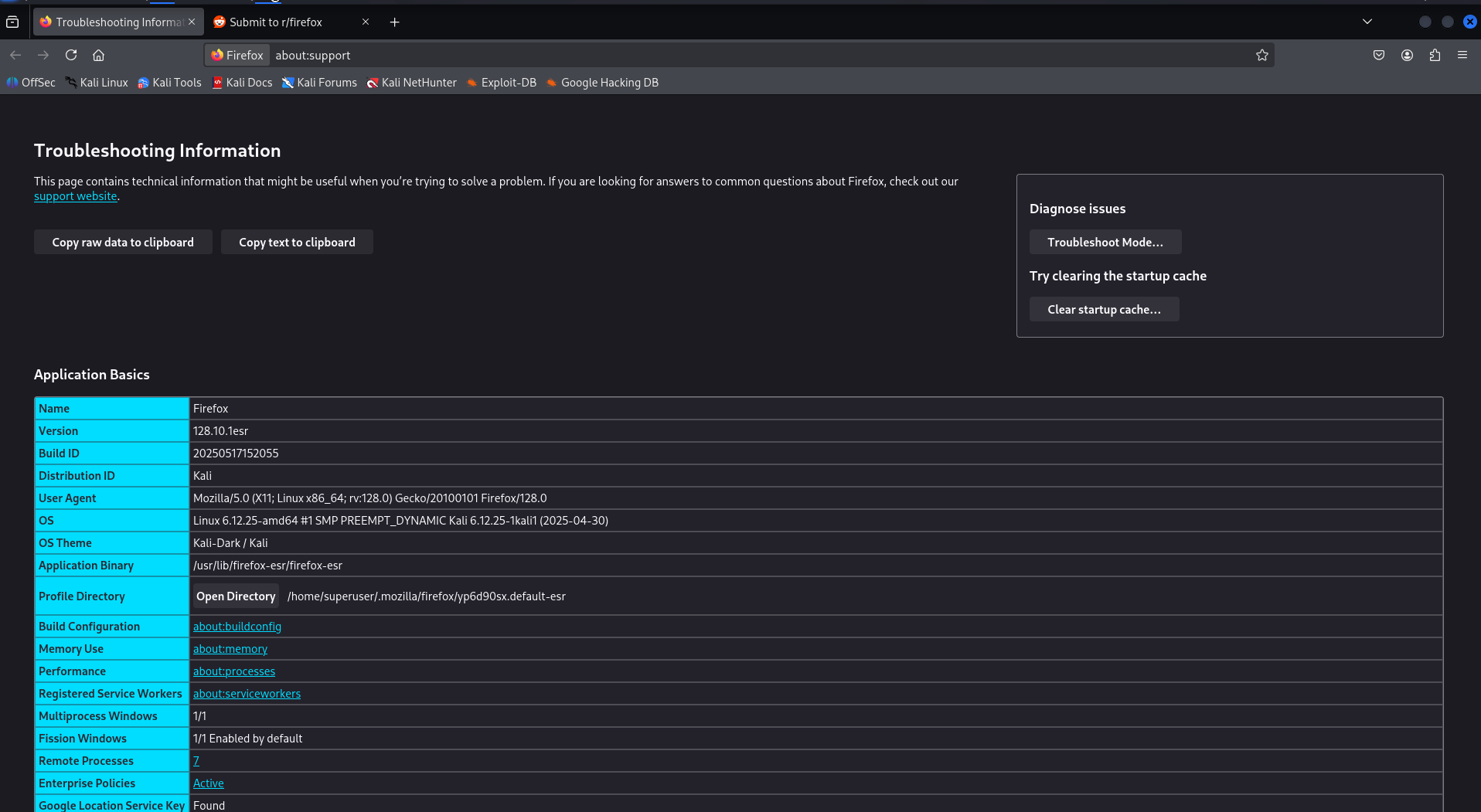
I'm using Firefox ESR 128.10.1esr on Kali, and I'm encountering an issue where the 'Refresh Firefox' option is missing from the ☰ → Help → Troubleshooting more Information. This is preventing me from restoring Firefox to its default settings. I've already tried the following:
Restarting Firefox
Clearing the startup cache
Confirmed there are no extensions installed
None of these steps have fixed the issue. I need a way to reset Firefox ESR to factory defaults, but I can't find an option to do so. Attached is a screenshot of the Troubleshooting Information page.
Any assistance would be greatly appreciated!
Toate răspunsurile (3)

Do you see anything when you go to about:policies?
Here is what's in about:policies screenshot. I know about DisableProfileRefresh that can be set to true in about:config -> browser.disableResetPrompt But i do not have that set. so that's not the case if that what you mean.
I suspect that the Refresh Firefox feature is disabled intentionally by Debian maintainers somehow. Because Firefox ESR browser is included as part of the system's software packages in Kali Linux. And also when i download the same Firefox version number separately. using:
wget "https://download.mozilla.org/?product=firefox-esr-latest&os=linux64&lang=en-US" -O /tmp/firefox-latest-esr.tar.bz2
It shows the Refresh Firefox button but the Firefox ESR that came included in Kali does not have that even the version numbers are the same 128.10.1esr
The trick is finding out where this is happening.
Can you see if there are files in your etc/firefox directory?