


Windows 10 will reach EOS (end of support) on October 14, 2025. For more information, see this article.

Caută ajutor

Atenție la excrocheriile de asistență. Noi nu îți vom cere niciodată să suni sau să trimiți vreun SMS la vreun număr de telefon sau să dai informații personale. Te rugăm să raportezi activitățile suspecte folosind opțiunea „Raportează un abuz”.

Află mai multe

Background color for the toolbar customization screen is awful

  • 1 răspuns
  • 1 are această problemă
  • 37 de vizualizări
  • Ultimul răspuns dat de Wild Willy

more options

I've looked at this page:

https://support.mozilla.org/en-US/kb/customize-firefox-controls-buttons-and-toolbars

It shows the toolbar customization page like in the attached image I've named Customize Toolbar.

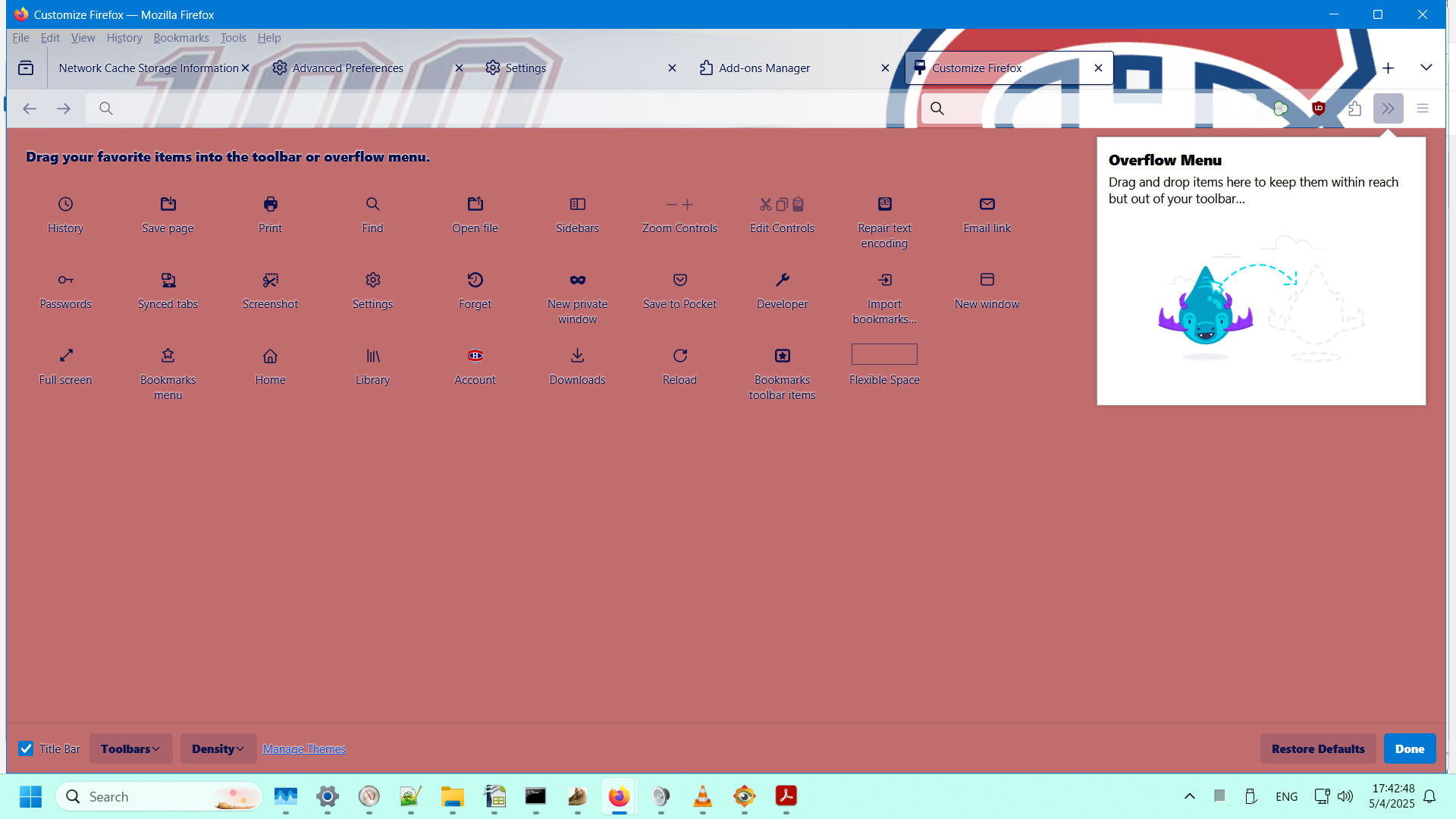
In my Firefox (138.0.1 64-bit on Windows 11), it looks like what I'm showing in the attached image I've named My Customize Toolbar.

I like the background shown in the Mozilla documentation. I hate the background I've got. I didn't choose that color. I have no idea where it's coming from. I sure would like to change that disgusting color to white.

How do I do that?
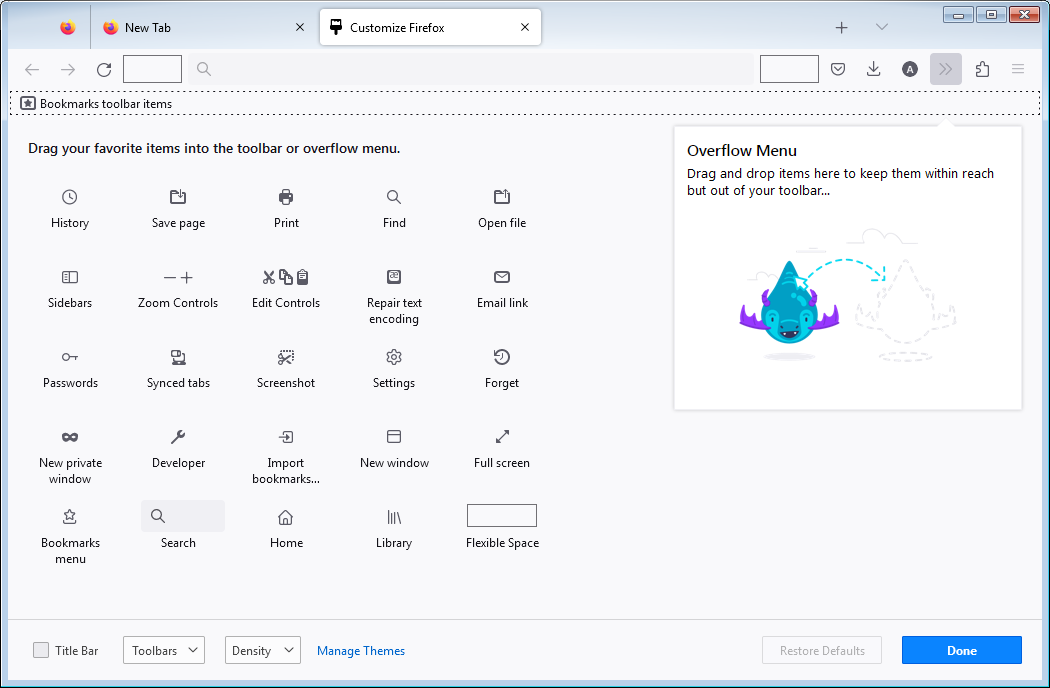
I've looked at this page: https://support.mozilla.org/en-US/kb/customize-firefox-controls-buttons-and-toolbars It shows the toolbar customization page like in the attached image I've named Customize Toolbar. In my Firefox (138.0.1 64-bit on Windows 11), it looks like what I'm showing in the attached image I've named My Customize Toolbar. I like the background shown in the Mozilla documentation. I hate the background I've got. I didn't choose that color. I have no idea where it's coming from. I sure would like to change that disgusting color to white. How do I do that?
Capturi de ecran atașate

Modificat la de Wild Willy

Toate răspunsurile (1)

more options

Hmmmm...... My names for the images have gotten lost. But you can figure out which is which. The one I called Customize Toolbar is the one with the light background. The one I called My Customize Toolbar is, obviously, the other one.