


Windows 10 reached EOS (end of support) on October 14, 2025. If you are on Windows 10, see this article.

Caută ajutor

Atenție la excrocheriile de asistență. Noi nu îți vom cere niciodată să suni sau să trimiți vreun SMS la vreun număr de telefon sau să dai informații personale. Te rugăm să raportezi activitățile suspecte folosind opțiunea „Raportează un abuz”.

Află mai multe

Account settings alert message on incoming email

  • 2 răspunsuri
  • 1 are această problemă
  • 258 de vizualizări
  • Ultimul răspuns dat de Bob
  • Arhivate

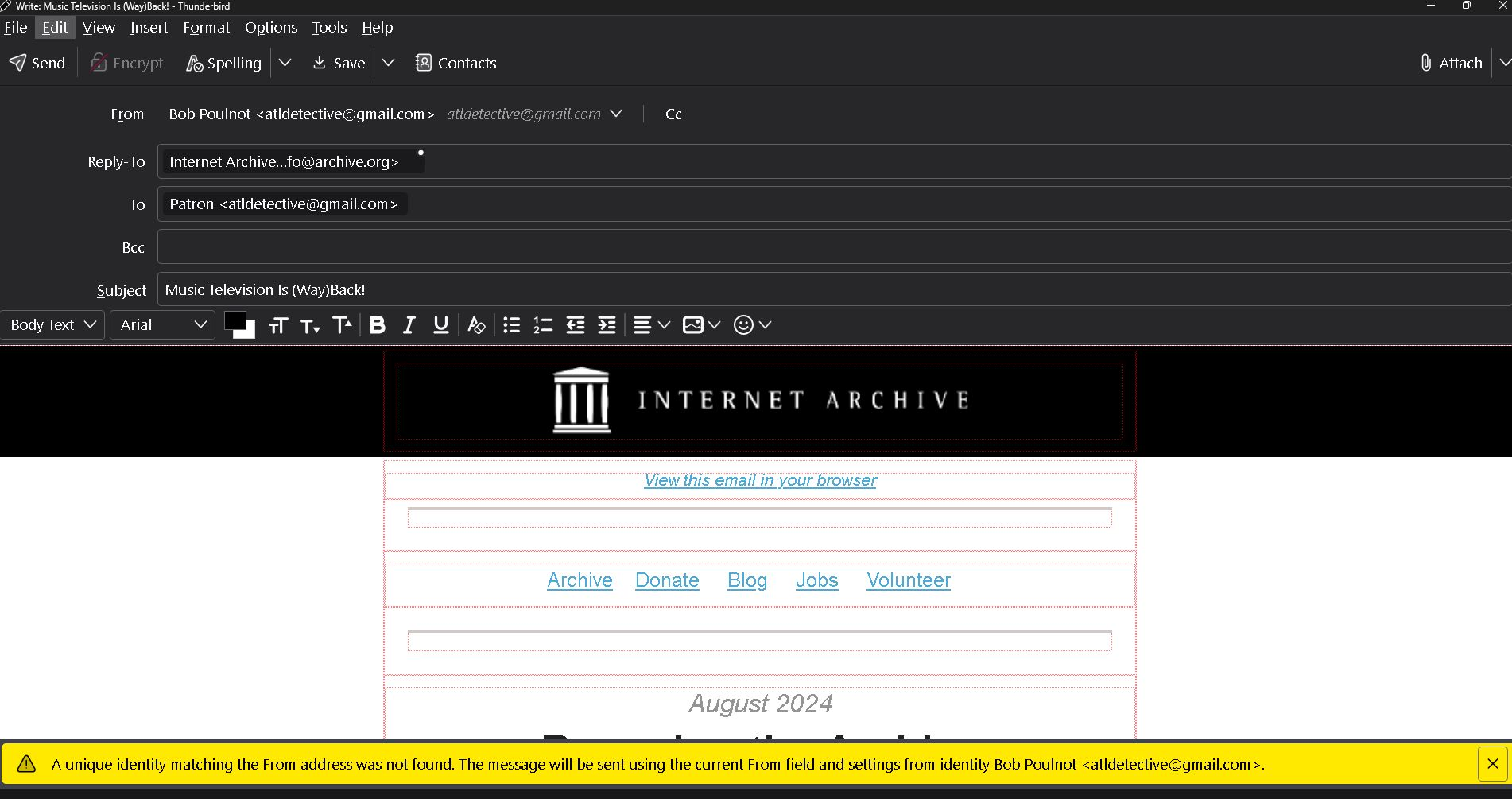
Apparently I have changed the Thunderbird account settings causing an alert message on all incoming emails. As shown in the bottom of the example attachment it reads, " The unique identity matching the prom address was not found. The message will be sent using the current from field and settings from identity Bob Poulnot <atldetective@gmail.com>.

Also by opening this incoming email it is showing at the top that it is "From" Bob Poulnot <atldetective@gmail.com> as a reply. I did not click on reply.

Please help. Thank you
Apparently I have changed the Thunderbird account settings causing an alert message on all incoming emails. As shown in the bottom of the example attachment it reads, " The unique identity matching the prom address was not found. The message will be sent using the current from field and settings from identity Bob Poulnot <atldetective@gmail.com>. Also by opening this incoming email it is showing at the top that it is "From" Bob Poulnot <atldetective@gmail.com> as a reply. I did not click on reply. Please help. Thank you
Capturi de ecran atașate

Toate răspunsurile (2)

Folderflags did not solve the problem. Also, I am having to reply to your email via google gmail instead of Thunderbird. The links in your message won't open.