


Customization of email list display.

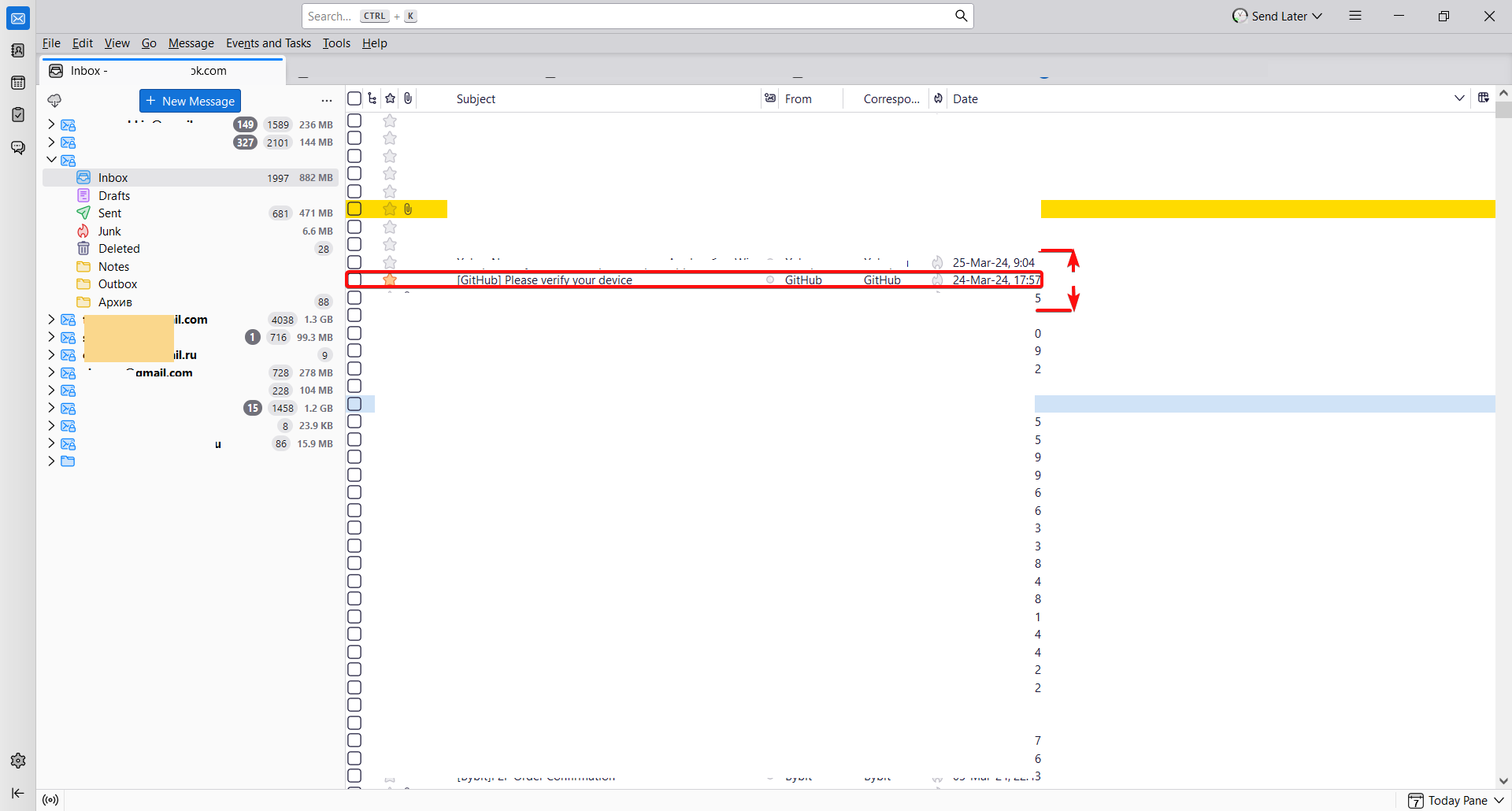
Hey, everybody. Here's a screenshot. How to increase the size of the lines with "item", "from whom", "to whom", "date", "time" ? Modifying userChrome.css with this syntax did not solve the problem. .tree-rows {
height: 25px !important;
}
- threadTree treechildren::-moz-tree-row {
height: 25px !important;
}
I mean how to increase the height of these rows, make the rows wider? Thank you all in advance and have a good day.
Toate răspunsurile (3)
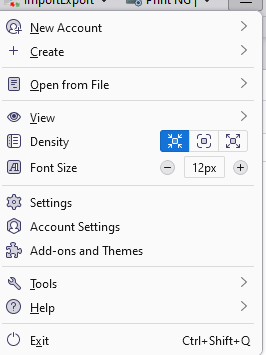
Density
Soluție aleasă
Tks. But I don't use Mac. I had solve the issue already.
Mikhail Frantsyzof said
Tks. But I don't use Mac. I had solve the issue already.
I have no idea where you get the idea that a mac is involved as neither you nor I use one and the image is from the standard Thunderbird application menu.
But hey if you want to use programming to do what the user interlace offers go right ahead. Just don't ask for support with userchrome. It is not supported. See https://support.mozilla.org/en-US/kb/userchromecss-js-usercontent-unsupported?utm_campaign=wiki-approved&utm_source=notification&utm_medium=email