


Windows 10 reached EOS (end of support) on October 14, 2025. If you are on Windows 10, see this article.

Caută ajutor

Atenție la excrocheriile de asistență. Noi nu îți vom cere niciodată să suni sau să trimiți vreun SMS la vreun număr de telefon sau să dai informații personale. Te rugăm să raportezi activitățile suspecte folosind opțiunea „Raportează un abuz”.

Află mai multe

Menu Button Not Showing in Firefox on Mac

  • 2 răspunsuri
  • 0 au această problemă
  • 81 de vizualizări
  • Ultimul răspuns dat de Terry
  • Arhivate

I am using the latest version of Firefox on the latest version of Mac OS Ventura, 13.3.1 (a). I wanted to have a sidebar showing the websites bookmarked in my toolbar. In researching how to do this, it said I needed to use the menu button at the top left of the address bar to do this. The only thing is I have no menu button! Can you please tell me how to add the menu botton to my address bar so I can use the options it affords. I have added a screenshot of this Firefox window so you can see there is no menu button here.

I would very much appreciate it if you would get back to me as soon as possible so I can make Firefox more workable for me.

Thanks in advance for the help!

pennyand
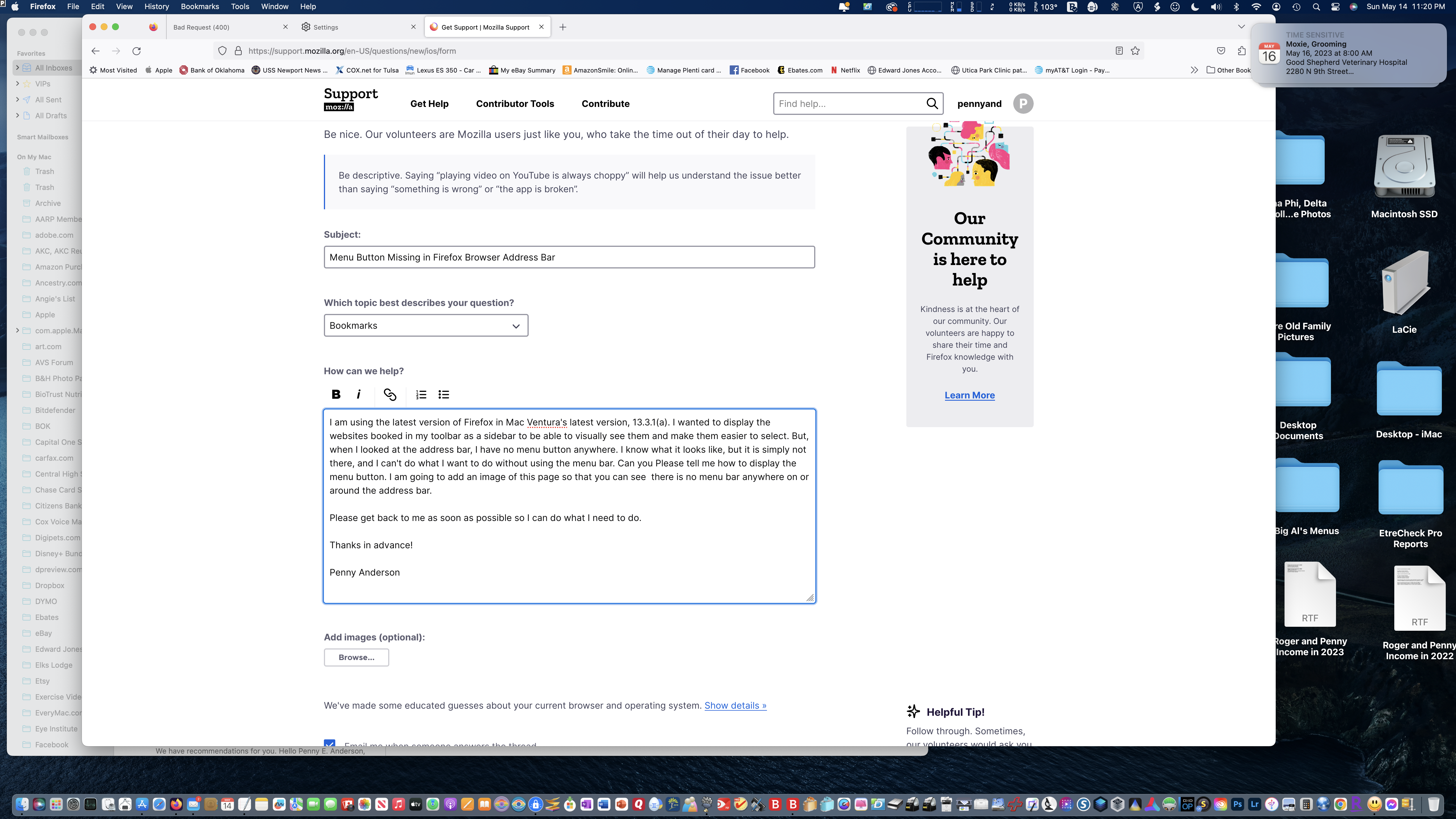
I am using the latest version of Firefox on the latest version of Mac OS Ventura, 13.3.1 (a). I wanted to have a sidebar showing the websites bookmarked in my toolbar. In researching how to do this, it said I needed to use the menu button at the top left of the address bar to do this. The only thing is I have no menu button! Can you please tell me how to add the menu botton to my address bar so I can use the options it affords. I have added a screenshot of this Firefox window so you can see there is no menu button here. I would very much appreciate it if you would get back to me as soon as possible so I can make Firefox more workable for me. Thanks in advance for the help! pennyand
Capturi de ecran atașate

Toate răspunsurile (2)

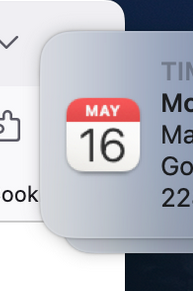
The Firefox menu button would be in the space at the top right next to the puzzle piece (Extensions button) covered by that 'May 16' calendar item, so you either need to remove that window or otherwise make sure you see the complete Firefox window.
Modificat la de cor-el

You can open and close the side bar for bookmarks with ctl+b or with ctl+h for history.

https://support.mozilla.org/en-US/kb/use-firefox-sidebar-access-bookmarks-history-synced