


Thunderbird and MS Outlook: Login to server outlook.office365.com with username rwf@rwfern.uk failed.

When I tried to access Outlook from my normal email programme (Thunderbird 91.11.0), yesterday & today, I get the message "Login to server outlook.office365.com with username rwf@rwfern.uk failed."
What can I do, please?
Points:
1. I've just renewed my domain-name registrations. My ISP doesn't think that would affect anything.
2. It happens on both my macOS machines (iMac & MacBook).
3. Gmail (from Thunderbird) on both machines works as normal.
4. It happens in 2 venues (at home, and in a café), with (obviously) separate wi-fi connections.
5. Logging in to Outlook via Firefox, with same id & password works normally.
6. The mail software on my iPhone has no trouble connecting.
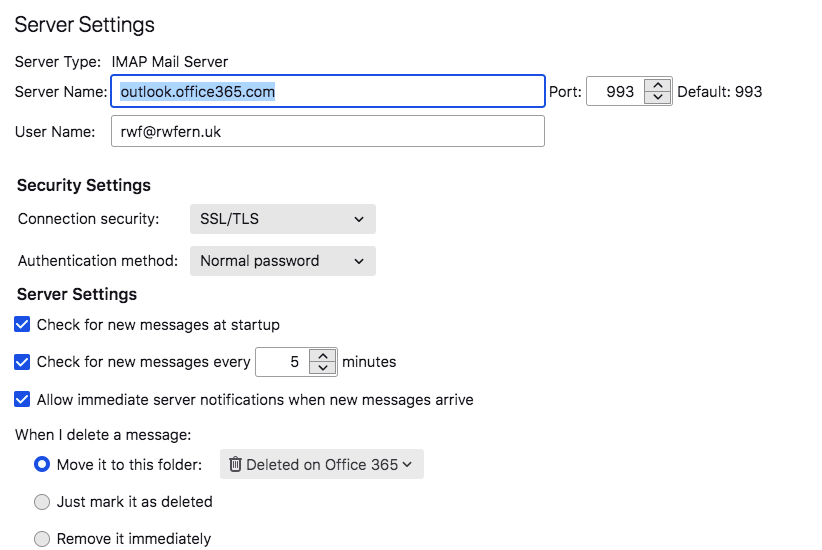
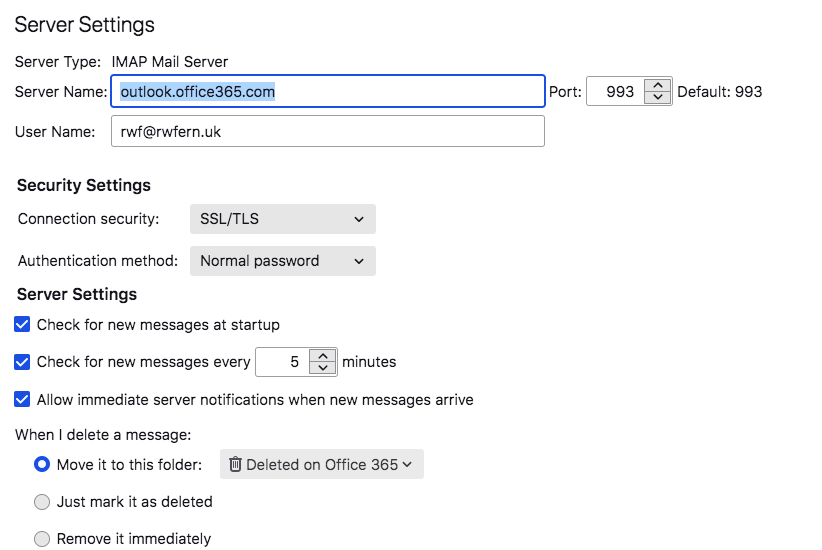
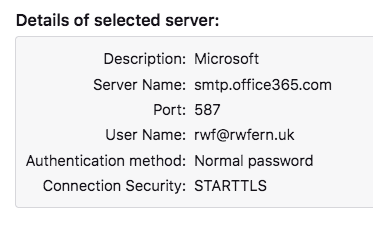
My ISP thinks that, if accessing Office/Outlook via Firefox works normally, then the problem must be with my Thunderbird settings. I've attached screenshots with these in.
My ISP doesn't 'know' Thunderbird, but is very willing to answer any questions, if that would help you.
All good wishes,
Roger Fern.
Roger Fern, Newcastle upon Tyne.
Toate răspunsurile (2)

I had the same issue. All of a sudden, Thunderbird was unable to connect to outlook server and was constantly asking for my password but did not connect. On Server settings tab, I switched from "Normal password" to oAuth, I entered my password and now everything is back to normal. Hope that helps.

panoskol said
I had the same issue. All of a sudden, Thunderbird was unable to connect to outlook server and was constantly asking for my password but did not connect. On Server settings tab, I switched from "Normal password" to oAuth, I entered my password and now everything is back to normal. Hope that helps.
This worked for me, thank you.