Windows 10 reached EOS (end of support) on October 14, 2025. If you are on Windows 10, see this article.

Caută ajutor

Atenție la excrocheriile de asistență. Noi nu îți vom cere niciodată să suni sau să trimiți vreun SMS la vreun număr de telefon sau să dai informații personale. Te rugăm să raportezi activitățile suspecte folosind opțiunea „Raportează un abuz”.

Află mai multe

Profile folder isn't shown

  • 1 răspuns
  • 1 are această problemă
  • 90 de vizualizări
  • Ultimul răspuns dat de cor-el

Hi all,

I had to do a fresh installation of Firefox, so I made a backup of my profile folders to restore them and deinstalled Firefox completely.

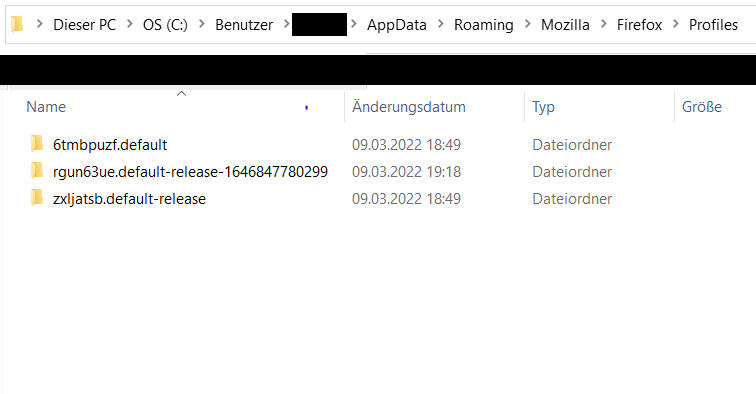
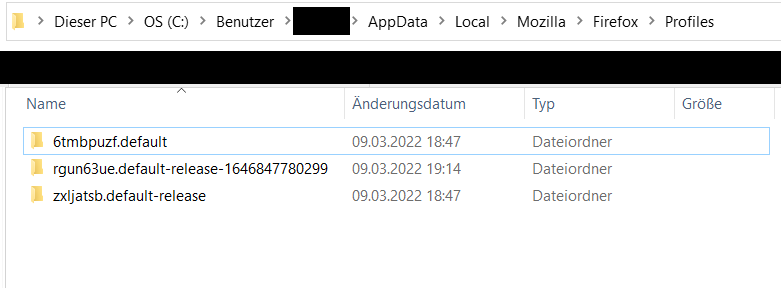
My main profile folder is called 6tmbpuzf.default and my additional profile folder is called zxljatsb.default-release.

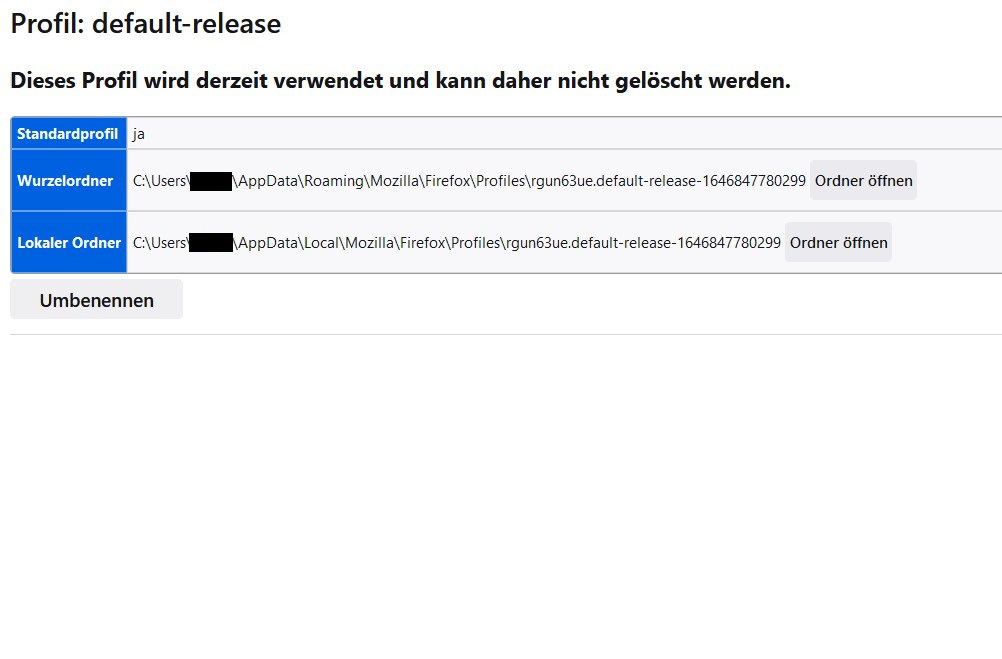
After the fresh installation, Firefox created a new profile: rgun63ue.default-release-1646847780299

I closed Firefox, copied my saved profile folders to the places where they belong (from roaming to roaming, from local to local) but when I open about:profiles, Firefox doesn't show any of my old profiles, only the new one! Why is that? What can I do so that Firefox shows them?

I added images of my about:profiles page, the roaming and the local folder.
Hi all, I had to do a fresh installation of Firefox, so I made a backup of my profile folders to restore them and deinstalled Firefox completely. My main profile folder is called 6tmbpuzf.default and my additional profile folder is called zxljatsb.default-release. After the fresh installation, Firefox created a new profile: rgun63ue.default-release-1646847780299 I closed Firefox, copied my saved profile folders to the places where they belong (from roaming to roaming, from local to local) but when I open about:profiles, Firefox doesn't show any of my old profiles, only the new one! Why is that? What can I do so that Firefox shows them? I added images of my about:profiles page, the roaming and the local folder.
Capturi de ecran atașate

Modificat la de Diramel

Toate răspunsurile (1)

A profile needs to be registered in the Profile Manager (profiles.ini in the Firefox profile folder) in order for Firefox to use this profile.