


Separation of the address bar and search bar

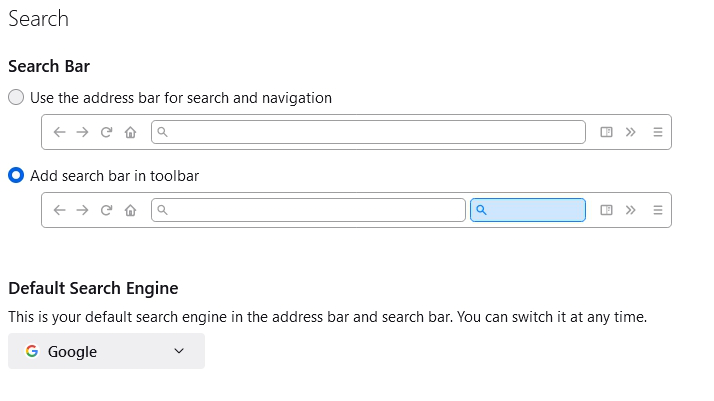
You have very practical option for the address bar to separate it for the search bar. See the attached screen shot.
We have many local url addresses to the local web server, which the Firefox does not recognize as URL addresses and redirects to the search engine.
So I said in the option, that for the search purposes a separate bar should be used. But the address bar still redirects to the search engine although I said that that the address bar should be used only for the navigation.
Please make the address bar working for the navigation only if the option "Add search bar in toolbar" is selected. Otherwise there is no sense in the separate search bar.
Toate răspunsurile (3)
Hi oleg.schildt,
You don't have to worry about that, firefox has this option
In a new tab, just type or paste about:config in the address bar and press Enter/Return. Click the button accepting the risk.
In the search box in the page, type or paste keyw and pause while the list is filtered
Double-click the keyword. enabled preference to switch the value from true to false
and then it will not search any keyword from your URL bar.
Thank You.

Thanks for trying, but this does not work. Still searches from address bar where you cannot see the entire suggestion and even the mouse over fails. This negates much of the usefulness of the search bar feature
You can set keyword.enabled = false on the about:config page to disable searching via the location bar.
See also:
- browser.fixup.dns_first_for_single_words = true
- browser.urlbar.dnsResolveSingleWordsAfterSearch [0:never resolve;1:use heuristics(*);2:always resolve]
You can open the about:config page via the location/address bar. If you get the warning page, you can click the "Accept the Risk and Continue" button.
Modificat la de cor-el