


How to rename device in synced opened tabs?

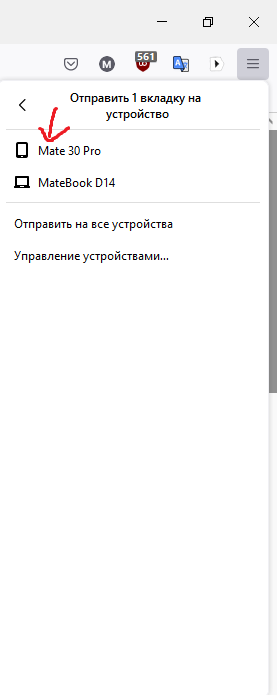
Take a look at the screenshots. The second device is called "Firefox on HUAWEI LIO-L29", but I renamed it to "Mate 30 Pro" (screenshot 2).
Why is the device name displayed not "Mate 30 Pro", as in the case of "Macbook D14"? I renamed the device in Firefox settings a few days ago.

Soluție aleasă
Open Firefox. In the current browser, press the 'hamburger' icon (3 horizontal lines) at the end of the toolbar. The first entry should be your user e-mail. Press the arrow to its right and select Manage Account.
Sign out everything you don't want on this list. If you sign out something by accident, just sign back in.
Citește răspunsul în context 👍 0Toate răspunsurile (1)

Soluție aleasă
Open Firefox. In the current browser, press the 'hamburger' icon (3 horizontal lines) at the end of the toolbar. The first entry should be your user e-mail. Press the arrow to its right and select Manage Account.
Sign out everything you don't want on this list. If you sign out something by accident, just sign back in.