


Can't open links from emails using Firefox as a default browser on my Mac. error -10826

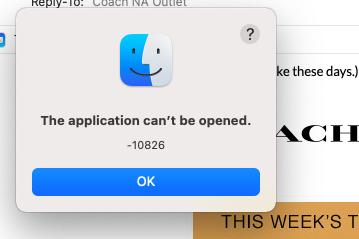
Can't open links from emails using Firefox as a default browser on my Mac. It pops up as err -10826 . It started all of the sadden a week ago. Never had this problem before. Still can open links in all other browsers, but Firefox...
Toate răspunsurile (4)

How are you accessing the e-mail provider? Using Firefox or something else?
Many site issues can be caused by corrupt cookies or cache.
Warning ! ! This will log you out of sites you're logged in to. You may also lose any settings for that website.
- How to clear the Firefox cache {web link}
If there is still a problem,
Start Firefox using Troubleshoot(Safe) Mode {web link}
A small dialog should appear. Click Start In Troubleshoot(Safe) Mode (not Refresh). Is the problem still there?
While you are in Troubleshoot(Safe) mode;
Try disabling graphics hardware acceleration in Firefox. Since this feature was added to Firefox it has gradually improved but there are still a few glitches.
How to disable Hardware Acceleration {web link}
I use Mail app in my Mac. I've already contacted Apple support and did everything they told me to clear cache. I believe that something wrong in settings , I mean its a block for opening links from emails somewhere in Firefox(latest version). But haven't found where and how I can fix it
Troubleshoot Mode hasn't solved the problem