


Windows 10 reached EOS (end of support) on October 14, 2025. If you are on Windows 10, see this article.

Caută ajutor

Atenție la excrocheriile de asistență. Noi nu îți vom cere niciodată să suni sau să trimiți vreun SMS la vreun număr de telefon sau să dai informații personale. Te rugăm să raportezi activitățile suspecte folosind opțiunea „Raportează un abuz”.

Află mai multe
Rezolvat Arhivate

Search not working correctly in v89.0 (64 bit)

davidcrighton99

I recently updated Mozilla to v 80.0 (64 bit) I have Mozilla set so that it does not search from the address bar, and I use the optional search bar.

When I create a new tab the default page contains a google search box, as per the attached screen shot. But if I type in that search box, the search term appears in the address bar, and then Mozilla tells me the address doesn't look right.

Why is the search term automatically entered in the address bar? Since I have the seaparate search bar my search term should appear there.

BTW I hate searching from the address bar. If I want to search I type it in the search box, or in the search box in new tab. Separating the search and address bars is one of my favorite features of Mozilla vs the other browsers.
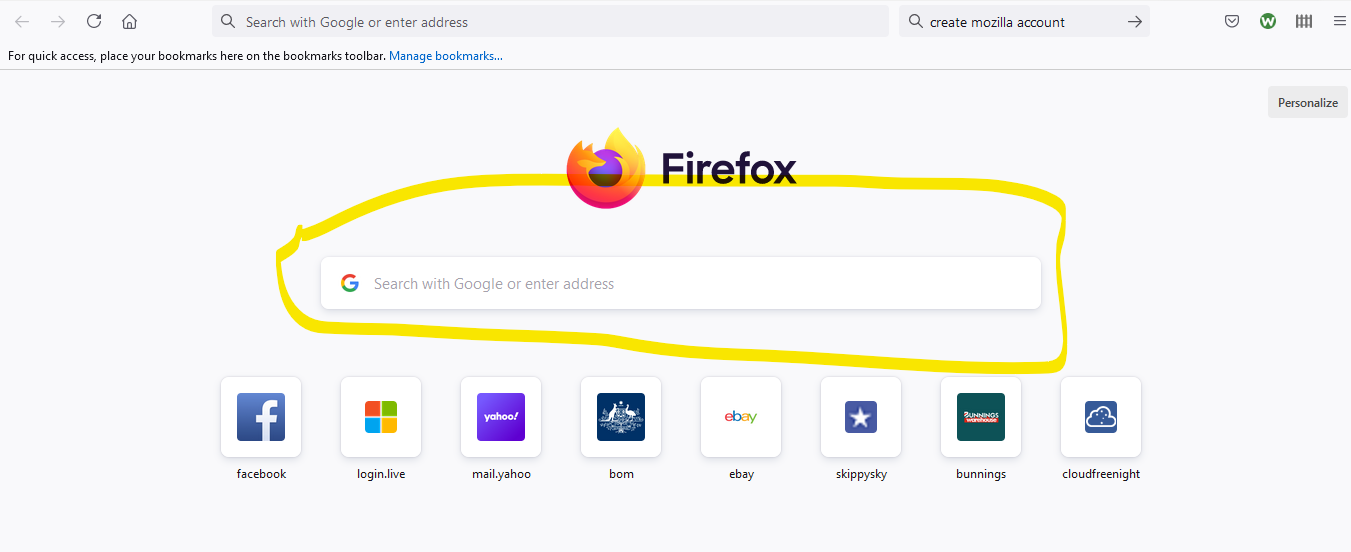
I recently updated Mozilla to v 80.0 (64 bit) I have Mozilla set so that it does not search from the address bar, and I use the optional search bar. When I create a new tab the default page contains a google search box, as per the attached screen shot. But if I type in that search box, the search term appears in the address bar, and then Mozilla tells me the address doesn't look right. Why is the search term automatically entered in the address bar? Since I have the seaparate search bar my search term should appear there. BTW I hate searching from the address bar. If I want to search I type it in the search box, or in the search box in new tab. Separating the search and address bars is one of my favorite features of Mozilla vs the other browsers.
Capturi de ecran atașate

Toate răspunsurile (2)

Soluție aleasă

You can turn it off by going to about:config and switching browser.newtabpage.activity-stream.improvesearch.handoffToAwesomebar to false.

Thanks heaps for the fast response. That fixed it  :)