


How do I change ssl proxy settings?
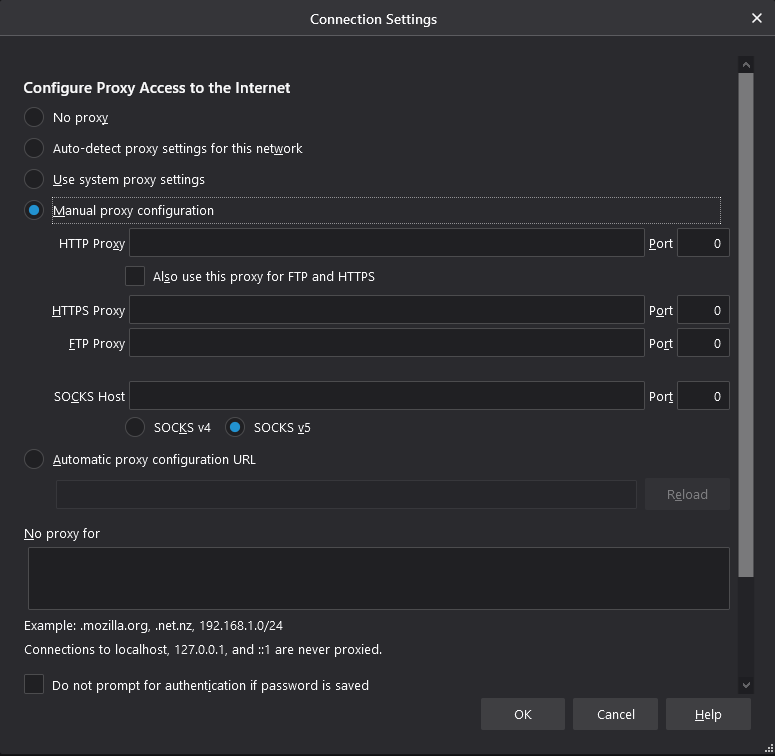
I'm trying to set up i2p router on Firefox, which requires me to set the proxy settings for SSL. When I go to the network settings and manually change the proxy settings, there's an option for HTTP, HTTPS, and FTP proxy. In the screenshot that the i2p guide shows, there's an option to set the FTP proxy, but I don't see this under my network settings.
I'm trying to set up i2p router on Firefox, which requires me to set the proxy settings for SSL. When I go to the network settings and manually change the proxy settings, there's an option for HTTP, HTTPS, and FTP proxy. In the screenshot that the i2p guide shows, there's an option to set the FTP proxy, but I don't see this under my network settings.
Soluție aleasă
The guide that you are looking at is using an outdated version of the Firefox settings page. The SSL option was changed to HTTPS on that option menu.
Citește răspunsul în context 👍 0Toate răspunsurile (1)
Soluție aleasă
The guide that you are looking at is using an outdated version of the Firefox settings page. The SSL option was changed to HTTPS on that option menu.