


How I can remove space in title bar between window control buttons and items?
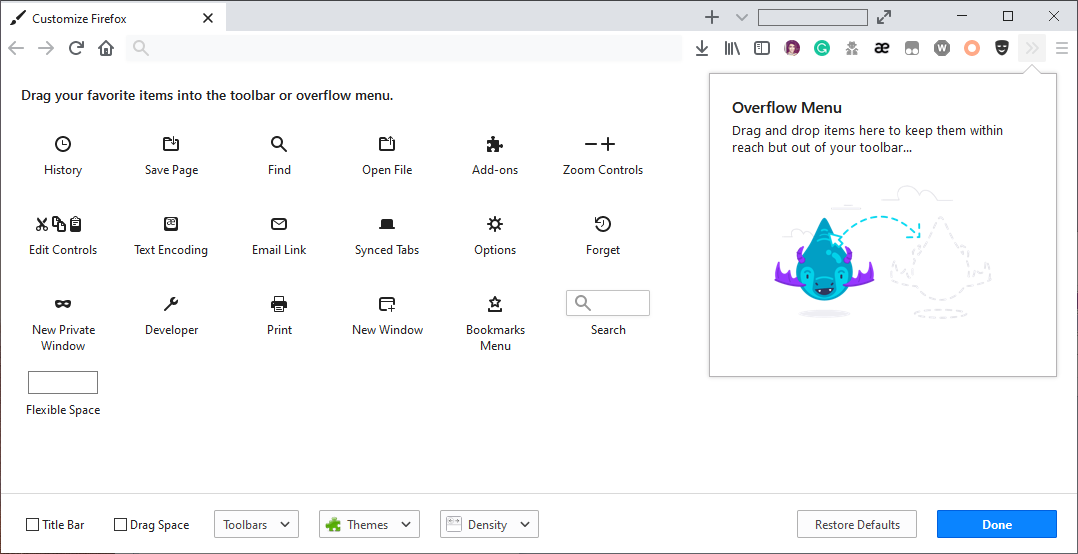
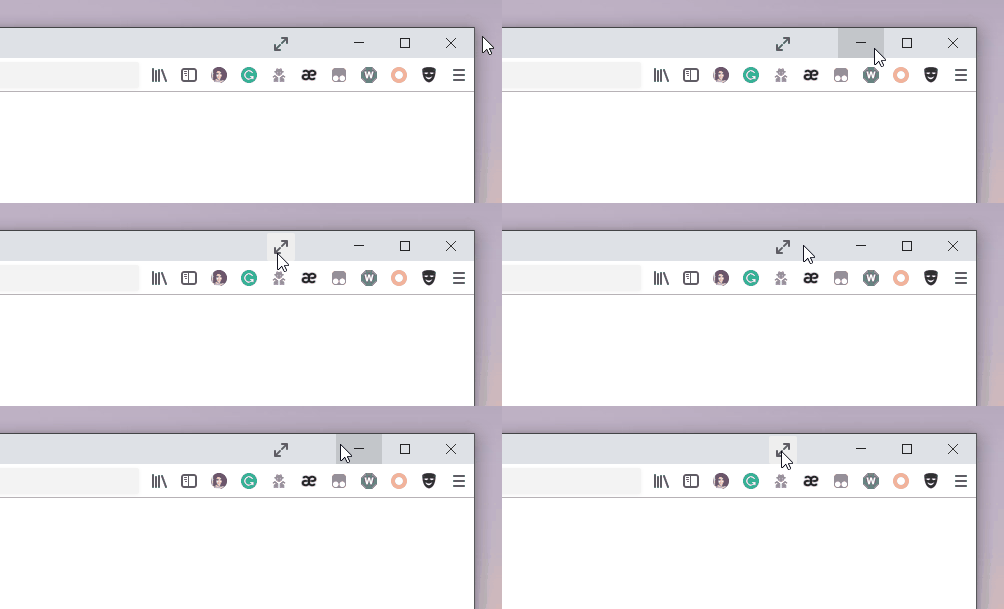
Hello, I have customized Firefox and put the full-screen button in the title bar. (see Pic1.png) Now I want to remove space in title bar between window control buttons and items. (see Pic2.gif) Just like the full-screen mode, there is no space between window control buttons and items. (see Pic3.png)
Hello,
I have customized Firefox and put the full-screen button in the title bar. (see Pic1.png)
Now I want to remove space in title bar between window control buttons and items. (see Pic2.gif)
Just like the full-screen mode, there is no space between window control buttons and items. (see Pic3.png)

Toate răspunsurile (1)
Your screenshot of the Customize Firefox tab shows what appears to be a Flexible Space and the angles up-down arrows button sitting on the Tab bar. Try removing those two items from the Tab bar to allow the Tab bar to be wider / longer; do that from the Customize Firefox palette screen.