


Windows 10 reached EOS (end of support) on October 14, 2025. If you are on Windows 10, see this article.

Caută ajutor

Atenție la excrocheriile de asistență. Noi nu îți vom cere niciodată să suni sau să trimiți vreun SMS la vreun număr de telefon sau să dai informații personale. Te rugăm să raportezi activitățile suspecte folosind opțiunea „Raportează un abuz”.

Află mai multe

Can only start Thunderbird in Safe Mode - problem eventually solved - no help needed.

  • Niciun răspuns
  • 1 are această problemă
  • 9 vizualizări

When I tried to start Thunderbird this morning I had the attached image appear.

Some background. Yesterday I installed a new drive into my computer (Windows 10). This involved changing the drive letters such that my thunderbird profile was now on drive E instead of drive D. I located the Profiles.ini file and changed references to drive D to drive E as shown here:

[InstallC1263DE4EAE8A7E6] Default=E:\Users\Richard\Documents\Thunderbird Profile\8vg3bmxa.default

[Profile1] Name=Richard IsRelative=0 Path=E:\Users\Richard\Documents\Thunderbird Profile\8vg3bmxa.default Default=1

[Profile0] Name=default IsRelative=1 Path=Profiles/movow05a.default

[General] StartWithLastProfile=1 Version=2

After doing this thunderbird started and was OK – I was able to receive new emails. I don’t know whether sending new emails worked or not as I didn’t try to send any.

But this morning I have problems.

When I start thunderbird in Safe mode it starts OK – both receiving and sending. So perhaps I have a dodgy add-in. There are 5 entries in the extensions folder. I have removed all these, but now when I try to start thunderbird in normal mode nothing happens at all, the icon just flickers but there are no errors or anything else. Safe mode still works.

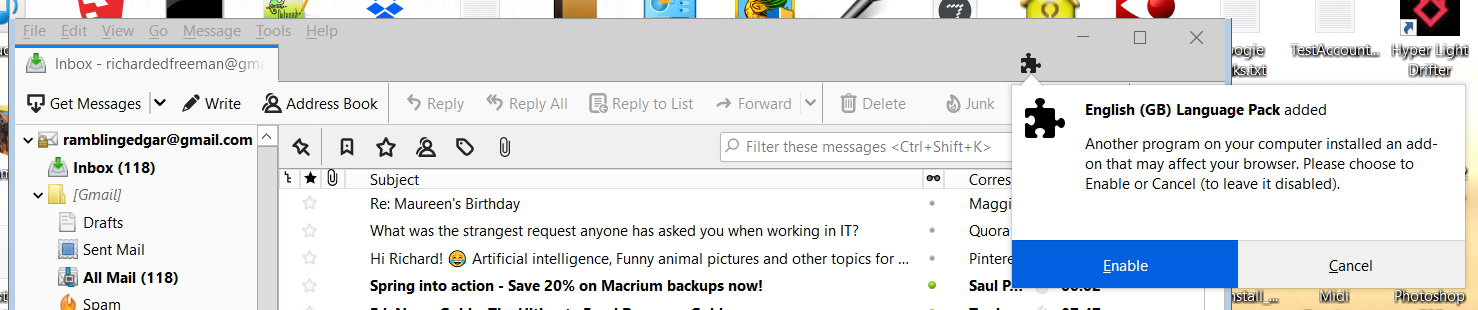
I restore the 5 extensions, and now thunderbird does start normally, except there is an error message about the English (GB) Language pack - which is the second image below. I click enable for this, and get the same message for the other add-ons - which I also enable. After the last of these thunderbird restarts and appears to be normal.

So it appears to be all solved - I don't need any help with this now, but thought my documentation of what has occured may be useful to others, as I was unable to find that any one else had had these problems.

Regards

Richard
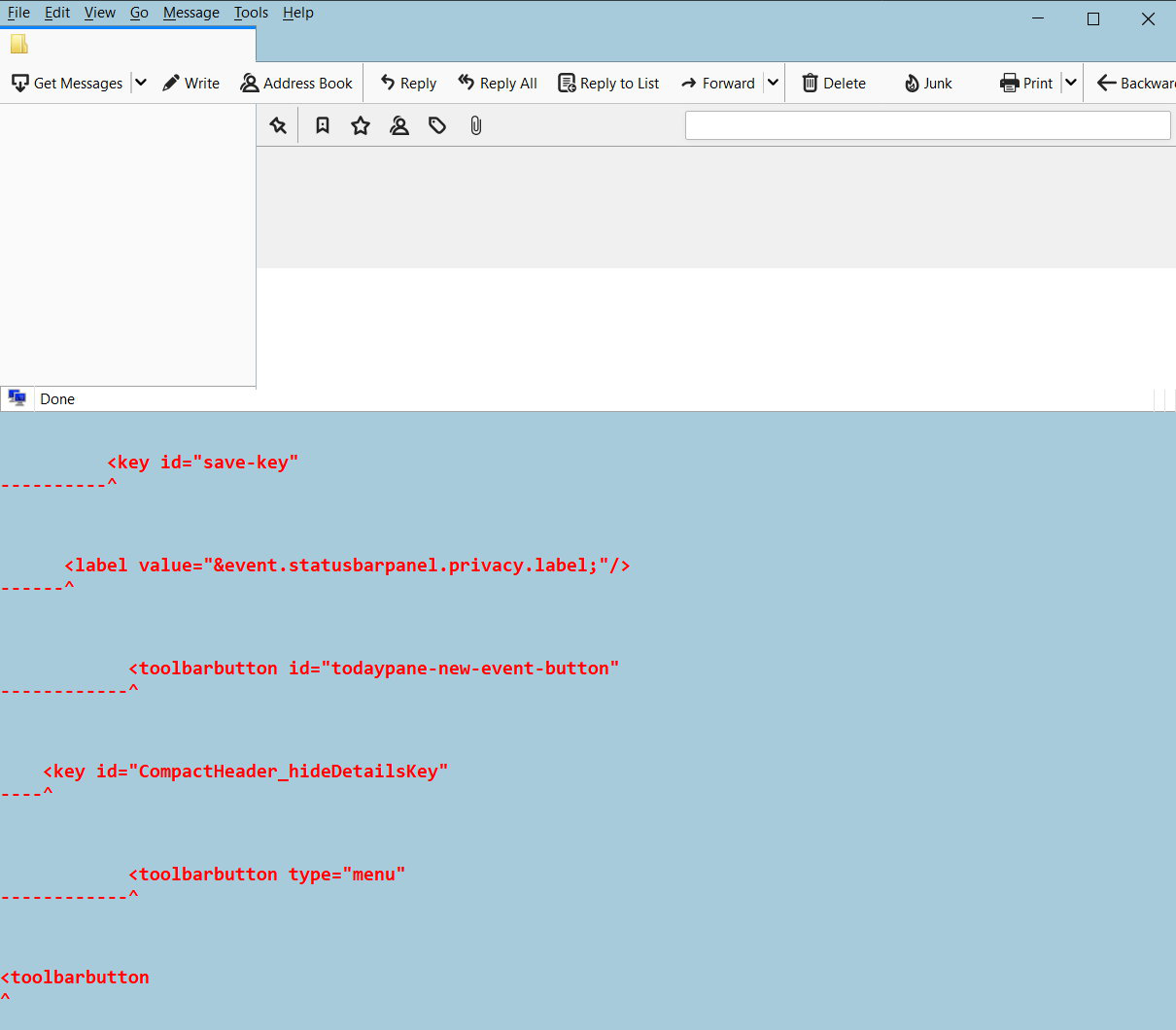
When I tried to start Thunderbird this morning I had the attached image appear. Some background. Yesterday I installed a new drive into my computer (Windows 10). This involved changing the drive letters such that my thunderbird profile was now on drive E instead of drive D. I located the Profiles.ini file and changed references to drive D to drive E as shown here: [InstallC1263DE4EAE8A7E6] Default=E:\Users\Richard\Documents\Thunderbird Profile\8vg3bmxa.default [Profile1] Name=Richard IsRelative=0 Path=E:\Users\Richard\Documents\Thunderbird Profile\8vg3bmxa.default Default=1 [Profile0] Name=default IsRelative=1 Path=Profiles/movow05a.default [General] StartWithLastProfile=1 Version=2 After doing this thunderbird started and was OK – I was able to receive new emails. I don’t know whether sending new emails worked or not as I didn’t try to send any. But this morning I have problems. When I start thunderbird in Safe mode it starts OK – both receiving and sending. So perhaps I have a dodgy add-in. There are 5 entries in the extensions folder. I have removed all these, but now when I try to start thunderbird in normal mode nothing happens at all, the icon just flickers but there are no errors or anything else. Safe mode still works. I restore the 5 extensions, and now thunderbird does start normally, except there is an error message about the English (GB) Language pack - which is the second image below. I click enable for this, and get the same message for the other add-ons - which I also enable. After the last of these thunderbird restarts and appears to be normal. So it appears to be all solved - I don't need any help with this now, but thought my documentation of what has occured may be useful to others, as I was unable to find that any one else had had these problems. Regards Richard
Capturi de ecran atașate