


Cannot import CSV file into TBv68 address book.

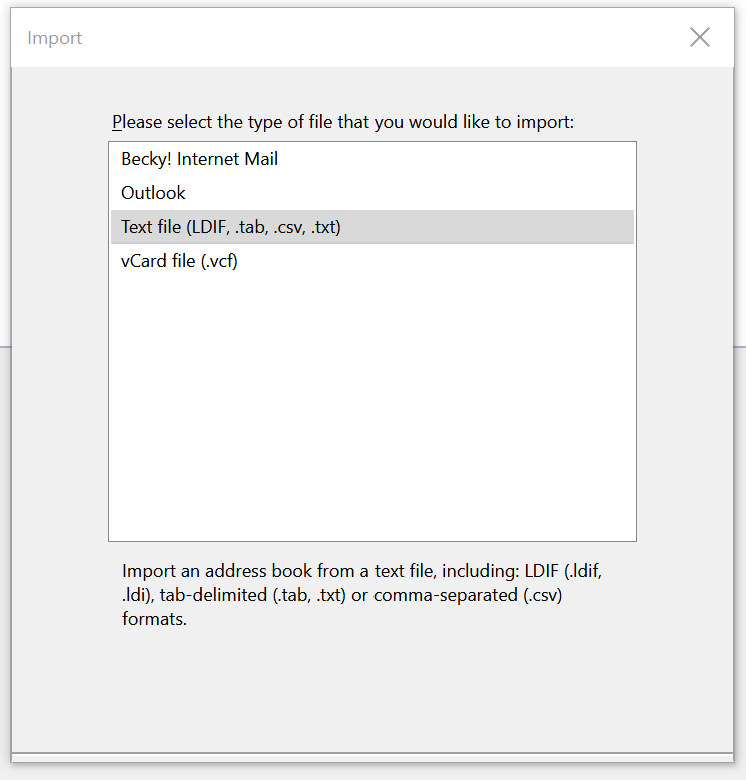
Following the steps to import a CSV file into the address book, it stops when I select text file. The "next" button does not appear, which I assume SHOULD take me to a file select window.
Toate răspunsurile (5)
You might have a broken layout, so does starting in safe mode (hold Shift when you launch TB) bring back the correct display?
I tried it with no success.
Just to clarify: when you select Tools/Import, Address Books, there is a Next button to go to the screen you posted, but there's no Next button in that window. And, safe mode makes no difference.
sfhowes, that is correct.
Hard to say why the buttons disappear. If it's a profile issue, you could create a new one and then try Tools/Import; no need to add an account for this test. Close TB, Windows key+R, type thunderbird.exe -p to start Profile Manager.
Reinstalling the program seldom fixes problems, but it's easy enough to download and run the full installer from thunderbird.net. Choose the 32 or 64 bit version, corresponding to what is currently installed. A reinstall doesn't affect the profile folder.