


when hardware acceleration is enabled, 4K on YouTube is disabled

So when I enable hardware acceleration, 4K on YouTube is disabled. When I turn it off 4K is available. With it on, 1440p is the maximum res. displayed. What is going on?
Toate răspunsurile (8)
Link? What is your acceleration set at?
what do you mean by "what is it set at"?
Your Hardware acceleration in FF setups where the Performance is set at. Here is my screen shot of my setting. And if you don't give link no one can test what your problem can be verified.

Modificat la de WestEnd
Here's a picture.

CoffeeBean said
So when I enable hardware acceleration, 4K on YouTube is disabled. When I turn it off 4K is available. With it on, 1440p is the maximum res. displayed. What is going on?
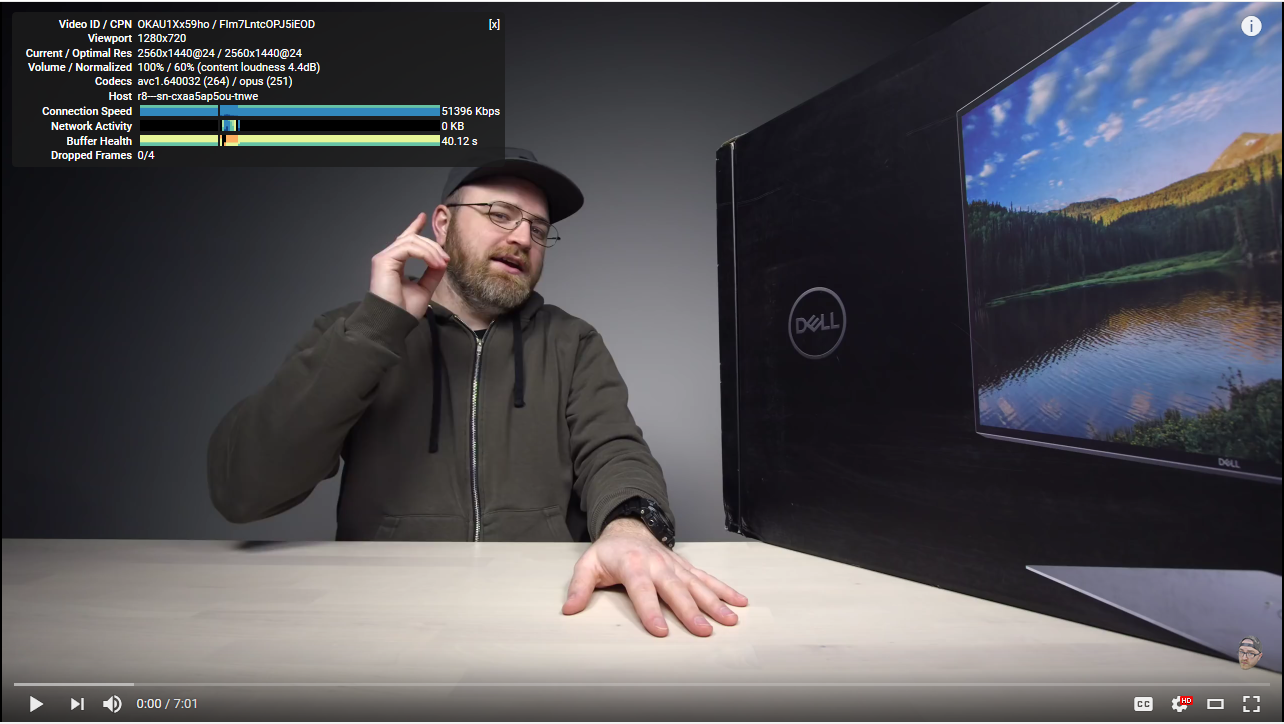
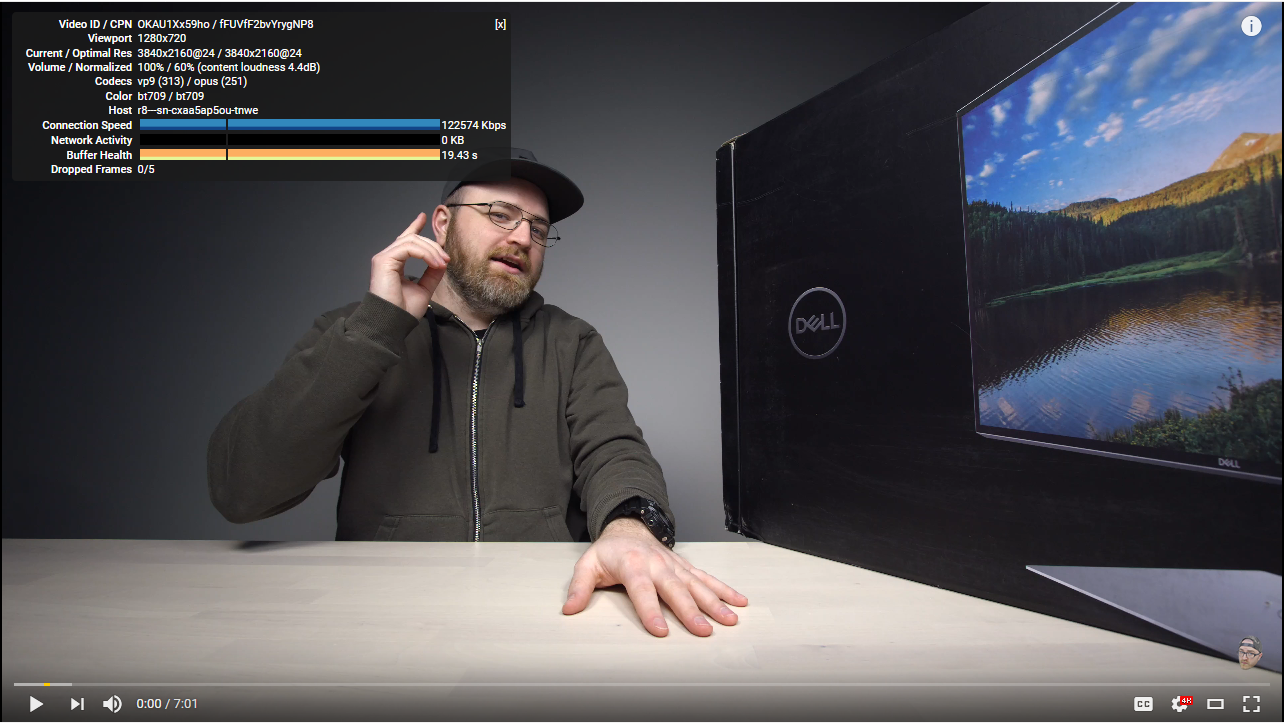
Hmmm.... so youtube thinks that GPU is unable to process such a big video. Or different codecs are used in both cases. Could you bring here "Statistics for nerds" of this two examples (accelerated/non accel.)?
I'm sure that I've read something about this issue on bugzilla (with an explaination and perhaps with a patch), but I can't find it right now.
TyDraniu said
CoffeeBean saidSo when I enable hardware acceleration, 4K on YouTube is disabled. When I turn it off 4K is available. With it on, 1440p is the maximum res. displayed. What is going on?Hmmm.... so youtube thinks that GPU is unable to process such a big video. Or different codecs are used in both cases. Could you bring here "Statistics for nerds" of this two examples (accelerated/non accel.)?
I'm sure that I've read something about this issue on bugzilla (with an explaination and perhaps with a patch), but I can't find it right now.
The name of the images indicate when acceleration is on or off.
CoffeeBean said
TyDraniu saidCoffeeBean saidSo when I enable hardware acceleration, 4K on YouTube is disabled. When I turn it off 4K is available. With it on, 1440p is the maximum res. displayed. What is going on?Hmmm.... so youtube thinks that GPU is unable to process such a big video. Or different codecs are used in both cases. Could you bring here "Statistics for nerds" of this two examples (accelerated/non accel.)?
I'm sure that I've read something about this issue on bugzilla (with an explaination and perhaps with a patch), but I can't find it right now.
The name of the images indicate when acceleration is on or off.
Oops, right. Not only is the name changed, but you can figure it out anyways...
So in the accel mode yt serves H.264 decoded video and vp9 in the not accel mode.
I've found only that the problem with H.264 is that it's not efficient enough for 4K purpose. The actual problem with 4K are the bandwidth requirements for streaming, not the hardware support.
https://video.stackexchange.com/questions/16538/h-264-max-resolution
And there's some size limitation for H.264 in Firefox: https://hg.mozilla.org/mozilla-central/rev/cede5634c11b
Modificat la de TyDraniu