


Login sites automatically
My login username and password are remembered but is there a way to have them login automatically?
Toate răspunsurile (7)
You can use these steps to make a website recognize and remember you:
- you can create an "Allow" exception to keep specific cookies, especially in case of secure websites and when cookies expire when Firefox is closed.
- Options/Preferences -> Privacy -> "Use custom settings for history" -> Cookies: Exceptions
Let the cookies expire when Firefox is closed to make them session cookies instead of using "Clear history when Firefox closes" to clear the cookies.
- Options/Preferences -> Privacy -> "Use custom settings for history" -> Cookies: Keep until: "I close Firefox"
You can create an "Allow" exception to keep specific cookies.
In case you use "Clear history when Firefox closes" or otherwise clear history.
- do not clear the Cookies
- do not clear the Site Preferences
- Options/Preferences -> Privacy -> Firefox will: "Use custom settings for history": [X] "Clear history when Firefox closes" -> Settings
- https://support.mozilla.org/en-US/kb/delete-browsing-search-download-history-firefox
- clearing "Site Preferences" clears exceptions for cookies, images, pop-up windows, and software installation and exception for password and other website specific data
- clearing "Cookies" will remove all selected cookies including cookies with an "Allow" exception you may want to keep
cor-el said
You can use these steps to make a website recognize and remember you:Thank You, my attachment shows how i`m set at the moment. Could you check it please?Let the cookies expire when Firefox is closed to make them session cookies instead of using "Clear history when Firefox closes" to clear the cookies.
- you can create an "Allow" exception to keep specific cookies, especially in case of secure websites and when cookies expire when Firefox is closed.
- Options/Preferences -> Privacy -> "Use custom settings for history" -> Cookies: Exceptions
You can create an "Allow" exception to keep specific cookies. In case you use "Clear history when Firefox closes" or otherwise clear history.
- Options/Preferences -> Privacy -> "Use custom settings for history" -> Cookies: Keep until: "I close Firefox"
- do not clear the Cookies
- do not clear the Site Preferences
- Options/Preferences -> Privacy -> Firefox will: "Use custom settings for history": [X] "Clear history when Firefox closes" -> Settings
- https://support.mozilla.org/en-US/kb/delete-browsing-search-download-history-firefox
- clearing "Site Preferences" clears exceptions for cookies, images, pop-up windows, and software installation and exception for password and other website specific data
- clearing "Cookies" will remove all selected cookies including cookies with an "Allow" exception you may want to keep
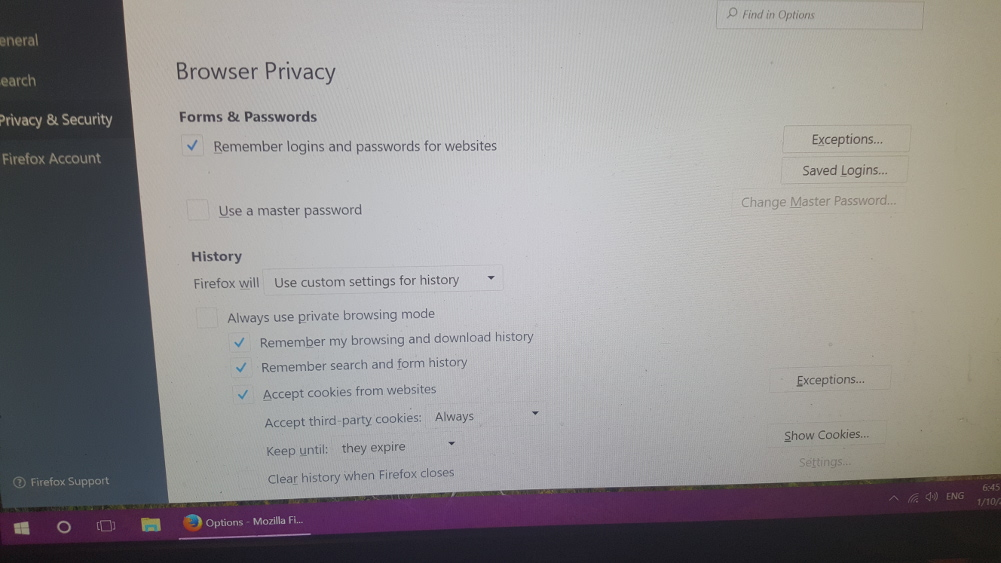
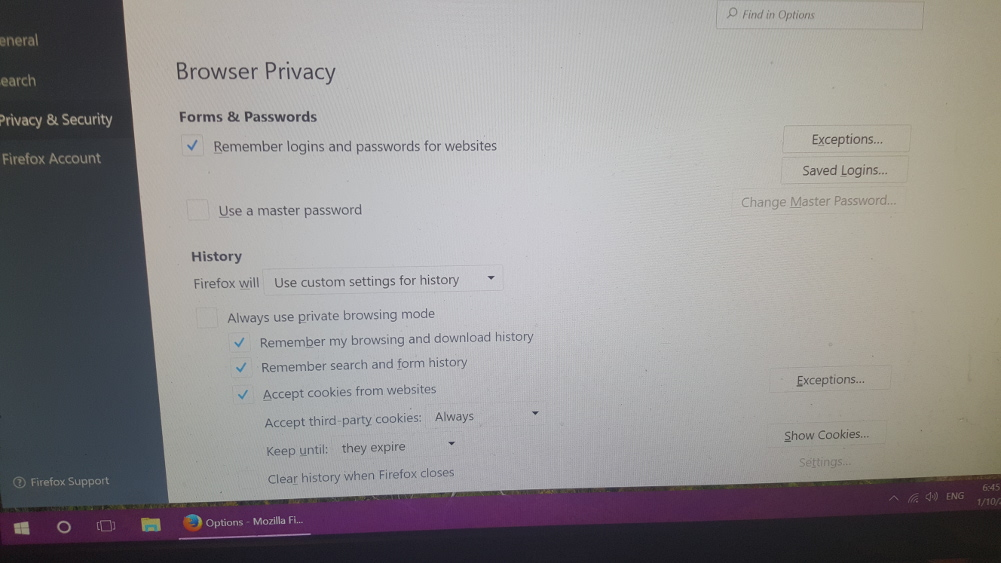
Is there actually a way to have sites set to auto sign in. I have tried add ons but to no avail for me. I used ""Idle login" for a while but no longer works.
In your attachment there's just one thing missing :
Options => Security => under 'Logins' : Check 'Remember logins for sites'
Enigma said
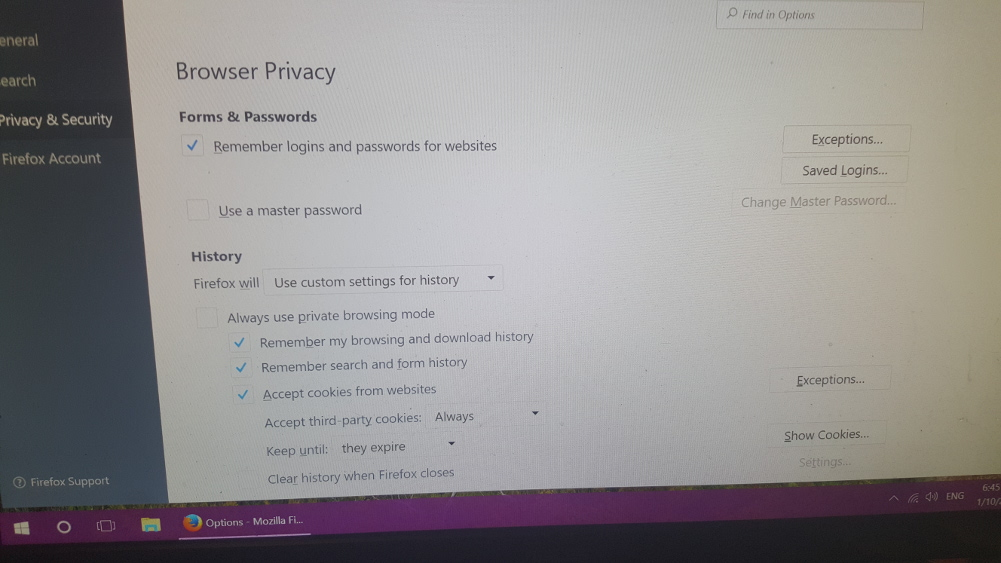
In your attachment there's just one thing missing : Options => Security => under 'Logins' : Check 'Remember logins for sites'This is what mine shows at top of attachment.
Terry said
This is what mine shows at top of attachment.
I should have noticed that you have the new 'PreferencesUI' that comes with Firefox 56 ........
My apologies - please, ignore my dumb post.