


Unified View not working properly

Hi
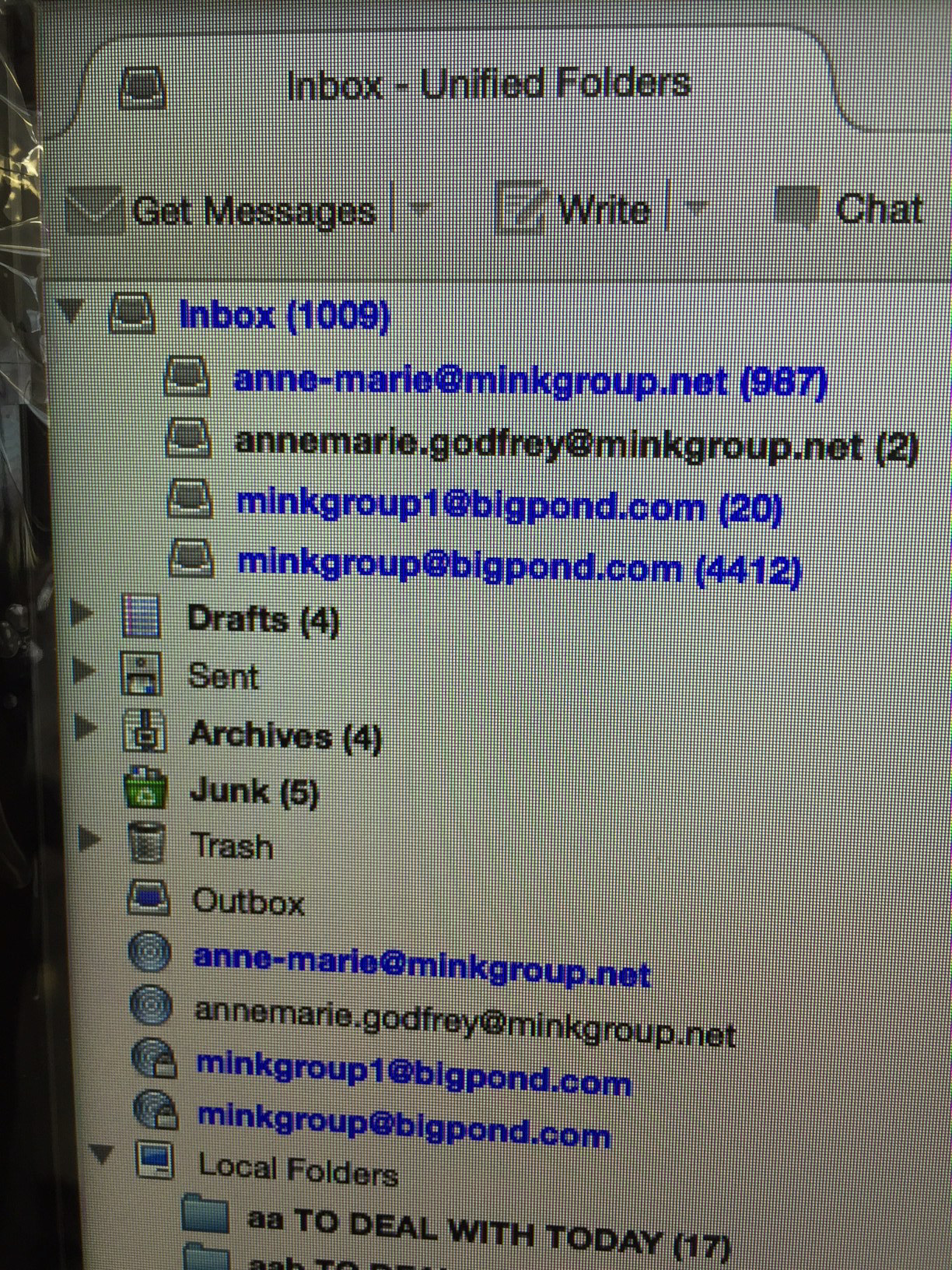
I have selected unified views however last week Telstra migrated it's emails to a new system. I am receiving emails and the email account appears as one of the accounts shown as a subfolder under "Inbox" in the Unified View however if I select the "Inbox" rather than a subfolder it does not show new/read emails for the subfolder in question but it does for the others.
In other words I have 4 emails accounts. One currently has 986 new emails, the other 2, another 19 and the other 4411. These are aggregated as subfolders in INBOX which shows 1007 unread emails - i.e. it leaves off the last account.
How do I make the subfolder feed into the Inbox?
Here's a partial screenshot....
Anne-Marie
Soluție aleasă
Unified view is not a real folder, so doing the following does not effect emails.
Try this: Select 'Menu icon' > 'Folders' > 'All'
Make hidden files and folders visible:
In Thunderbird
- Help > TRoubleshooting Information
- click on 'Show Folder' button
- Close Thunderbird now - this is important.
- click on 'Mail' folder.
- locate and delete 'smart mailboxes' folder.
Restart Thunderbird.
- Select 'Menu icon' > 'Folders' > 'Unified'
Did this work ?
Citește răspunsul în context 👍 6Toate răspunsurile (3)
Soluție aleasă
Unified view is not a real folder, so doing the following does not effect emails.
Try this: Select 'Menu icon' > 'Folders' > 'All'
Make hidden files and folders visible:
In Thunderbird
- Help > TRoubleshooting Information
- click on 'Show Folder' button
- Close Thunderbird now - this is important.
- click on 'Mail' folder.
- locate and delete 'smart mailboxes' folder.
Restart Thunderbird.
- Select 'Menu icon' > 'Folders' > 'Unified'
Did this work ?
Modificat la de Toad-Hall
Thank-you Toad-Hall - worked like a dream! I could never have done that on my own. Anne-Marie
Good to hear all is now ok.