Updated Firefox t, Facebook slider doesnt display on my website

Hi,
I have updated Firefox,
However my Facebook slider does not display the page likes on the slider it just displays a blank slider. It also does the same on other sites I have developed and visited. It use to work on the previous versions of firefox and still works on Chrome and Internet explorer.
My website URL - www.MVsite.co.za
Slider is on the right.
Please HELP!
Toate răspunsurile (3)
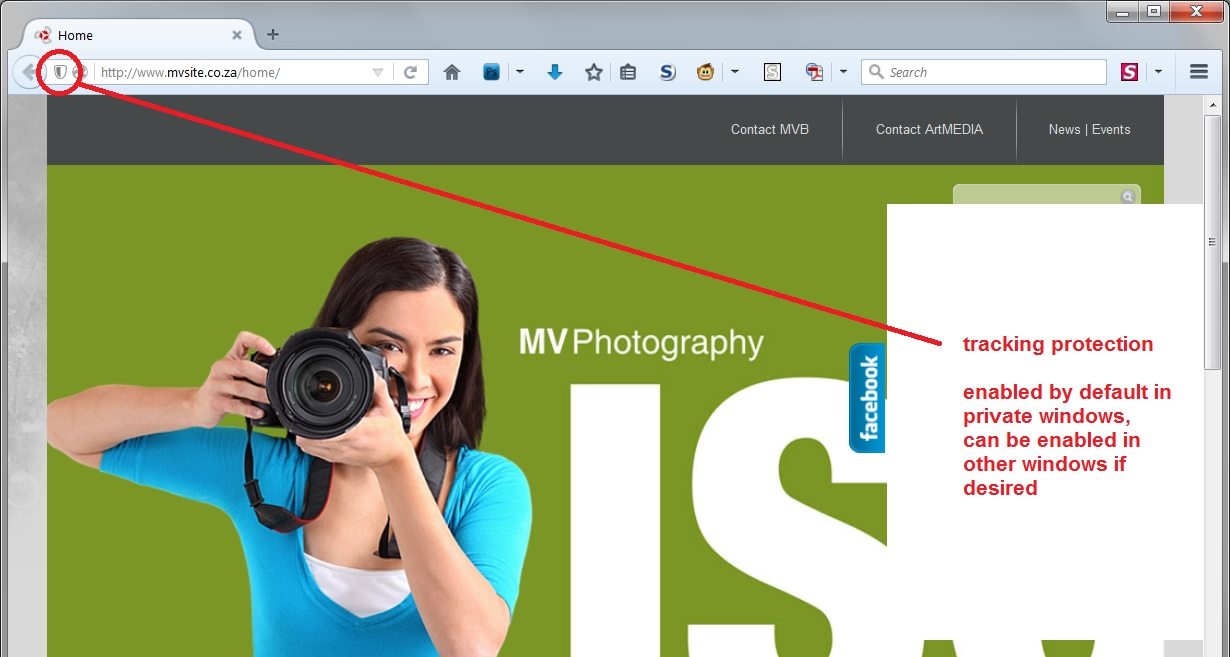
Are you using a private browsing window? Do you see a new "shield" icon toward the left end of the address bar? Please see this article for more information on why I'm asking: What happened to Tracking Protection?.
Attached an example screen shot with tracking protection enabled.
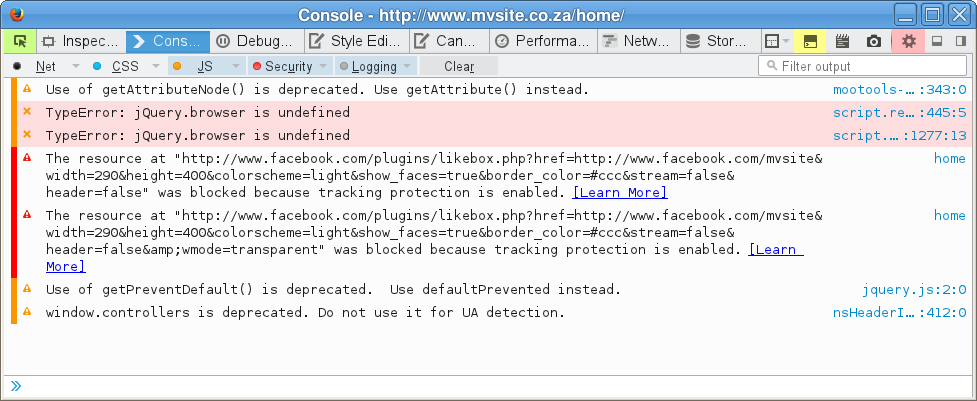
The slider works fine for me in a New Private Window. Screenshot of the Web Console (Firefox menu button or Tools > Web Developer).
If you use extensions (Firefox menu button/Tools > Add-ons > Extensions) that can block content (e.g. Adblock Plus, NoScript, Flash Block, Ghostery) then make sure that such extensions aren't blocking content.
You can reload web page(s) and bypass the cache to refresh possibly outdated or corrupted files.
- Hold down the Shift key and left-click the Reload button
- Press "Ctrl + F5" or press "Ctrl + Shift + R" (Windows,Linux)
- Press "Command + Shift + R" (Mac)