


Unintentionally, I now have an inbox within an Inbox

I recently noticed a random selection of folders were missing from my thunderbird(38.3.0) inbox. I asked our most knowledgeable staffer to help locate and restore the missing folders. The folders have been restored and are located within a separate inbox, so I am left with an inbox in an inbox. I have attached a screen shot showing my current configuration of inbox within an inbox. How do I combine all folders into one inbox?
Modificat la de Konacoffee
Toate răspunsurile (3)
screen shot?
Is the account IMAP or POP?
POP Account. Screen shot attached.
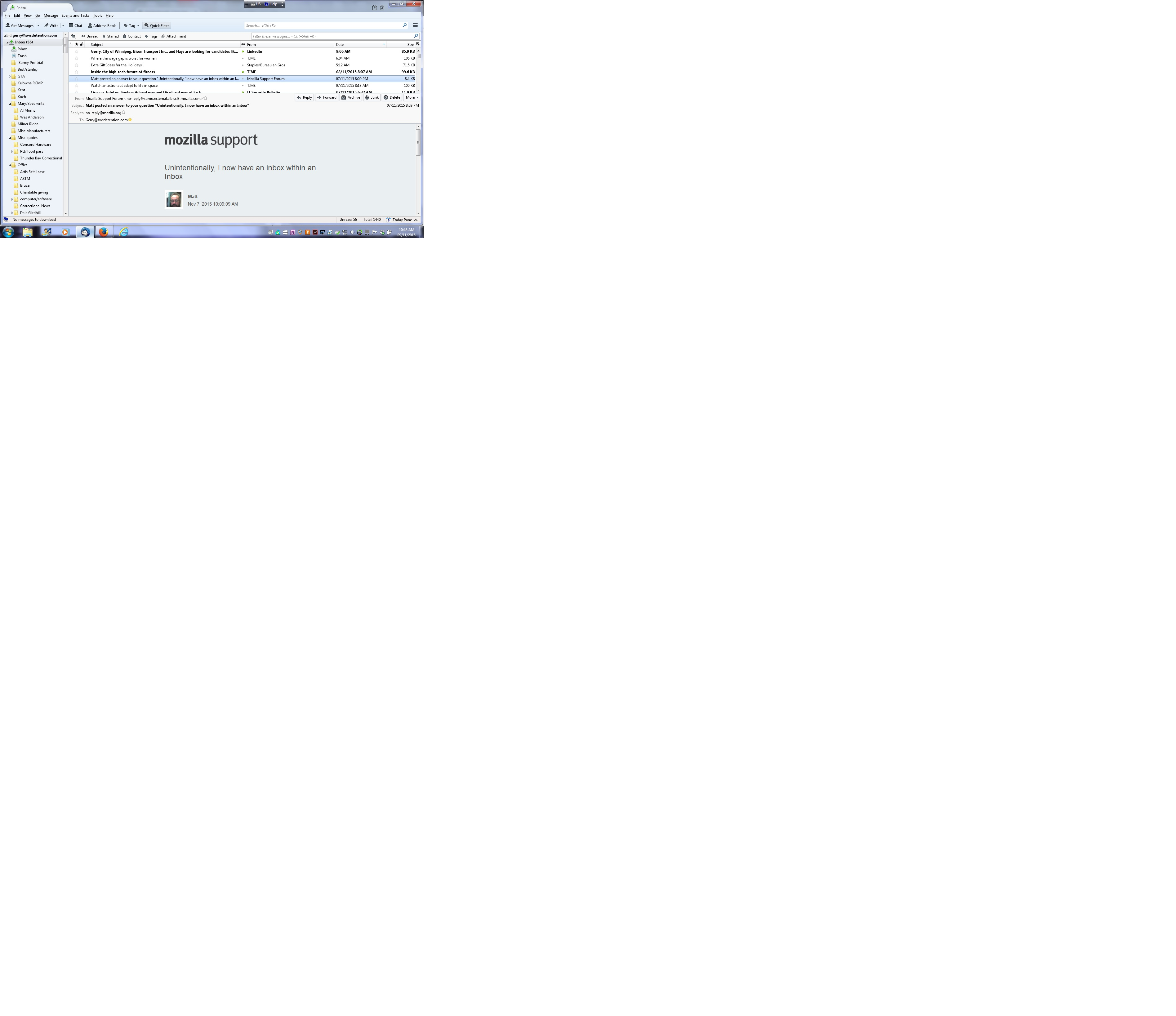
This is what occurred: When your most knowledgeable staffer restored you folders, they should have put them into the profile pop mail account folder overwriting whatever was in that folder. Instead they put them into the pop mail account 'Inbox.sbd' folder to create subfolders to the 'Inbox'. So they messed it up a bit:)
Make hidden files and fodlers visible: http://kb.mozillazine.org/Show_hidden_files_and_folders
In Thunderbird:
- Help > Troubleshooting Information
- click on 'Show folder'
a new window opens showing contents of your profile folder name.
- Close Thunderbird now - this is important.
- Click on 'Mail' Folder.
- click on 'Pop mail account name' folder.
To make sure everything does go where it should be, please supply the following info and we can advise. Please post an image showing all the contents in the 'pop mail account name' folder. then click on 'Inbox.sbd' folder Please post an image showing everything in 'Inbox.sbd' folder.