

Firul de discuție a fost arhivat.
Adresează o întrebare nouă dacă ai nevoie de ajutor.

Arhivate
delete mobile bookmarks folder from desktop

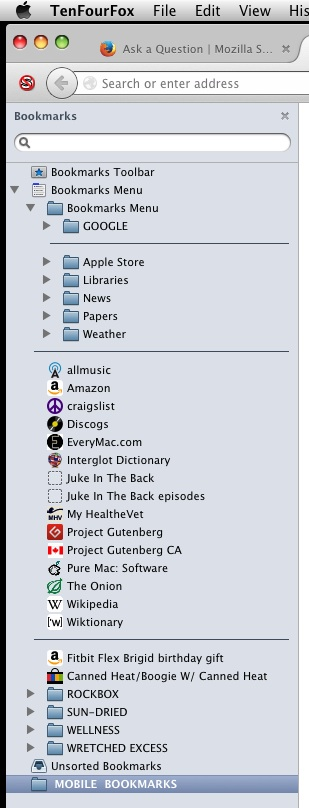
cannot delete mobile bookmark folder from desktop browser. do not wish to synch tablet bookmarks to my computer.
cannot delete mobile bookmark folder from desktop browser.
do not wish to synch tablet bookmarks to my computer.
Toate răspunsurile (1)
Hi PADDY-O1, In order to fix this, removing the sync account from both profiles and deleting that folder will do the trick. First make sure that there are no bookmarks in the Mobile bookmarks folder that should be saved, once deleted they cannot be recovered. (Exporting them might also come in handy just in case)
- In the Desktop computer open up the Firefox menu and click ont he attached sync account email
- From the open menu, click remove account
- Next go to your mobile device and remove the account from the list of android accounts. If you do not have it, change the password and this will remove all attached devices.
- Then export the bookmarks on the PC as a back up and then delete the folder by right clicking on it and click "Delete"
I hope this helps.