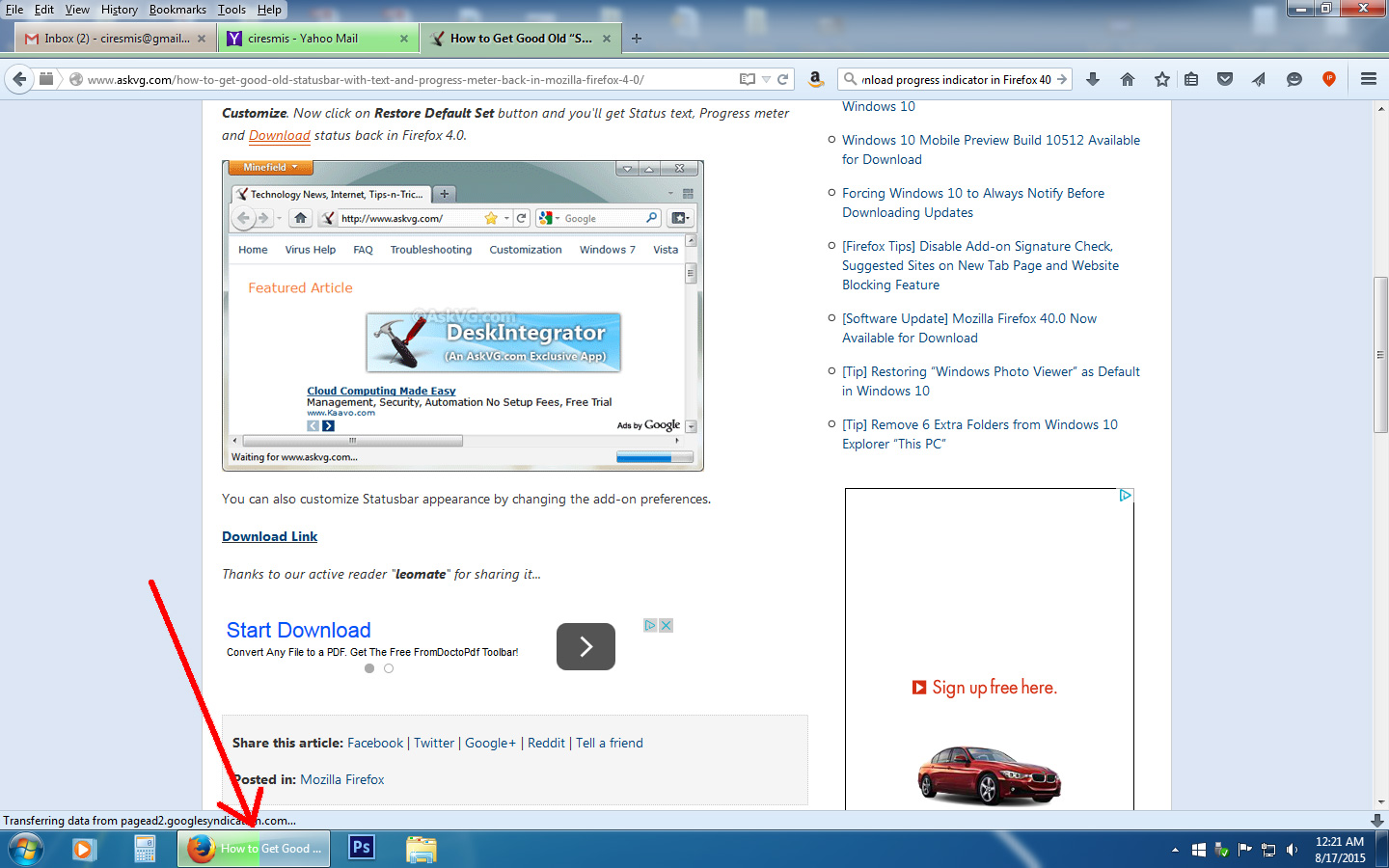
Is there any way to remove the download progress indicator?

The download progress indicator I am referring to is located on the actual taskbar. Please see the attached image. I would prefer to have no download progress indicator at all. I can always check the download progress using CTRL-J or by clicking the down arrow in the toolbar. I want to be able to download without anyone casually walking by and knowing it. Thanks for the help.
mrzugzug
PS: The image I am trying to attach is only 334KB, but it is having trouble uploading. I may have to do this later.
Toate răspunsurile (2)
The green shading that gradually spreads across the Firefox button?
This is a screenshot from the Firefox 23 days:

You can upload a more current version by attaching the image to a reply to your question: https://support.mozilla.org/questions/1078375#question-reply
(When I looked at this two years ago, I didn't see a way to suppress it. Got to log off now, so hopefully someone else can update the research.)
Yes, it is indeed the green indicator. Here is the image again (attached). Hopefully it will make it this time.
Thanks!