


why can I no longer save to my windows photo gallery?

Before I downloaded mozilla firefox I was able to save any picture to my windows photo gallery. Now it saves in other files. I can not get them my gallery. Why? How do I fix it?
Soluție aleasă
Actually you cannot save images from facebook/pinterest by any browser just by right clicking on it. First click on that picture and it will open in new page and now right click on the picture and it will have a save image option and now your file will be jpeg. Please try it and let me know.
Thank you for your patience.
Toate răspunsurile (5)
Hello,
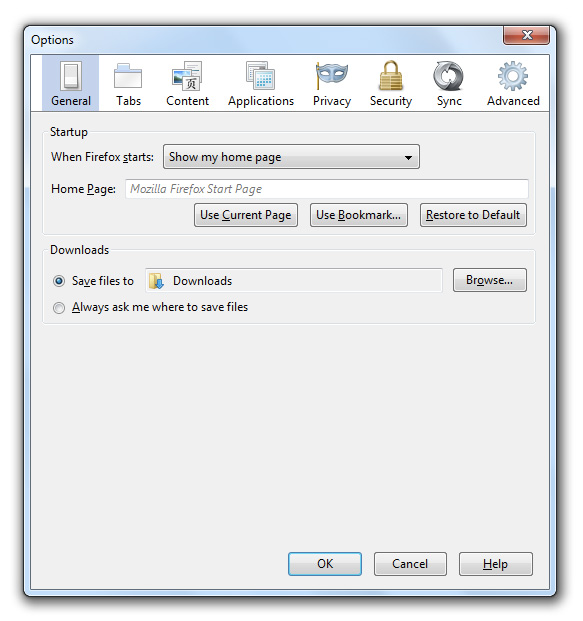
Go to https://support.mozilla.org/en-US/kb/cant-download-or-save-files#w_choose-a-different-download-folder and follow the instruction. according to the instruction change the download folder to the folder where you want to save your stuff.
Hope it helps.
Talha said
Hello, Go to https://support.mozilla.org/en-US/kb/cant-download-or-save-files#w_choose-a-different-download-folder and follow the instruction. according to the instruction change the download folder to the folder where you want to save your stuff. Hope it helps.
After following your directions on choosing a different download folder, I have the ability to send to windows photo gallery. I will not complete and the message states "file format is not supported"?
Soluție aleasă
Actually you cannot save images from facebook/pinterest by any browser just by right clicking on it. First click on that picture and it will open in new page and now right click on the picture and it will have a save image option and now your file will be jpeg. Please try it and let me know.
Thank you for your patience.
Thank you for your interest in my art. I will try to attach a file to my email.



Modificat la de cdoutback