


Add to Home Screen option doesn't appear

Hello. I have firefox for Ipad. IOS 17.2. The issue I am having is that I would like to save a website shortcut to my home screen like I normally do with Safari. When using Firefox, once I'm on the site I want to "Add to Home Screen," I go to the share menu and this option doesn't appear. Other options such as print..etc do, but not ADD TO HOME SCREEN.
Any help in resolving this issue would be greatly appreciated.
Thanks.
Todas as respostas (3)
Hi
What is the address of the website that you are trying to add a shortcut to?
Is there an "Install" option in the Firefox for iOS menu?
Hi.. the address is bestbuy.com (or really any website ) when opening the Share menu there is no install option nor is there "Add to home screen". Just copy, print, add to dropbox..etc.
Still looking for a solution if any.
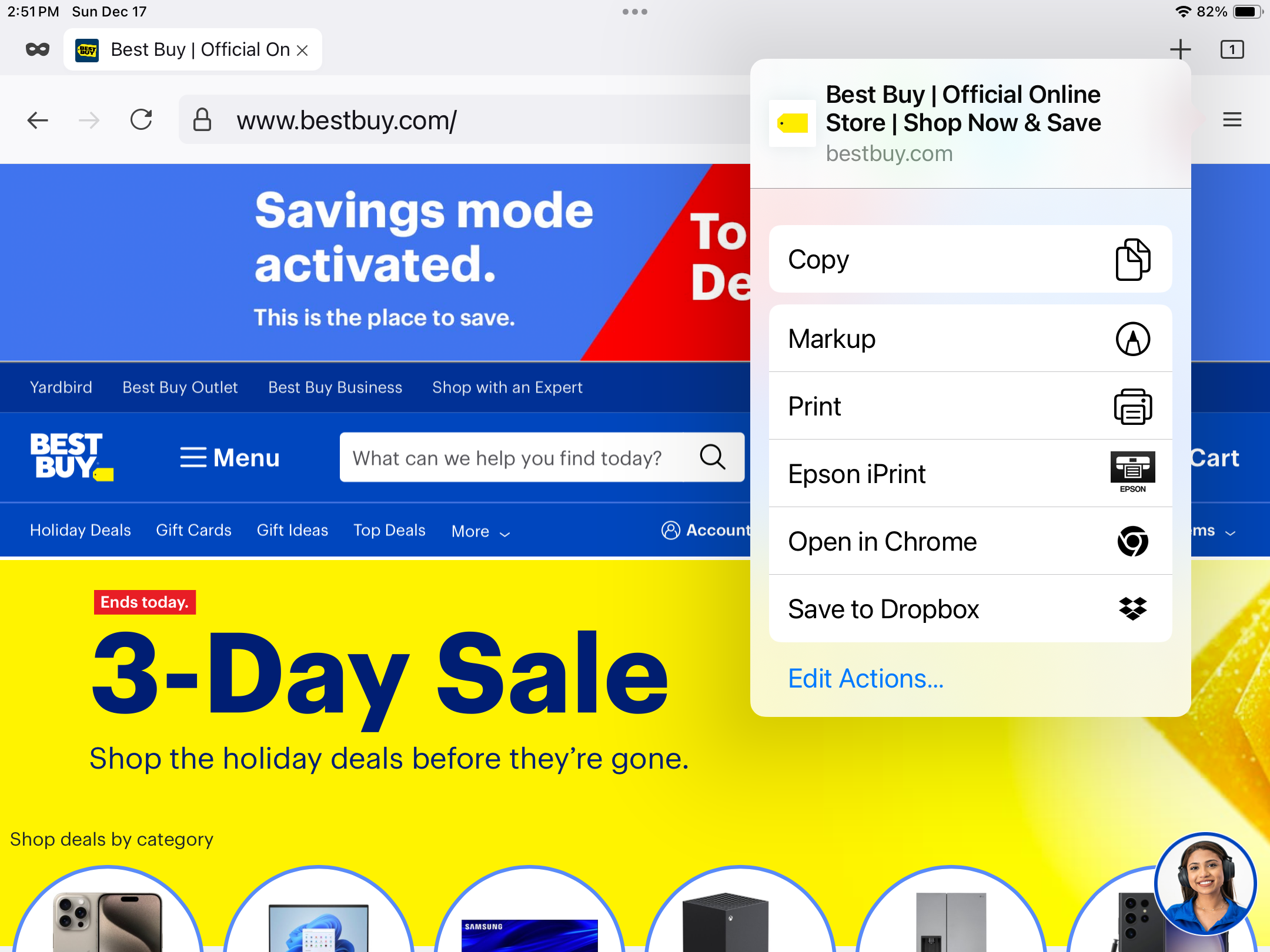
Thank you.
This does appear to be something that our developers are aware of and are looking into. You can follow progress on this and add comments at: