


Change input language (Windows key + Spacebar) is also changing Firefox's scrolling smoothness
Hi all,
So I am a multi-lingual user and changing input languages regularly by pressing Windows key + Spacebar.
In Firefox, I prefer turning "Smooth scrolling" OFF so the page sort-of jumps at a fixed distance instead "decelerates" when scrolling.
So far so good. But recently I noticed this Windows key + Spacebar combination can change Firefox's scrolling behavior.
Steps to reproduce: 1. Add one more language to Windows (I am using Win10 ... not sure about Win11 though) so that Windows key + Spacebar shows the language selecting popup 2. Turn OFF "Use smooth scrolling" in Firefox settings 3. Find a long webpage to test scrolling -- it should be "jumping" 4. On the same page, make sure Firefox is at focus, press Windows key + Spacebar to show that popup 5. Try scrolling again -- it's now scrolling very "smoothly". To my eyes, it's even much smoother than turning on "Use smooth scrolling" 6. Now click somewhere outside of Firefox(i.e. Taskbar) to lose focus then focus back to Firefox and scroll again, the smoothness is lost ... until switching language again.
I personally found it quite annoying... Is there something I can do to stop it from happening?
Thanks,
J
Alterado por Jeremy em
Solução escolhida
It turns out to be a problem with Logitech's Setpoint software causing this behavior. There's a setting 'Enable smooth scrolling' in it and for some reason can be toggled by Win+Space (despite not visually enabled/disabled in UI). Shutting the software off resolved my problem.
J
Ler esta resposta 👍 0Todas as respostas (2)
Hi,
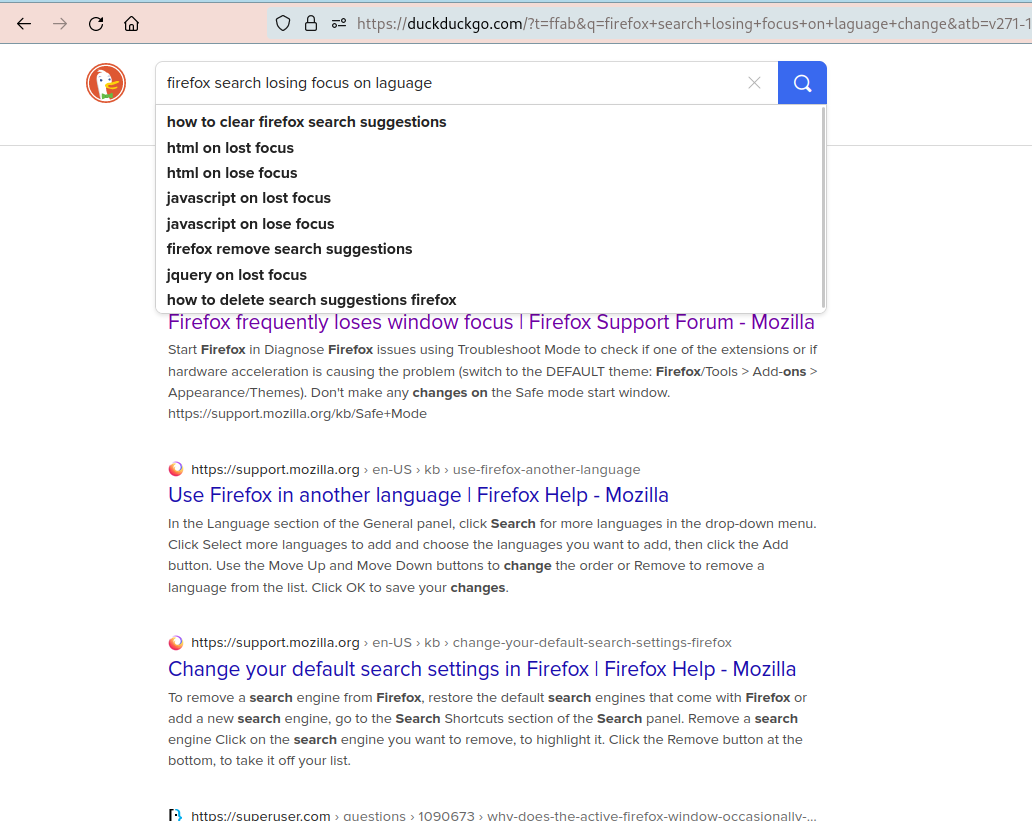
My problem is that when I use the search engine (DDG) and change the language with 'Windows Key + Spacebar' the focus shifts from the search page input field to somewhere else. I think it's caused by the same issue as Jeremy said.
Alterado por Stiky em
Solução escolhida
It turns out to be a problem with Logitech's Setpoint software causing this behavior. There's a setting 'Enable smooth scrolling' in it and for some reason can be toggled by Win+Space (despite not visually enabled/disabled in UI). Shutting the software off resolved my problem.
J