


Cannot Enter Exceptions - And Firefox Doesn't Work Properly
Trying to debug. Firefox breaks my site, and if I change the Tracking Protection to Strict, my site doesn't work at all. So it must be in this no tracking area.
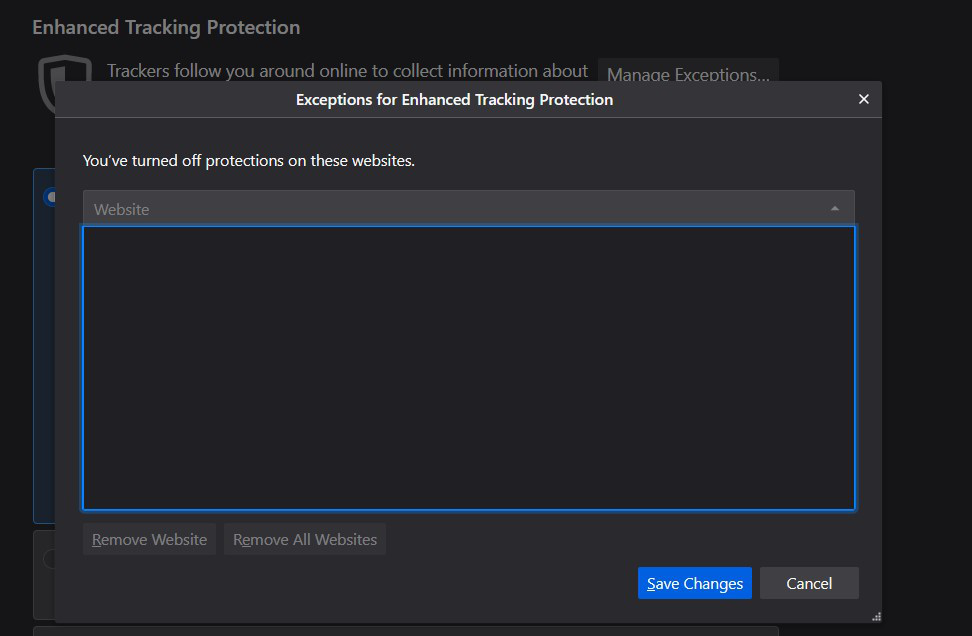
But I cannot enter exceptions in the tracking window, that window is not live. See attached. Why I cannot enter/type site URLs in this window?
Solução escolhida
You can't add a Enhanced Tracking Protection exception via that window in Options/Preferences. You enter an exception by clicking the highlighted shield in the location bar while being on a webpage and move the slider to the off position. Disabling ETP that way is all or nothing, you set the basic actions in "Options/Preferences -> Privacy & Security".
- https://support.mozilla.org/en-US/kb/enhanced-tracking-protection-firefox-desktop
- https://support.mozilla.org/en-US/kb/trackers-and-scripts-firefox-blocks-enhanced-track
The Web Console should show what items are blocked via TP or otherwise fail to load. If you have content blocking extensions then they follow their own rules and you need to check their settings.
- "3-bar" menu button or Tools -> Web Developer
- https://developer.mozilla.org/en-US/docs/Tools/Web_Console
- https://developer.mozilla.org/en-US/docs/Tools/Network_Monitor
Todas as respostas (2)

I can't enter anything there either. If you click on the shield at the left end of the url-bar, you will get a pop-up which enables you to turn Enhanced Tracking Protection off or on.
Solução escolhida
You can't add a Enhanced Tracking Protection exception via that window in Options/Preferences. You enter an exception by clicking the highlighted shield in the location bar while being on a webpage and move the slider to the off position. Disabling ETP that way is all or nothing, you set the basic actions in "Options/Preferences -> Privacy & Security".
- https://support.mozilla.org/en-US/kb/enhanced-tracking-protection-firefox-desktop
- https://support.mozilla.org/en-US/kb/trackers-and-scripts-firefox-blocks-enhanced-track
The Web Console should show what items are blocked via TP or otherwise fail to load. If you have content blocking extensions then they follow their own rules and you need to check their settings.
- "3-bar" menu button or Tools -> Web Developer
- https://developer.mozilla.org/en-US/docs/Tools/Web_Console
- https://developer.mozilla.org/en-US/docs/Tools/Network_Monitor