


Why the default icon is set for Gmail?
I have recently installed Firefox and put a bookmark on the bookmarks bar for GMail, Google Maps, Google Translate, etc. Everithing works fine except Gmail has the default (grayish globe) icon instead of the well known Google Mail icon. I bookmarked https://mail.google.com as Gmail. This bookmark link works with Chrome, but not with Firefox.
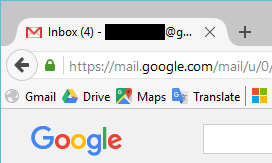
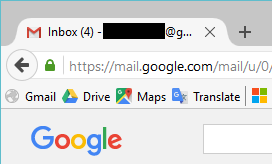
It also seem that Google Mail has a random favicon: see the attached images. Sometimes it has the old Gmail icon, somethimes the new.
Solução escolhida
I get redirected to this page if I open https://mail.google.com/ and that page has the Gmail favicon.
So you can consider to bookmark that page. The 'Sign in' page (https://accounts.google.com) shows the default Google favicon.
It is up to Google to send a link to a specific favicon in their page code if they do not store the favicon in the default path.
Ler esta resposta 👍 1Todas as respostas (3)
Missed the question: what shall I exactly bookmark to have an icon on the bookmarks bar? Why is it working in Chrome or Opera and not in Firefox?
Solução escolhida
I get redirected to this page if I open https://mail.google.com/ and that page has the Gmail favicon.
So you can consider to bookmark that page. The 'Sign in' page (https://accounts.google.com) shows the default Google favicon.
It is up to Google to send a link to a specific favicon in their page code if they do not store the favicon in the default path.
Ok. Thank you. I have changed the bookmark to https://mail.google.com/mail/u/0/#inbox and now it works. It is strange that the original https://mail.google.com address works (=the nice favicon gets loaded and stored) with Chrome but not with Firefox.
Alterado por Péter em