


Some pages not displaying columns properly since FF 37.0.1 update
The problem showed up on some pages on Lynda.com. IE 11 does not have the problem.
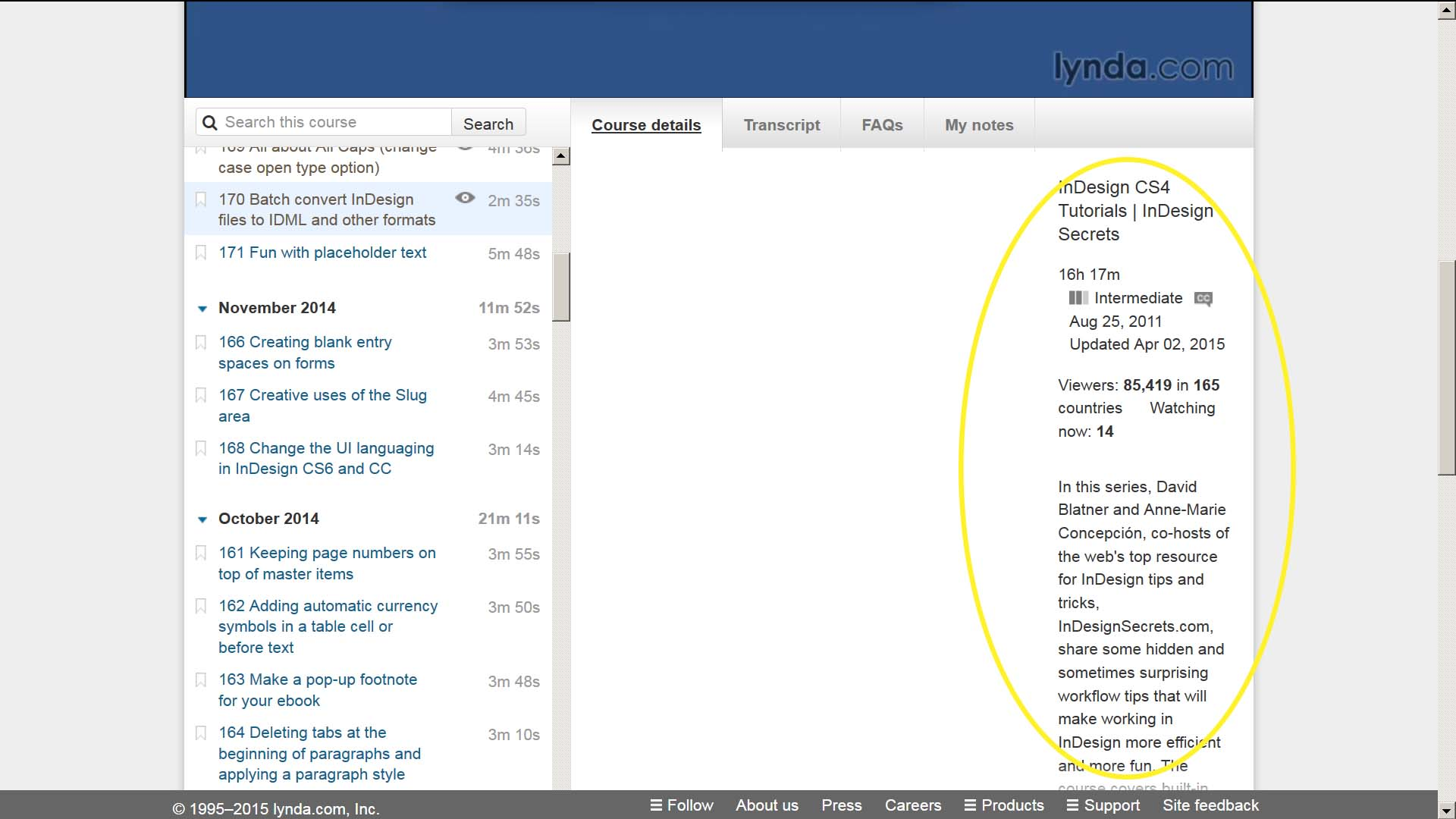
Here is a screen shot of a problem page on Lynda.com in FF, showing the column displaying wrongly:
https://support.cdn.mozilla.net/media/uploads/images/2015-04-08-23-33-54-0d7e35.png

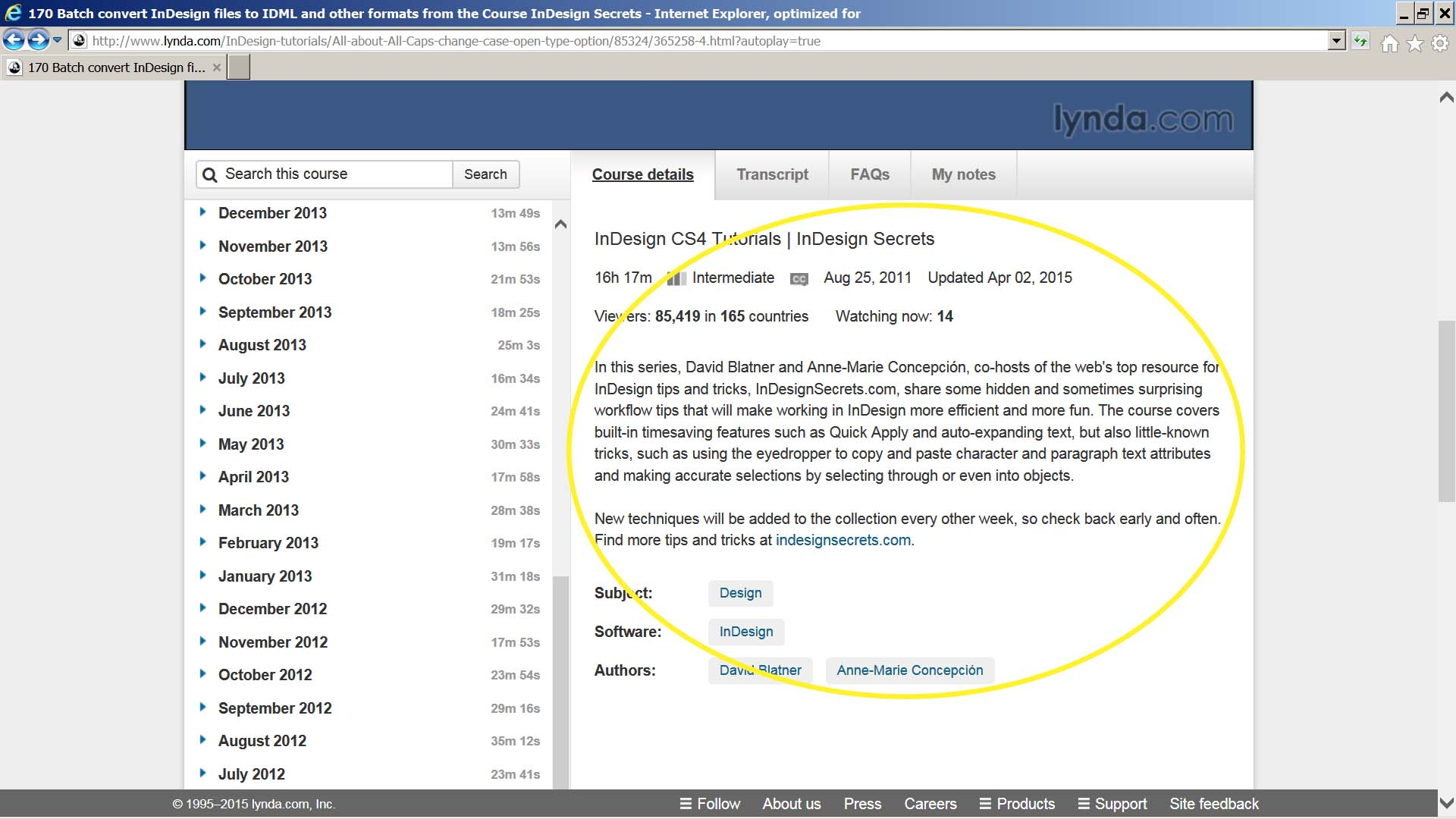
And here is a screen shot of the same page in IE 11, displaying properly:
https://support.cdn.mozilla.net/media/uploads/images/2015-04-08-23-35-00-77f7ad.png

Troubleshooting steps so far: 1. Refresh FF. No joy. 2. Disable all add-ons. No joy. 3. Run FF in safe mode. No joy.
The problem showed up on some pages on Lynda.com. IE 11 does not have the problem.
Here is a screen shot of a problem page on Lynda.com in FF, showing the column displaying wrongly:
https://support.cdn.mozilla.net/media/uploads/images/2015-04-08-23-33-54-0d7e35.png
And here is a screen shot of the same page in IE 11, displaying properly:
https://support.cdn.mozilla.net/media/uploads/images/2015-04-08-23-35-00-77f7ad.png
Troubleshooting steps so far:
1. Refresh FF. No joy.
2. Disable all add-ons. No joy.
3. Run FF in safe mode. No joy.
Solução escolhida
Never mind, I fixed it. Changed some Java settings, then changed them back.
Ler esta resposta 👍 0Todas as respostas (1)
Solução escolhida
Never mind, I fixed it. Changed some Java settings, then changed them back.