


How do I change the display colour of an <img> title?

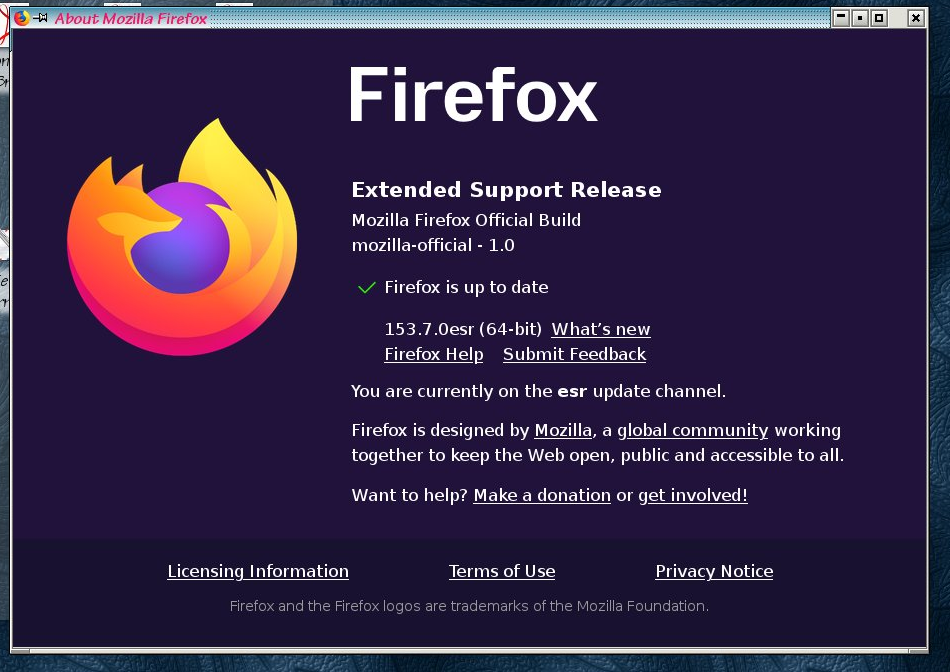
Firefox 153.7.0esr (also affects previous releases) on Linux
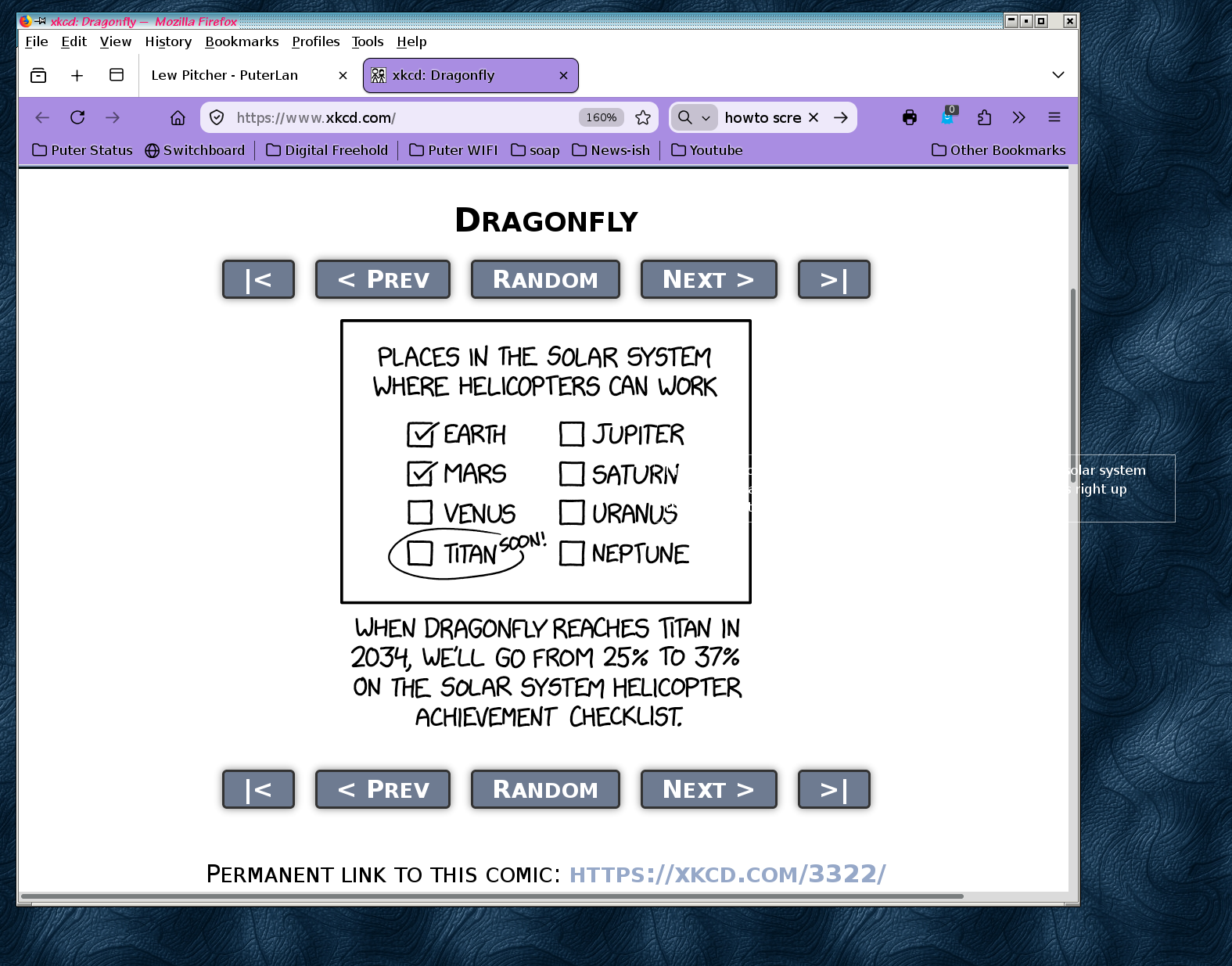
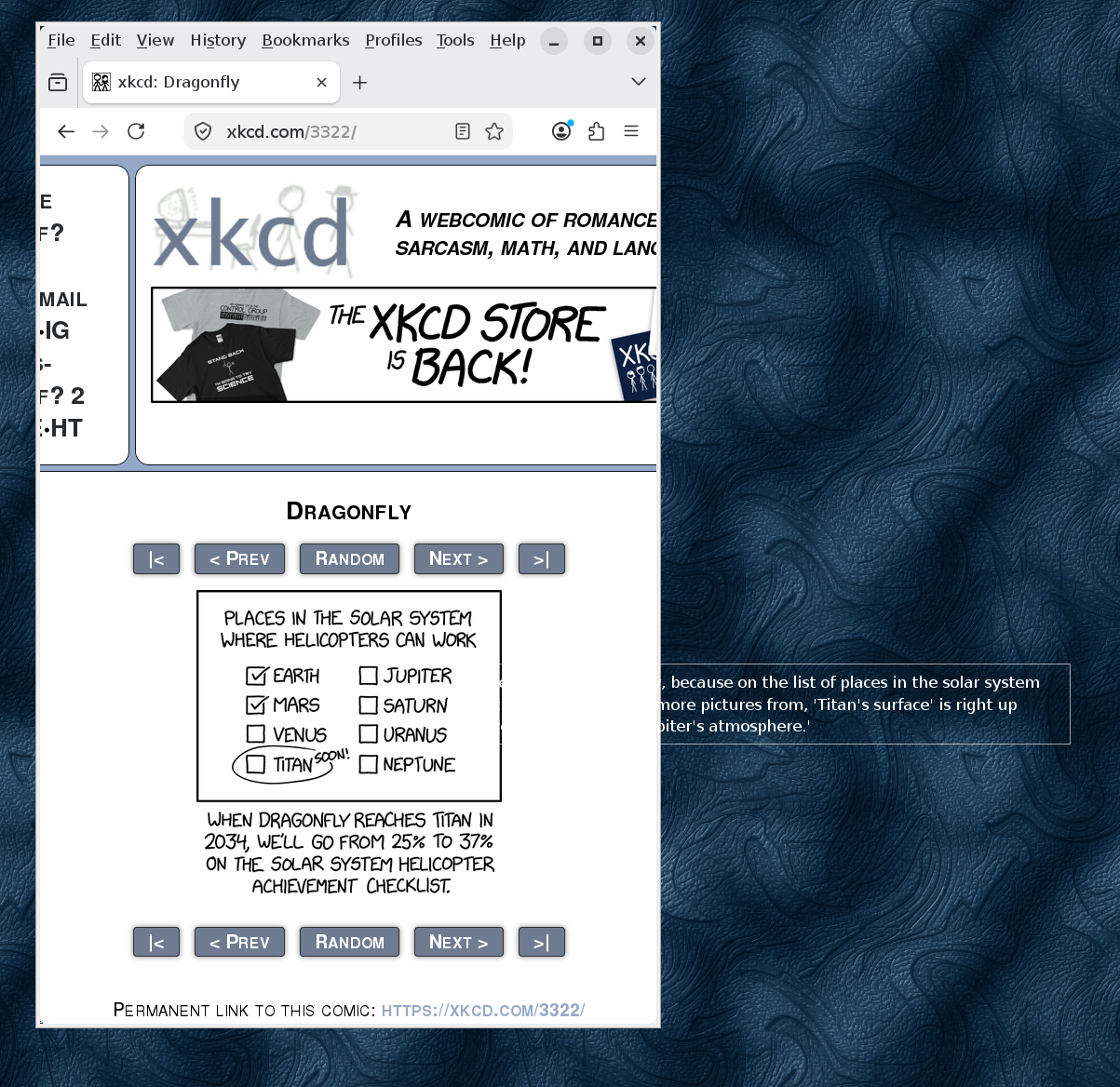
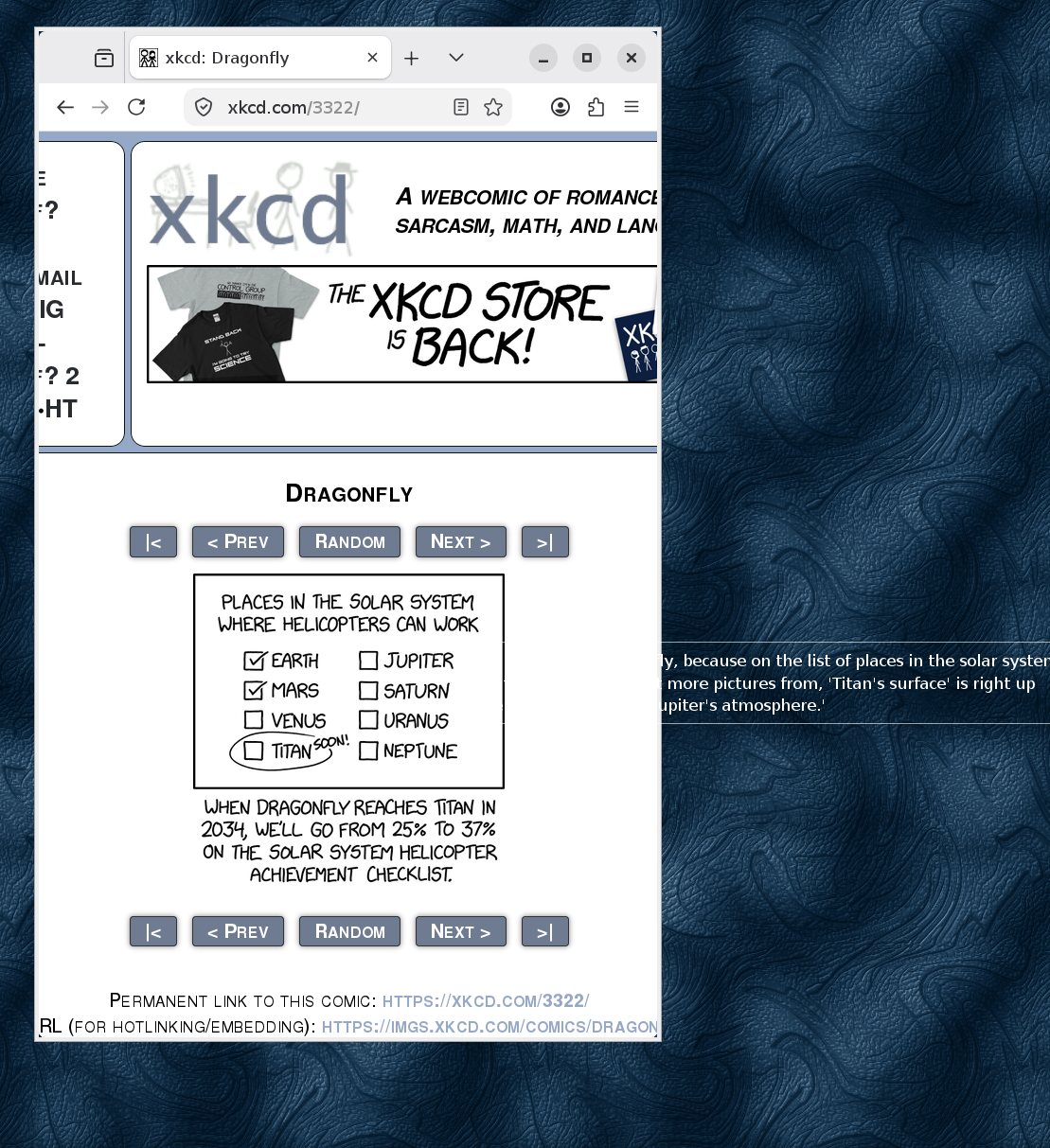
When I browse websites that have images, and hover to read the title text, Firefox displays the text as white characters on a white background. The only way you can tell that the characters are displayed at all is that sometimes the white character occludes a dark spot in the background or image.
I'd like to change the text colour that Firefox uses to display these title values, so that I can read them.
Attached images:
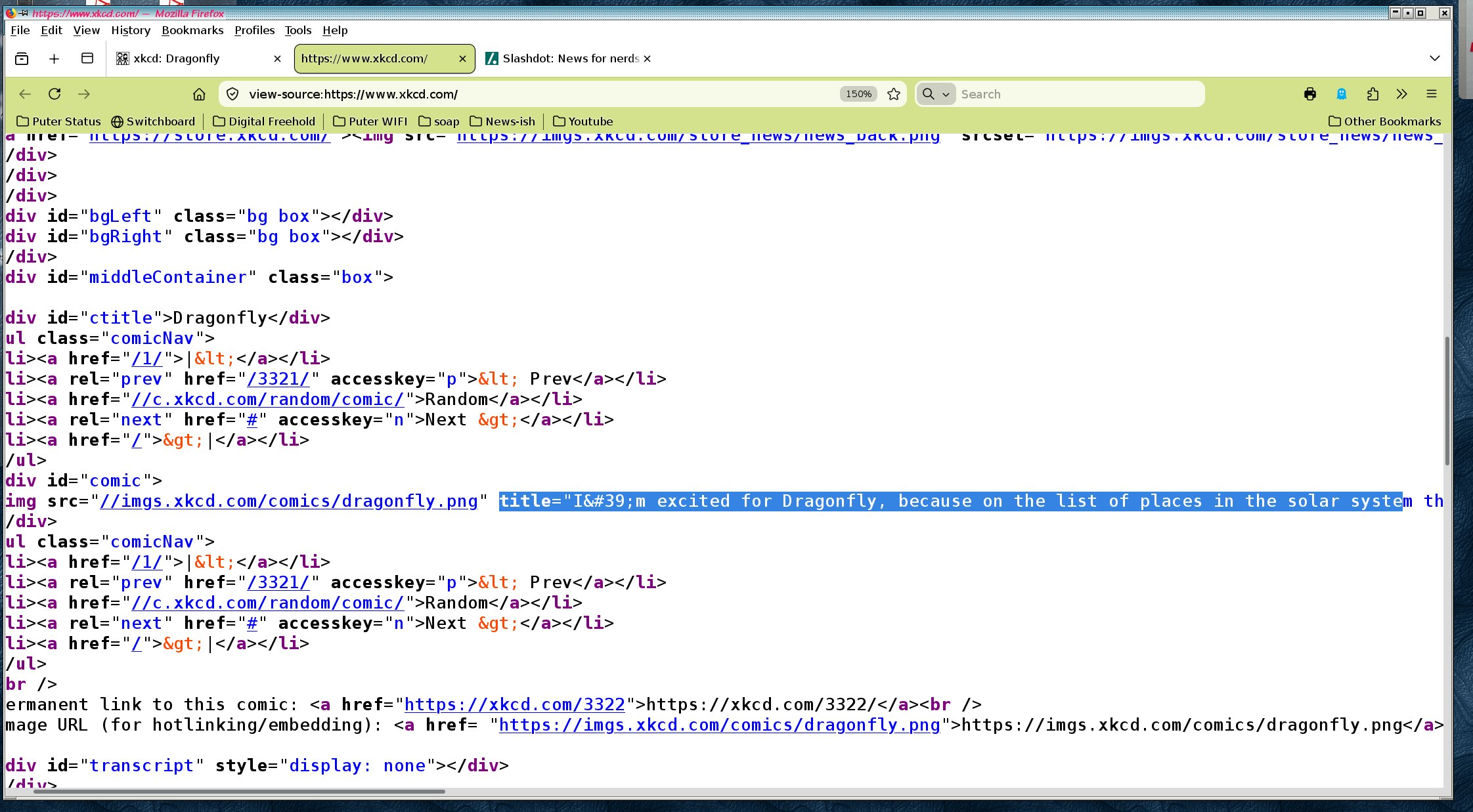
img_title.firefox_version.png shows the version of Firefox affected img_title.problem.png illustrates the problem using XKCD comic 3322. Note that thetitle is unreadable until it spills off the image and onto my desktop background img_title.html.png shows the HTML that generated the title.
Wszystkie odpowiedzi (8)
Can you try to restart into Troubleshoot Mode (from Help menu) to see if there's any customization that can influence this?
Any userstyles, system accessibility accommodations like contrast or motion prefs, anything like that comes to mind?
Still occurs with Troubleshoot mode enabled.
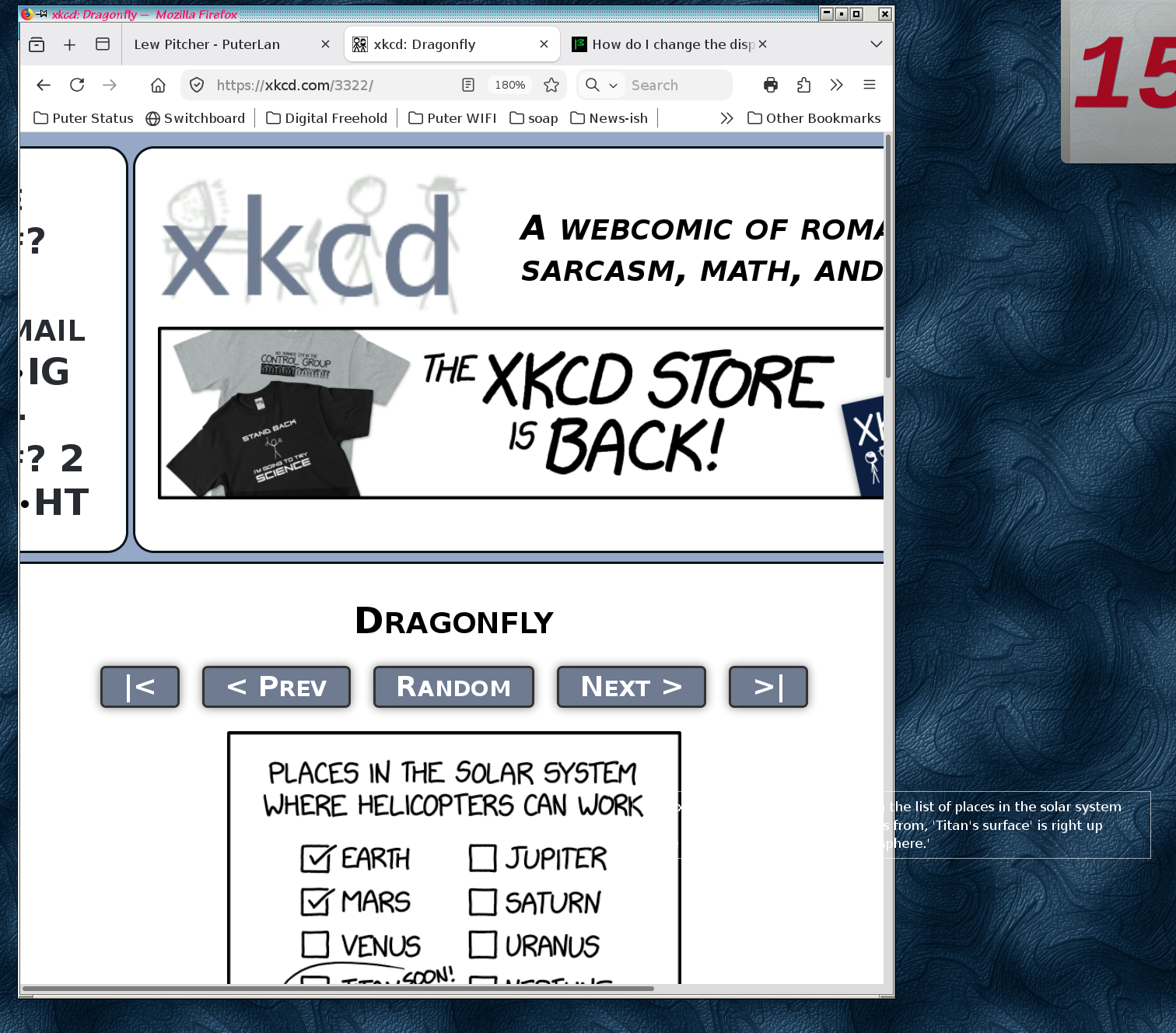
text shows white on transparent background.
Over the years, I have customized my about:config (see attached), but have not installed any userstyles or anything else that i know would change the text display. This happens in all profiles, even those where I have not made changes or installed extensions.
Are there any about:config configuration values that would influence this? I can change what needs to be changed.
Sorry, about:config not attached. Looks like I cant attach a PDF here
Yeah the easiest is just to try factory defaults: create a new empty browser profile to test. If it exhibits there I'd say go straight to bugzilla.mozilla.org and file a bug — somebody will have to investigate what's that special in your distribution/windowing theme, and why it results in this:(
I had the same idea, only moments ago. I closed all my firefox instances, archived and deleted my ~/.mozilla directory, and started a clean firefox instance.
After getting past the Firefox "hello" screen, I naviagated to the demonstration XKCD comic, and tried again.
No customizations, no extensions, no nothing, and the problem persists. Attached images:
 problem.illustration.clean_profile.png shows the results of this clean run,
 problem.illustration.clean_profile..troubleshoot_mode.png shows the same clean run, in Troubleshooting mode
I guess that I'll open a problem report in Bugzilla tonight.
Thanks for the suggestions.
forgot the 2nd png file
Thank you! Please make sure to mention your Linux distribution, windowing system, your OS–level theme settings and the like — which seems to play some role in this. Thanks!