


Bug in Thunderbird account creation

Hello, I created a first account for Mailo email (no problem).
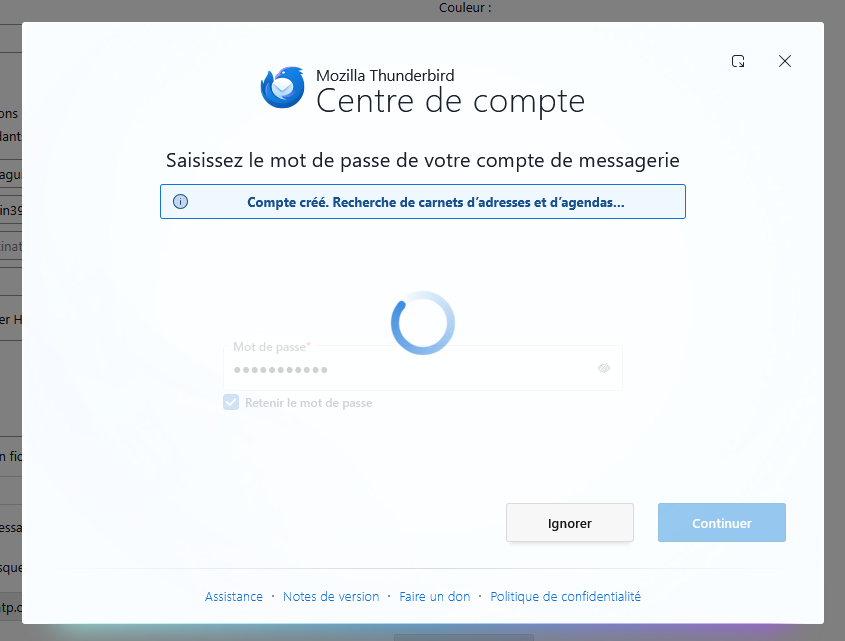
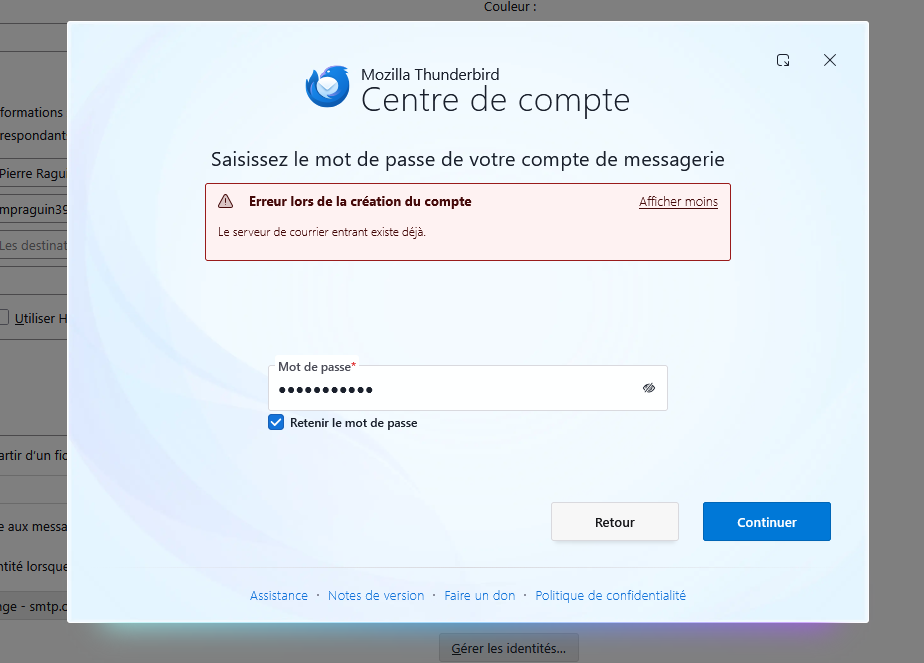
I created a second account for Orange email, but when I get to the contact and calendar search stage, it just keeps spinning (see attached Orange 1). Clicking "ignore" opens a window (see Orange 2). If I click "continue," the account is created and seems to work, but...? Indeed, both Mailo and Orange use IMAP port 993. For the past few days, I've been trying to get this account set up properly, but I haven't found anything specific online.
I've repeated the process several times, even uninstalling and reinstalling Thunderbird, but nothing has changed. I'm starting to get confused. I even think I deleted both accounts and started the setup process with the Orange one, but it's doing the same thing even though there's no other account. I should mention that the POP/IMAP option is enabled in Orange email.
Wszystkie odpowiedzi (5)
Open the Account settings tab in Thunderbird via the App button ≡ in the upper right corner and verify how many accounts are displayed: one for Mailo and one (or two) for Orange? If there is one account for Mailo and one for Orange compare the Servers Settings. Incoming mail servers may have the same port, but they must have different server names: Incoming imap server name for Mailo >>> mail.mailo.com Incoming imap server name for Orange >>> imap.orange.fr
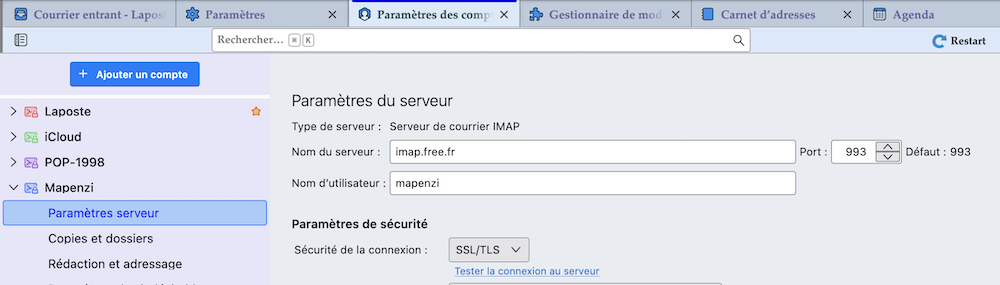
Hello, I only have two accounts (one for Mailo and one for Orange). The server names are as you described. I've attached the settings for both accounts. Thank you.
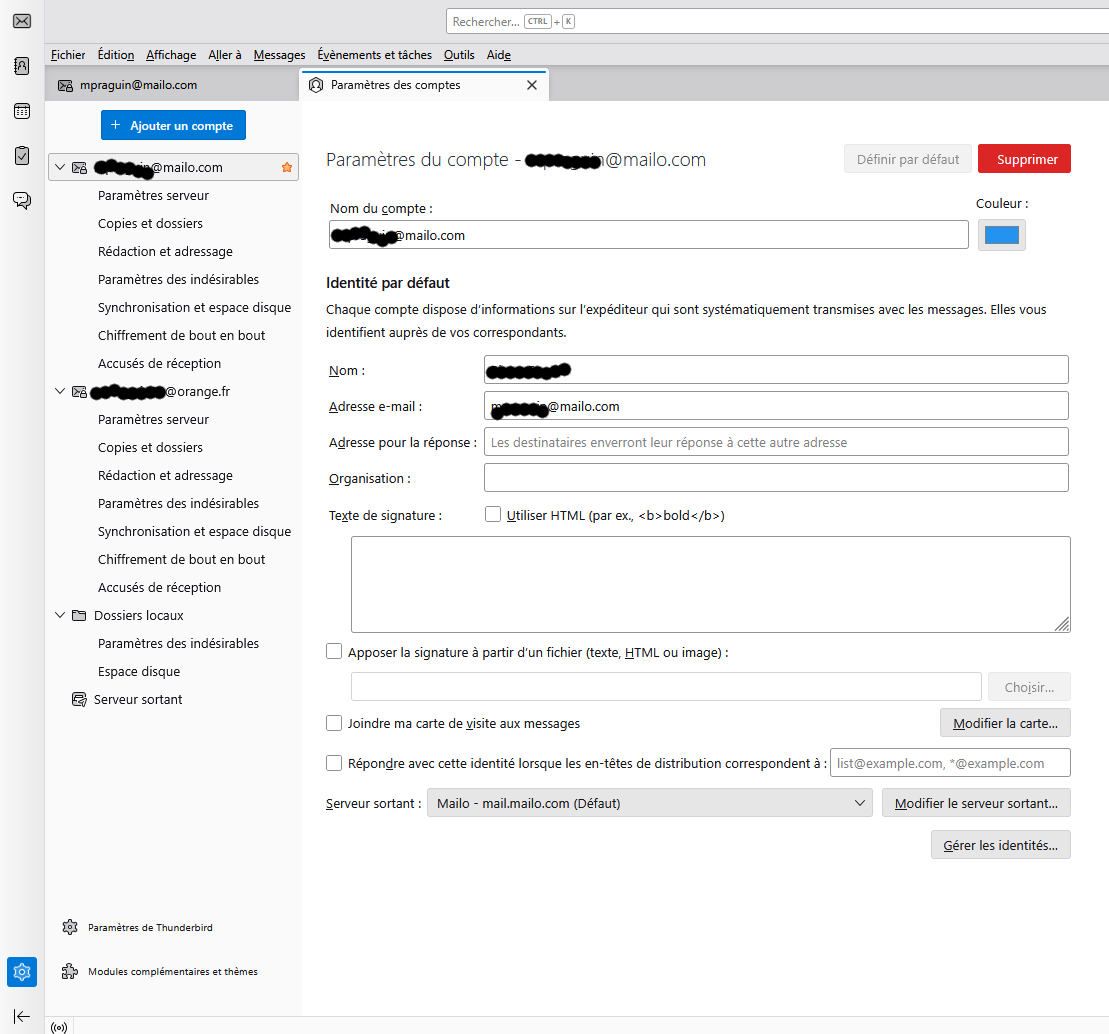
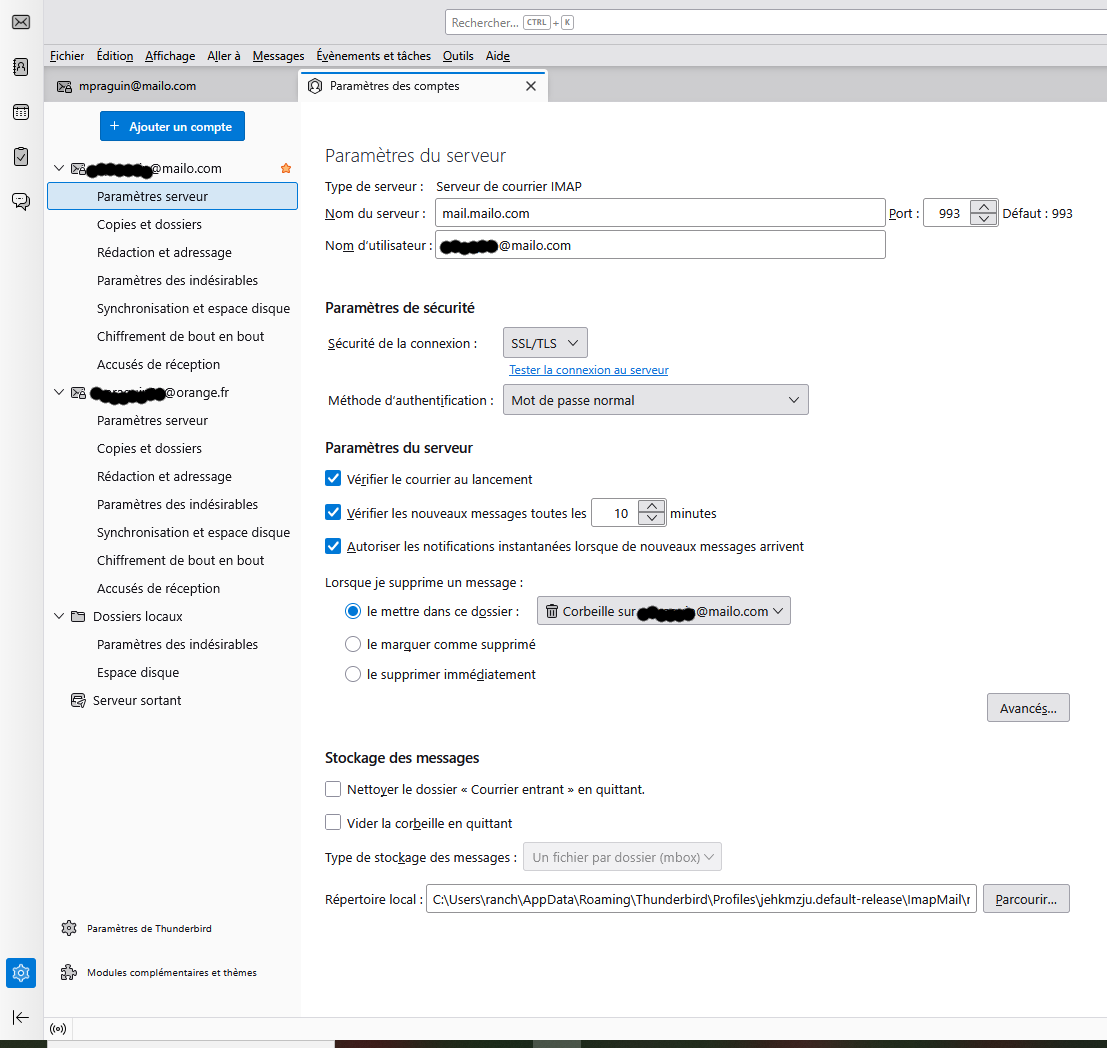
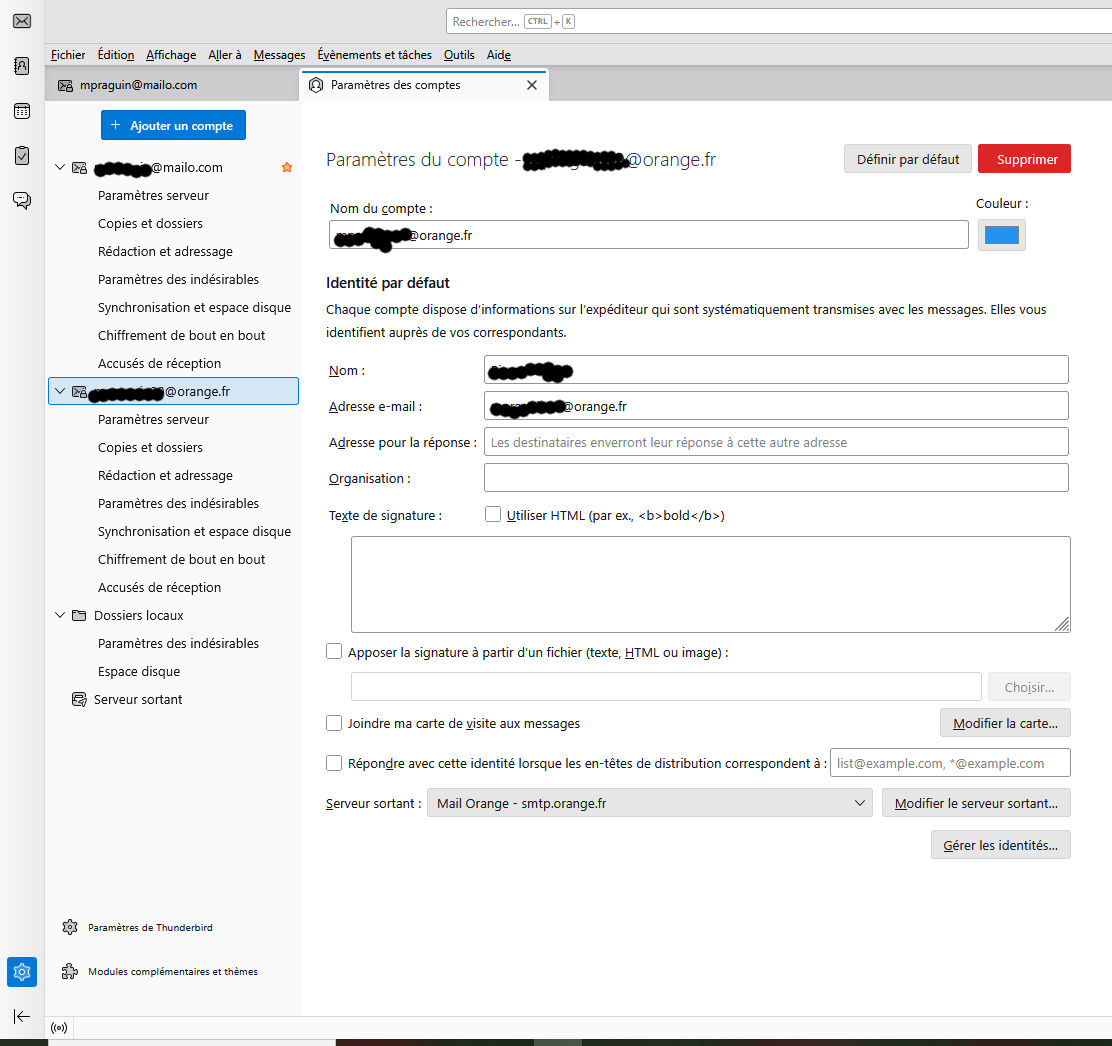
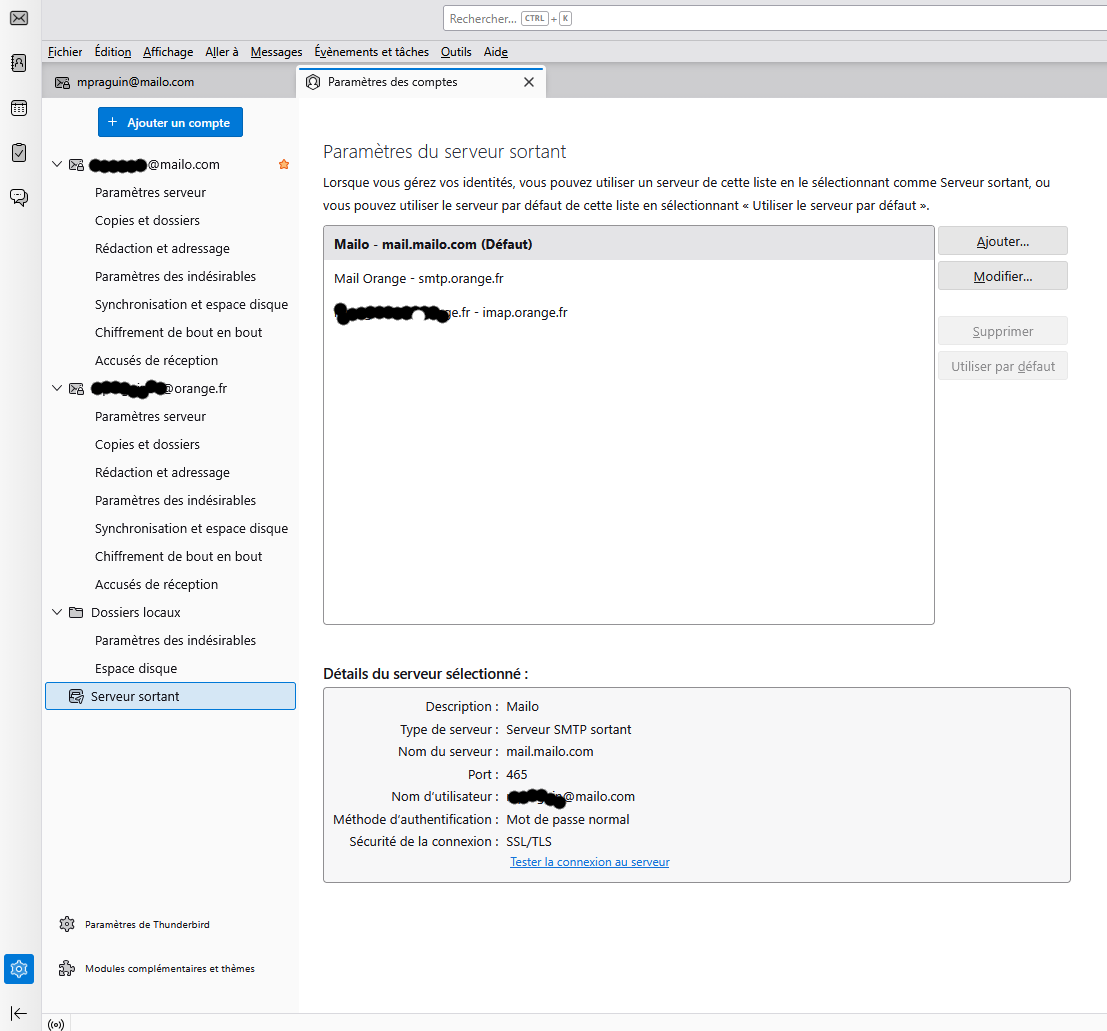
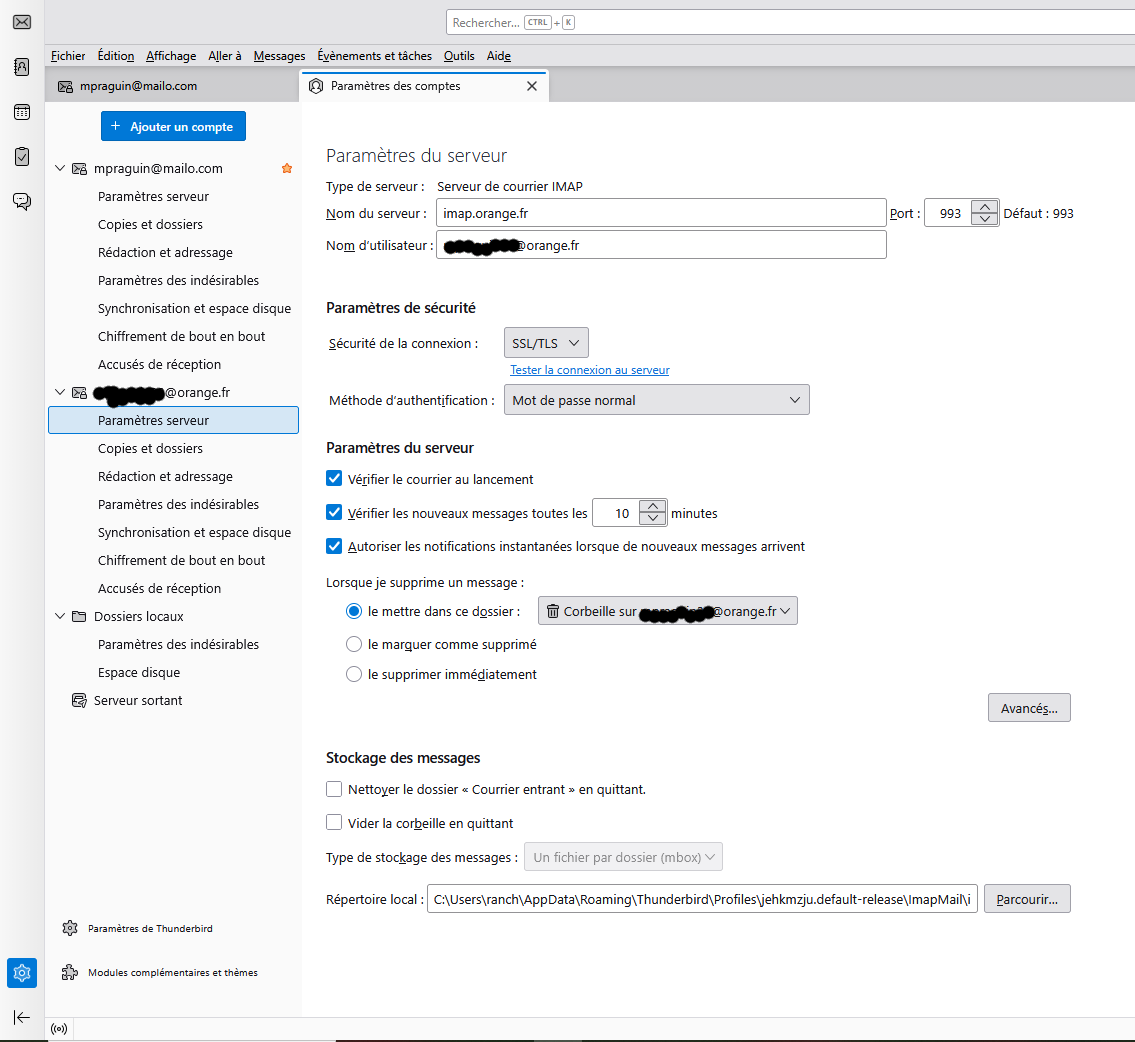
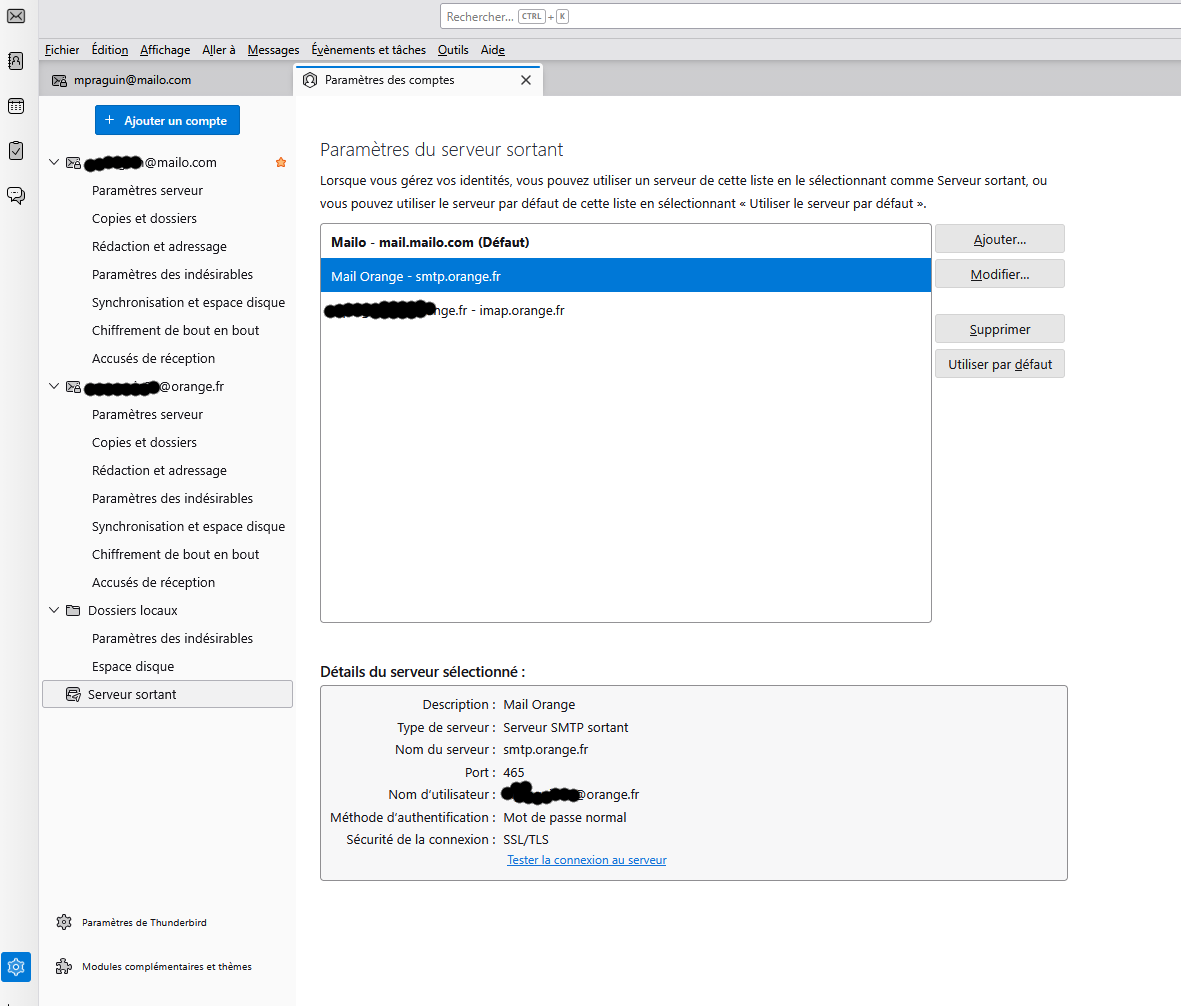
Thank you for the screen shots. I see one anomaly: in the pictures with the outgoing server settings SMTP there is a third outgoing server named "your mail address- imap.orange.fr" I don't know whether the third one is responsable for your trouble, but I think that you should delete this outgoing server. All other settings seem to be OK and I wonder which exactly is your trouble. You only wrote "If I click "continue," the account is created and seems to work, but...?" But what? Is your Orange IMAP account displayed in the folder pane and does it contain folders like Inbox, Sent, Trash, ...etc?
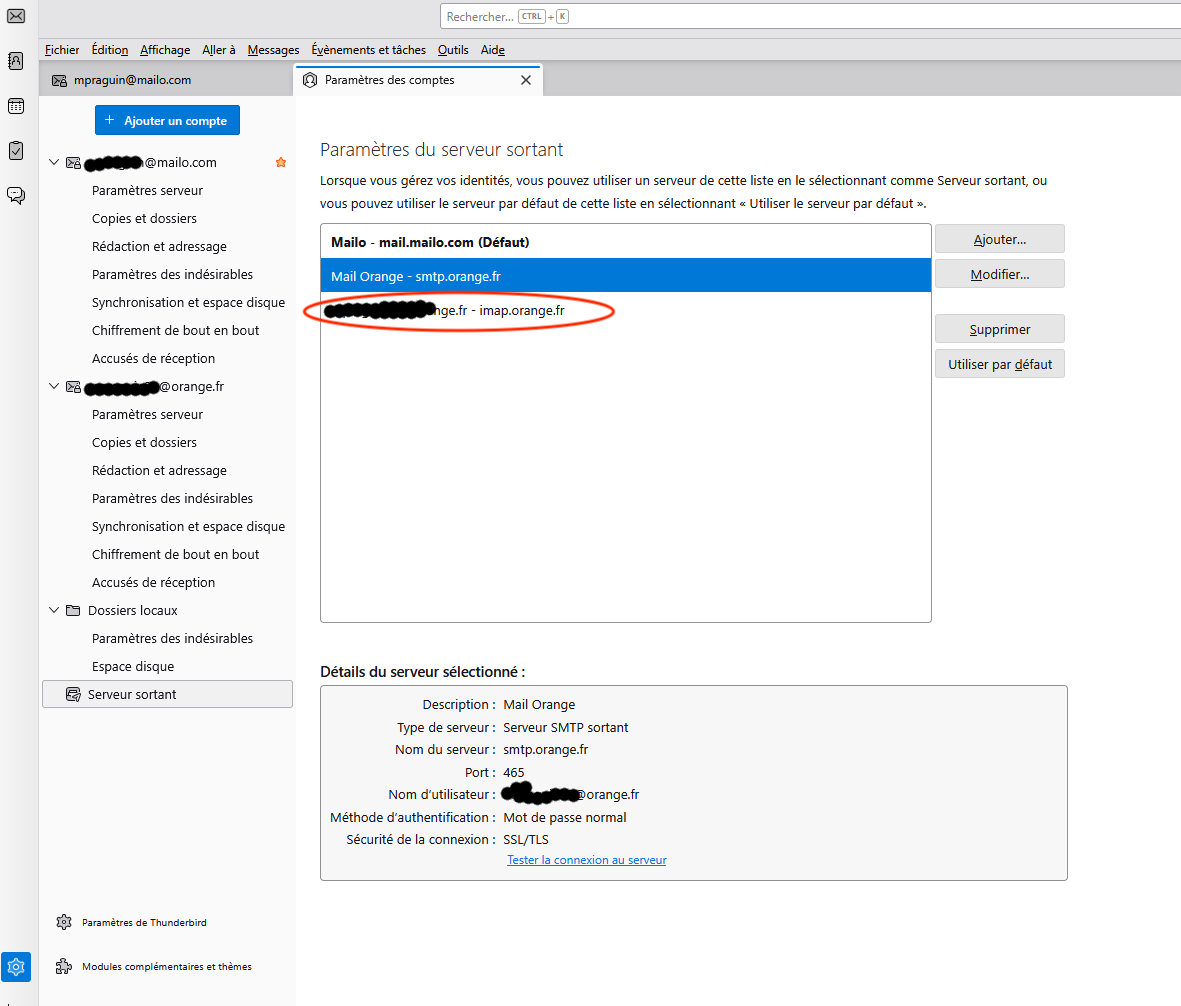
Hello, Third server deleted.
I wrote: seems to be working but...? Simply because this account wasn't created easily.
Yes, I have the Orange IMAP account and all the associated folders. So if I understand correctly, I don't need to worry anymore?
Thank you
Don't Worry Be Happy ..... and enjoy working with Thunderbird ☺ Ce fut un plaisir !