


Save PDF from Print Dialog Always Prints to Printer Now

I have always, for 15+ years, been able to use the system Print dialog box to create a PDF.
But as of updating Firefox to version 152.0 (aarch64), all buttons related to Saving a PDF, etc. send the document straight to the Printer to print a hard copy. There no longer appears to be any way to save a PDF.
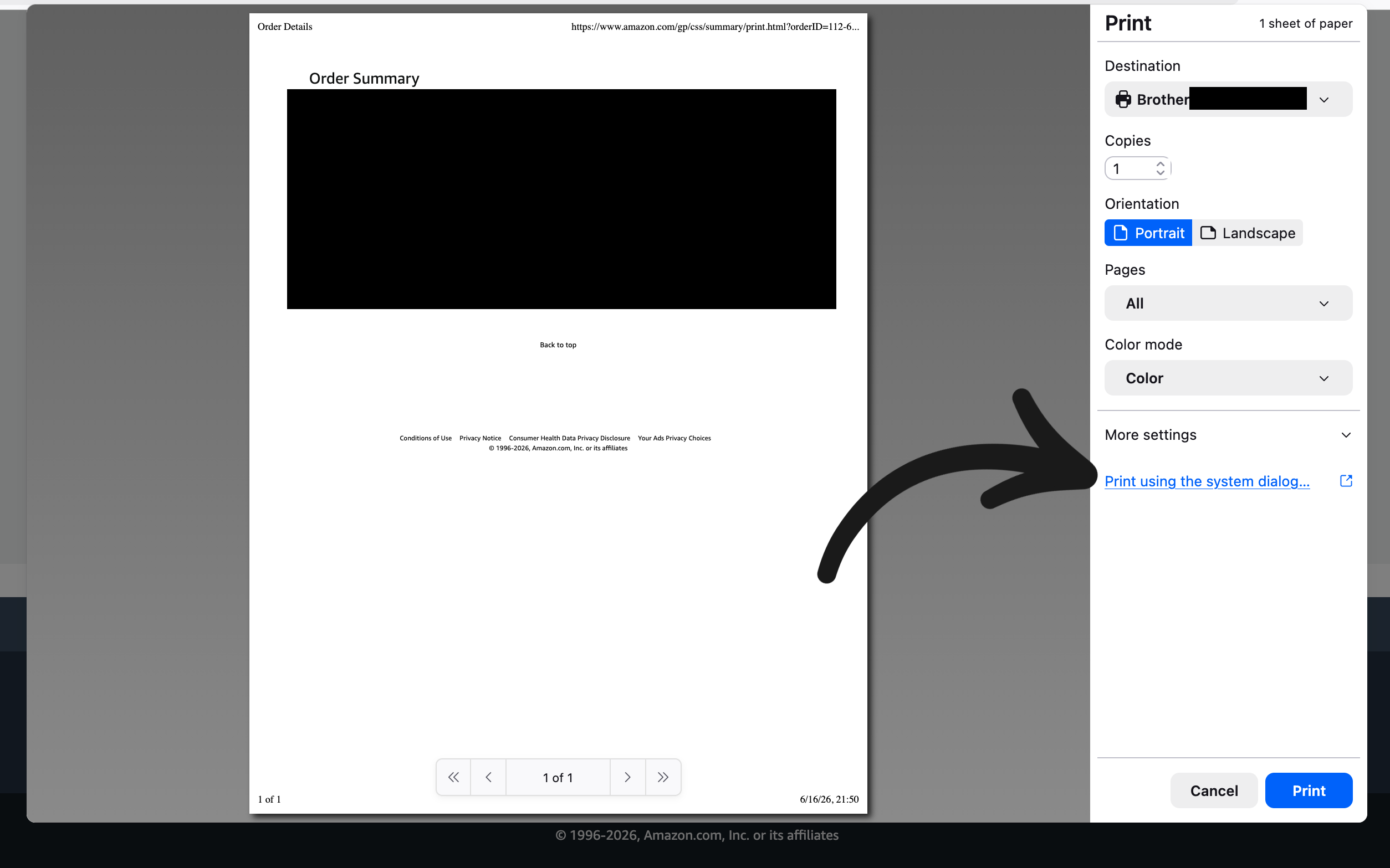
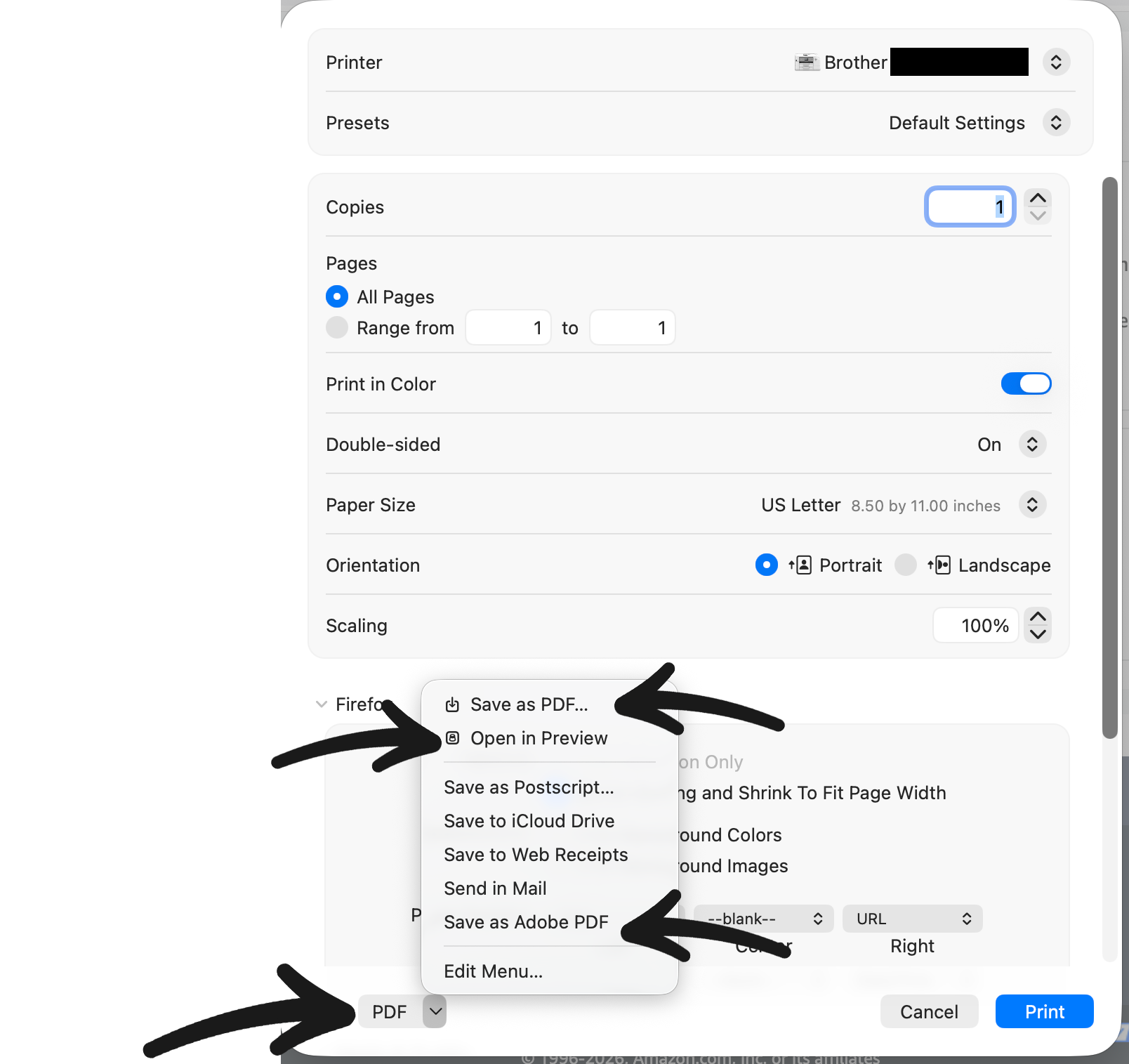
Example scenario: 1.) Visit website 2.) Select Print (cmd-P, File > Print) and open the 1st print dialog box 3.) Select "Print using the system dialog..." 4.) Select PDF in the 2nd dialog box. 5.) You used to be able to save the PDF at this stage, opening Finder, naming the file, and choose the Save DIR. However, as of this latest update, even after the Finder File Name dialog box, hitting Save at that stage sends it to the printer to print a hard copy.
Pressing PDF, Save as PDF, Open in Preview, and Save as Adobe PDF all send the file directly to the Printer to save it.
I've got tons of receipts and things to save for work in PDF and FF was always great at this. What happened? Is this a feature or a bug? Any and all advice is welcomed.
Running macOS 26.5.1, M2 Pro, macbook pro.
Wszystkie odpowiedzi (2)
There seem to be reports coming in for macOS Tahoe 26.5.1 specifically that do not appear to reproduce on earlier macOS 14–15, and it's definitely not expected — I see a Thunderbird bug bugzilla.mozilla.org/2042316 for the same, but no Firefox one filed; would you be willing to file a bug yourself so that the engineers can potentially get in touch if there are some further question about the setup, system, or logs?
I have no idea how to file a bug report other than opening up this message thread. How do I file the bug report?