


How do I export my Mozilla personal file as a CSV file NOT a zip file?

How do I export my Mozilla personal address book as a CSV file NOT a zip file?
Wszystkie odpowiedzi (4)

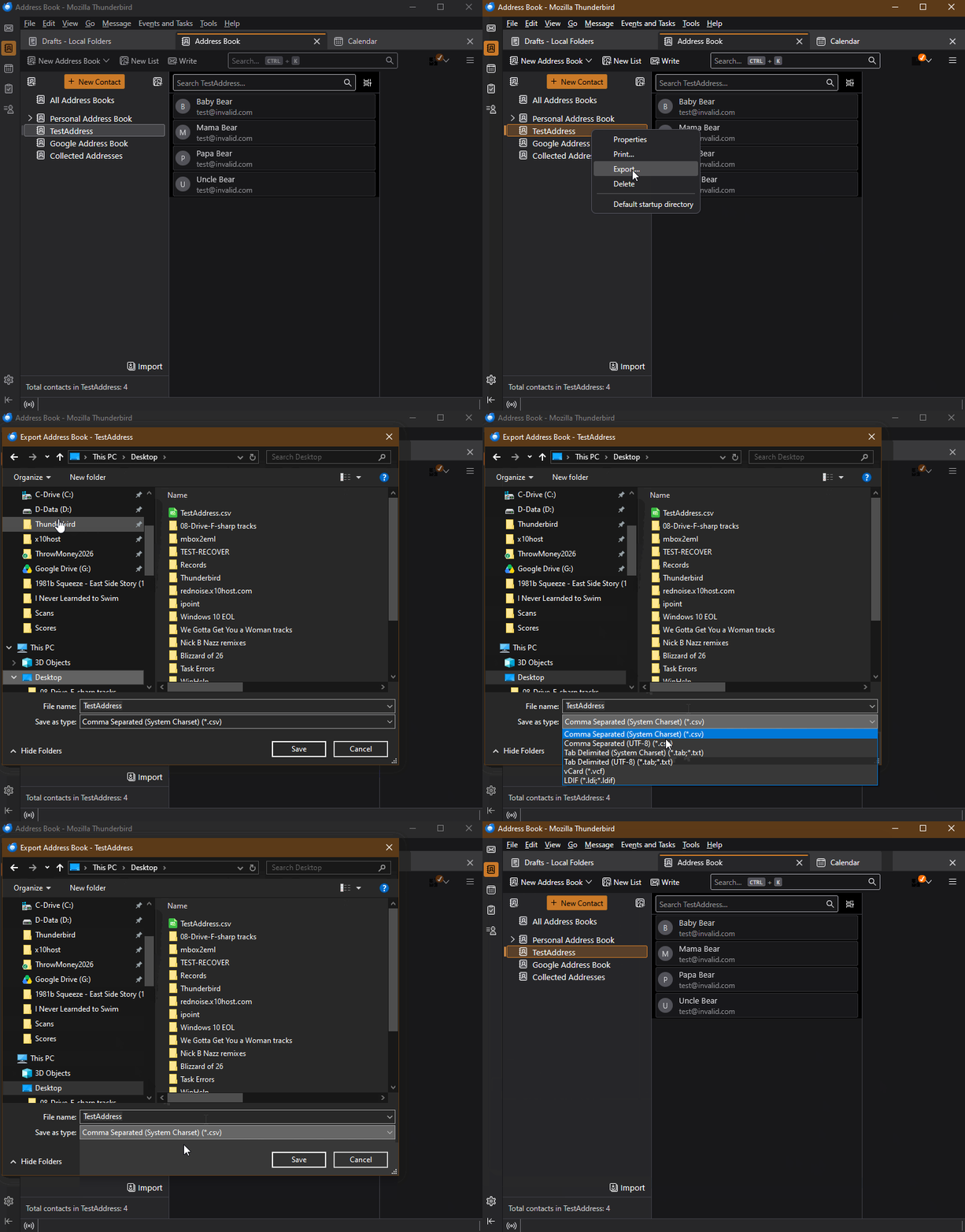
Select the Address Book, right-click, choose "Export", choose the Save location and one of the available formats, one of which is CSV (but none of which is ZIP, which make me wonder where you see that.)
Thanks for your reply but following 'export' it automatically generates a Zip file and gives no option for CSV file or where to locate the file.
Well... no, it does not automatically generate a zip file. See the attached animation.
There is only one method to generate the zip file.
- Menu app icon OR via Menu Bar toolbar: 'Tools' > 'Export'
It opens in a new tab. That method is not just exporting a selected address book. It's Exporting a 'Profile' and you can only use that method if the entire profile is less than 2 GB. That method will Export accounts, messages, address books and settings etc to a zip file. There is a better method for backing up an entire profile. Ask for more info if you really want to backup the entire Thunderbird profile.
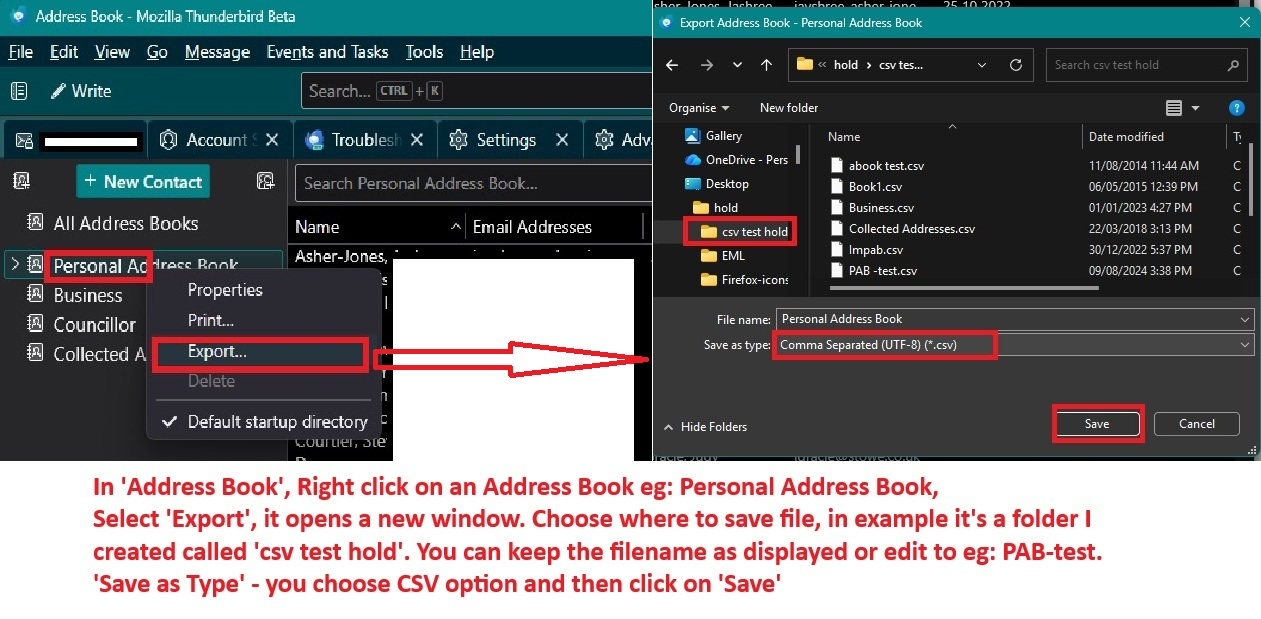
The method to export only a selected address book as a.csv file is exactly as Lin stated.
- In Address Book
- Right click on an address book name eg: Personal Address Book
- It offers a drop down menu and you select 'Export'
- It opens a new window where you select where to save the file and choose the 'Save as Type' eg: CSV
See image:
Zmodyfikowany przez Toad-Hall w dniu