


Unable to hide Firefox logo on New Tab page after recent update.
Prior to a recent browser update, my Firefox New Tab page was completely clean, minimalist, and beautifully displayed the custom background image I had chosen.
However, after the latest update, a large Firefox logo and wordmark have been forced onto the center-top of the New Tab page, completely cluttering the background image. There is no standard toggle or switch anywhere in the "Personalize" or Home settings menu to turn this logo off.
I have already tried the advanced about:config workaround by setting browser.newtabpage.activity-stream.logowordmark.alwaysVisible to False, but the logo remains visible anyway. Even ensuring that "Web Search" is toggled on/off does not resolve the issue.
Please provide a built-in settings option to hide this branding watermark, or a working configuration flag so users can enjoy a clean, unobstructed view of their chosen wallpapers.

Wszystkie odpowiedzi (3)
Other, information, with the help of userContent.css file, you can find tutorials on the web. https://connect.mozilla.org/t5/discussions/giant-logo/m-p/111993/highlight/true#M43314
Below, a test with the help of userContent.css
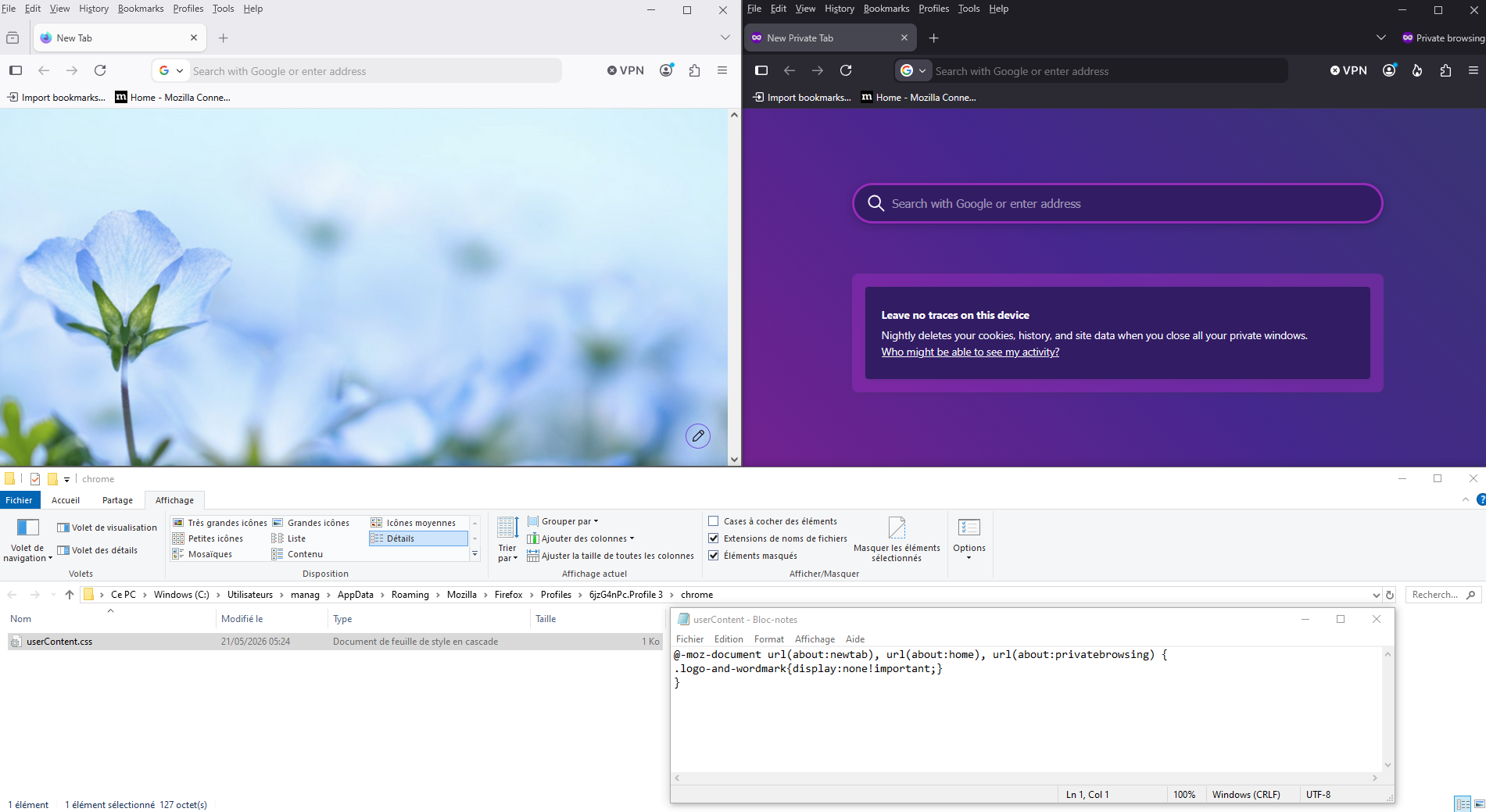
Hello
https://support.mozilla.org/en-US/questions/1583851 to continue this discussion
This information https://connect.mozilla.org/t5/discussions/firefox-151-introduces-a-fresh-new-look-for-home-amp-new-tab/m-p/127594/highlight/true#M50668
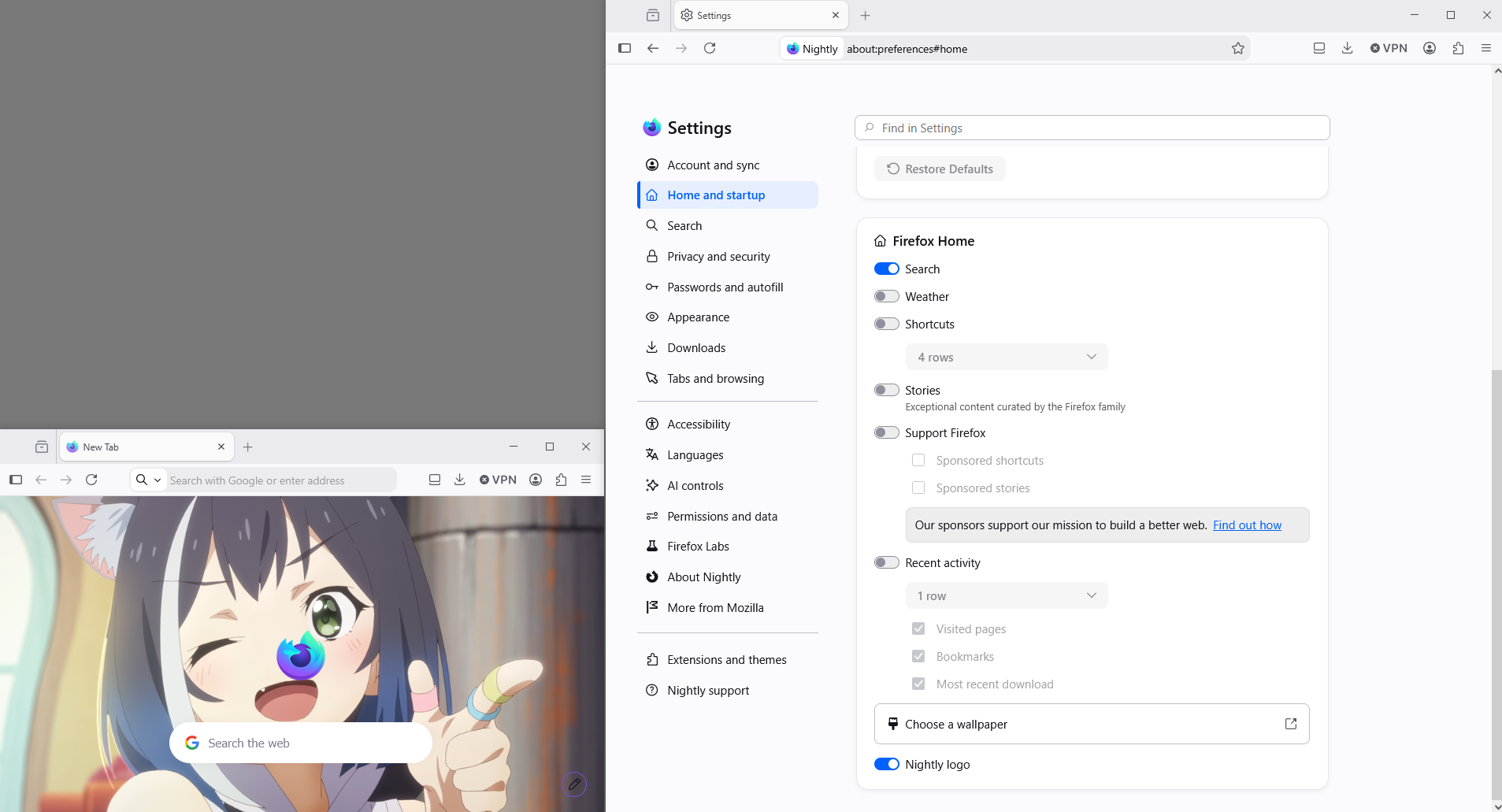
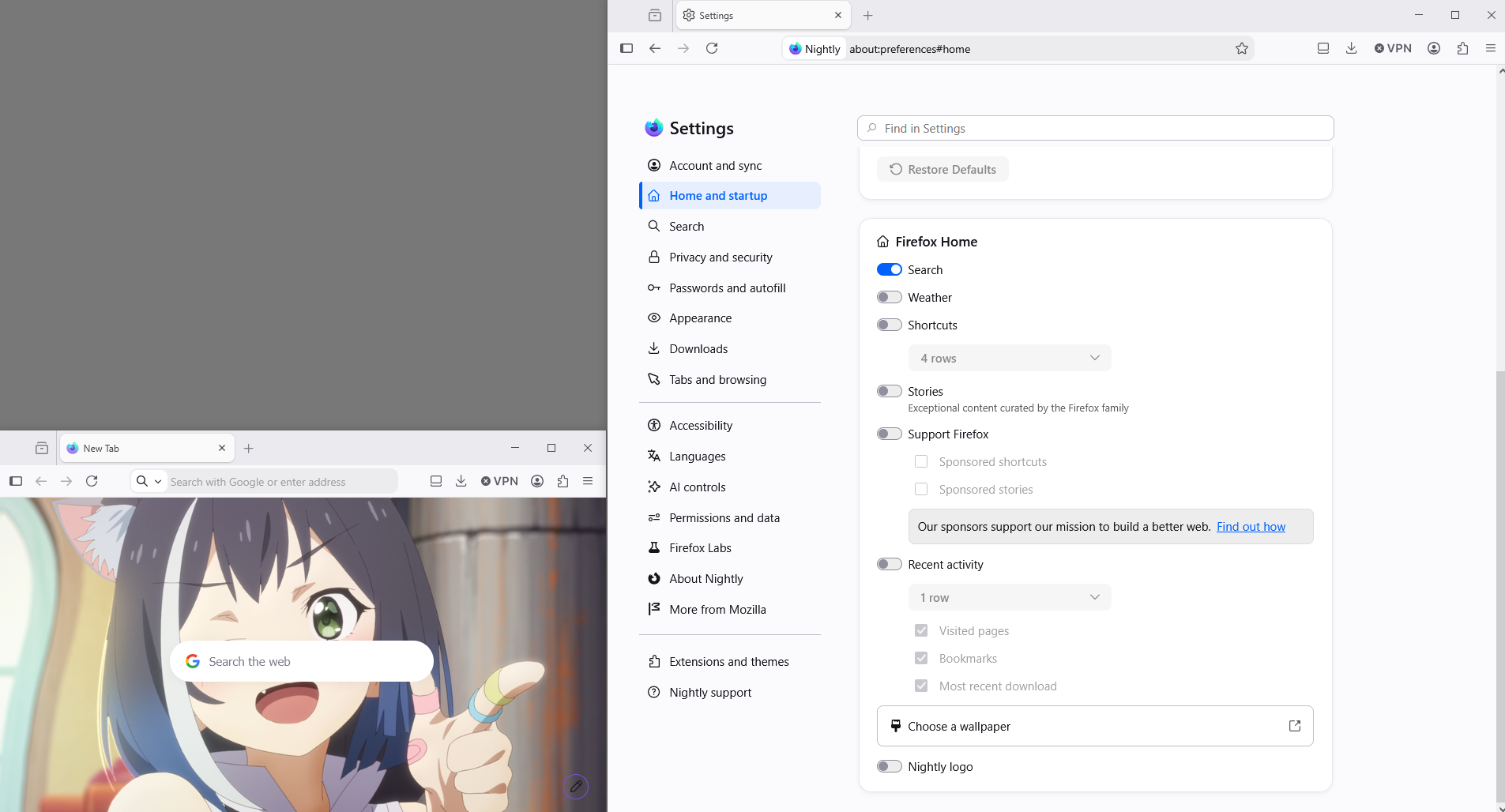
Zmodyfikowany przez Agent virtuel w dniu