


Lost bookmarks and restore from backup does not work

I read the existing articles and followed them, starting with "manage bookmarks". When I click on restore, there is a list of the last 15 backups by date. EVERY one of them results in an error message "unable to process the file".
Manually searching for bookmarks.html or json, resulted in nothing found at first. Then I discovered the path to the bookmarks folder were all hidden folders (after the 'user' folder). I got them to display in file explorer ('show hidden files' selected) and tried to manually select the JSON files that way, to restore bookmarks. That also did not work, resulting in the same message depicted below.
Please help
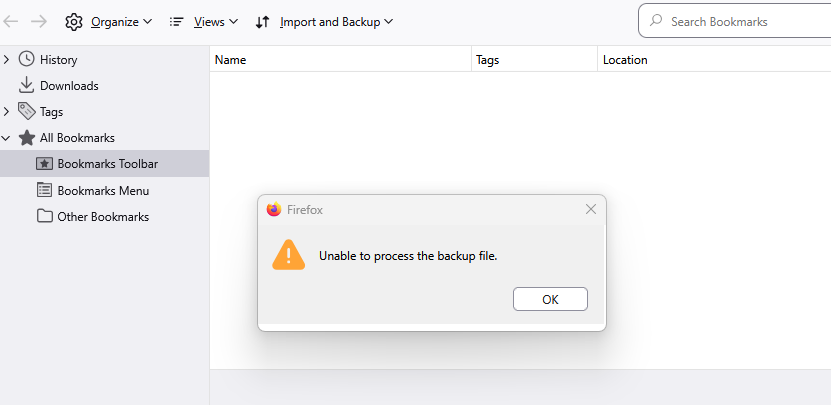
Zmodyfikowany przez hs.lakeshore w dniu
Wybrane rozwiązanie
hs.lakeshore, it is possible that there may be some corruption in the history and bookmarks system that is preventing the import. It might be worth checking the integrity of your Places Database files, which are where Firefox stores bookmarks and their icons. To do this:
- Go to Help menu (press alt+H).
- Select "More Troubleshooting Information".
- On the page that opens, scroll down to "Places Database" and press the "Verify Integrity" button.
- Once the check has finished, Look for any lines in the report that startt with a "-" or that contain the term "error".
If any errors are reported, try restarting Firefox and re-running the integrity check to see if they were fixed by the first check. You may want to repeat this 'restart and re-check' process again if errors are still found.
Przeczytaj tę odpowiedź w całym kontekście 👍 0Wszystkie odpowiedzi (2)

Wybrane rozwiązanie
hs.lakeshore, it is possible that there may be some corruption in the history and bookmarks system that is preventing the import. It might be worth checking the integrity of your Places Database files, which are where Firefox stores bookmarks and their icons. To do this:
- Go to Help menu (press alt+H).
- Select "More Troubleshooting Information".
- On the page that opens, scroll down to "Places Database" and press the "Verify Integrity" button.
- Once the check has finished, Look for any lines in the report that startt with a "-" or that contain the term "error".
If any errors are reported, try restarting Firefox and re-running the integrity check to see if they were fixed by the first check. You may want to repeat this 'restart and re-check' process again if errors are still found.
Zmodyfikowany przez TechHorse w dniu
Thanks for the info. Restarting Firefox twice seems to have resolved the issue and all my bookmarks are back. "Last integrity corruption date" was this morning.
Appreciate the help. Henry