


Android - thunderbird doesn't sync all folders at once

Hi,
After the installation of thunderbird in android all went well.
Then i try to sync all folders , 300, from my google account.
It seem is not like windows/linux, where you use the right button on the account and the process move on.
In android looks i can achive this, but doing one folder at time.
Is there any way to do this at once ?
Best regards Rui Pimentel
Wybrane rozwiązanie
Hi.
I think this clarifies the sync process in both versions.
Therefore, I think we are in a position to close the post.
Thank you once again for your collaboration.
Best regards.
Zmodyfikowany przez Rui Pimentel w dniu
Wszystkie odpowiedzi (4)

I'm not clear too clear what your asking.
You need to enable "sync" for each folder from account > manage folders > [folder name]. This is done one folder at a time. There's no method to enable sync for all folders in one step.
All sync enabled folders update automatically per the sync interval or manually with a pull down gesture.
Hi,
Yes, you did understand what I meant.
However, 24 hours later the synchronization still hadn't finished.
I opted for another solution.
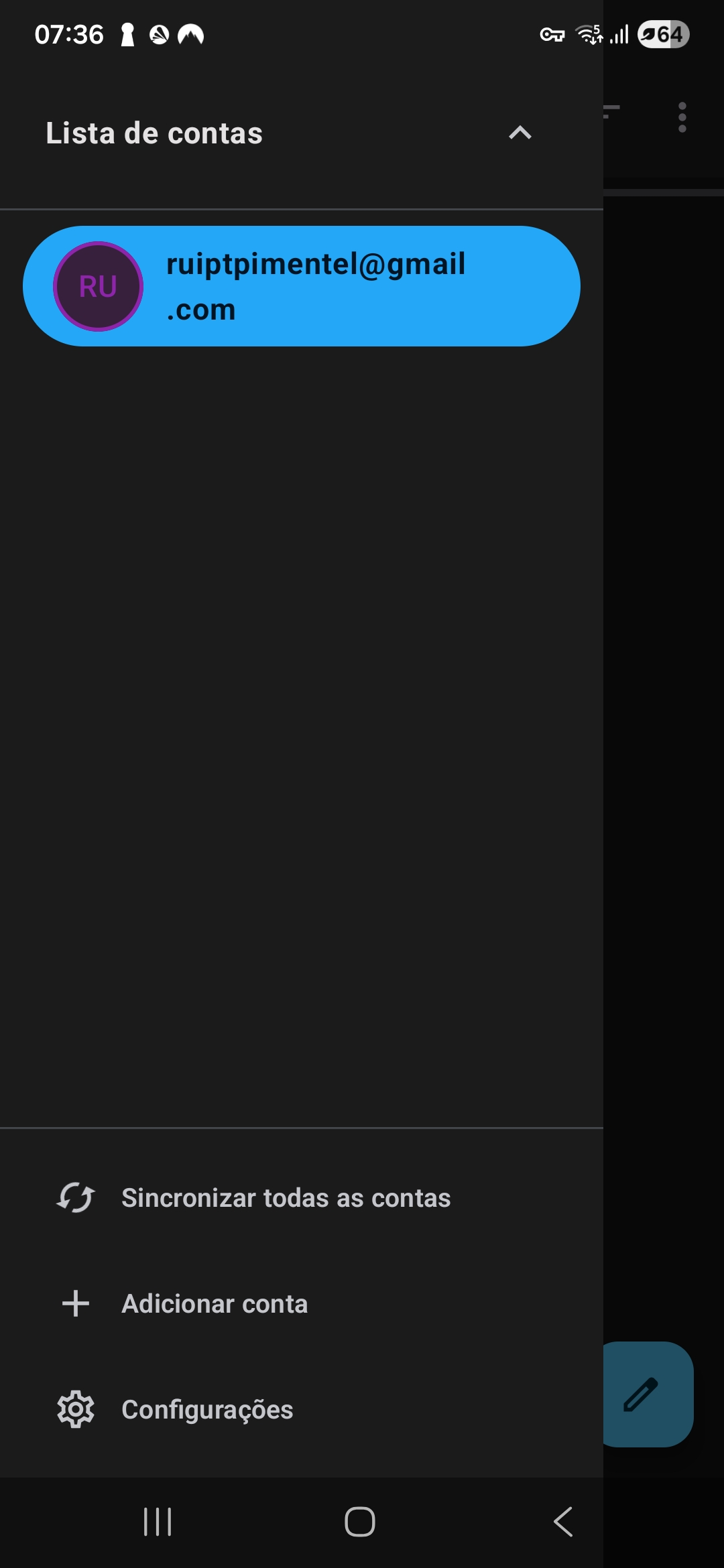
I installed the beta version which already has an option to perform a full synchronization.
This is still in progress.
However, thank you for your support.
No problem :)
For what it's worth, in your prior version, a pull down gesture on the side bar performed the full synchronization. They changed the method to a button press in the latest beta. From your reply, it's been a positive more intuitive change.
Wybrane rozwiązanie
Hi.
I think this clarifies the sync process in both versions.
Therefore, I think we are in a position to close the post.
Thank you once again for your collaboration.
Best regards.
Zmodyfikowany przez Rui Pimentel w dniu