switching to new laptop

I tried to sync so that my new laptop would have all the open tabs from my old computer. I can not get this function to work
Wszystkie odpowiedzi (4)

They won't have the same tabs unless you open them on the other computer. On the old computer do the following: Right click on 1 tab and then click the "Select all tabs" option Then right click again on 1 of the selected tabs and then go down to the "Send Tabs" option and your new computer should be there if it's signed into the same account. The tabs should appear on the new computer in time. Sync can be slow at times. Good Luck ;-))
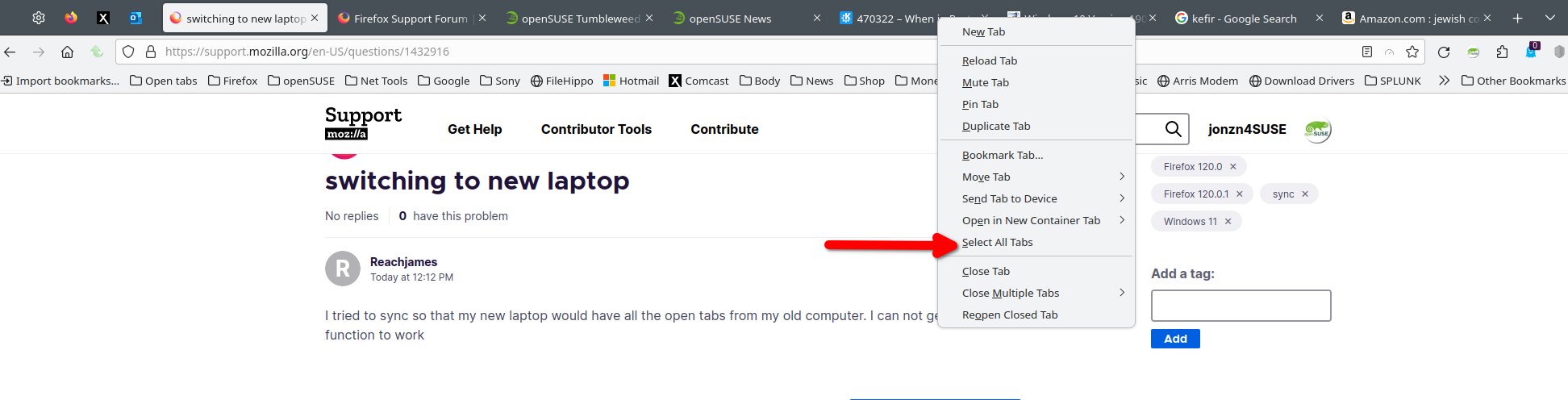
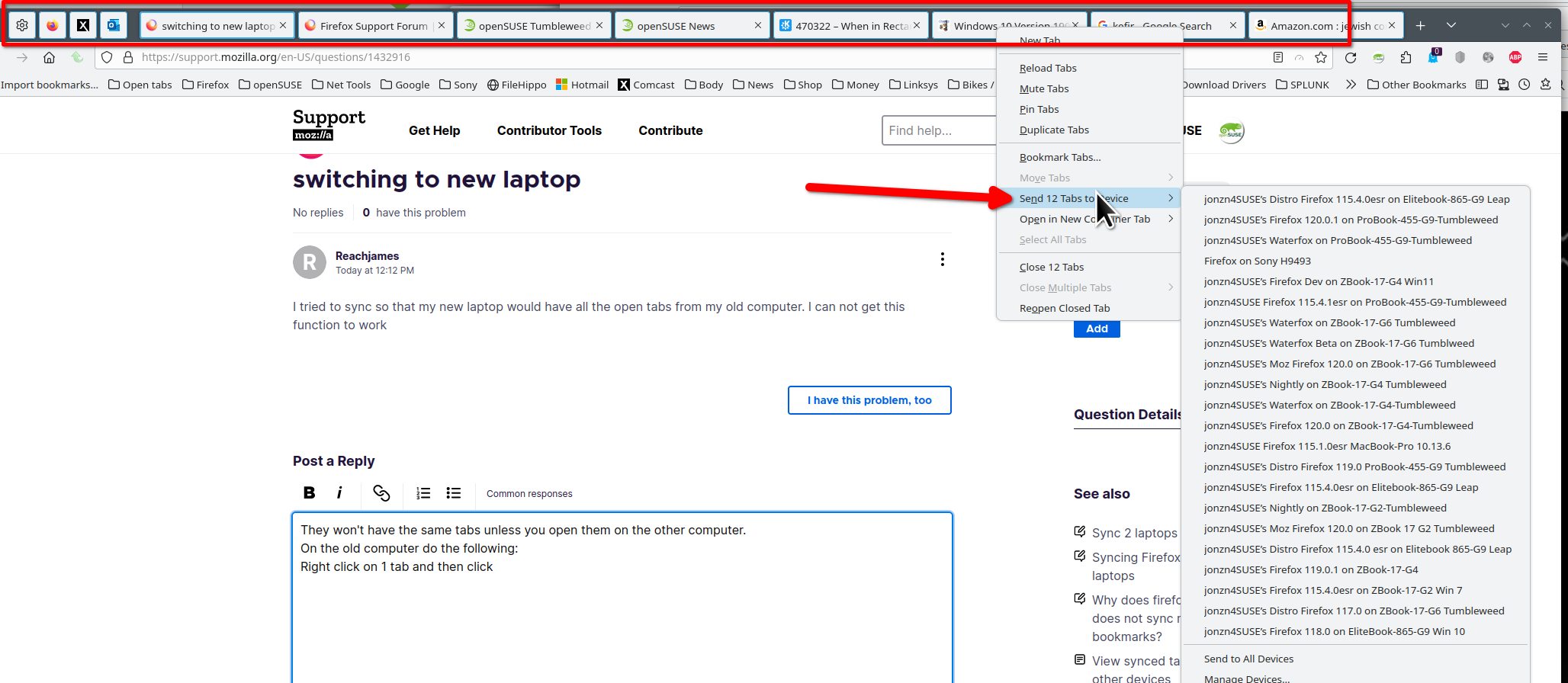
Zmodyfikowany przez jonzn4SUSE w dniu
I forgot to mention that your settings should look like this. see screenshot https://support.mozilla.org/en-US/kb/how-do-i-set-sync-my-computer https://support.mozilla.org/en-US/kb/how-do-i-choose-what-information-sync-firefox
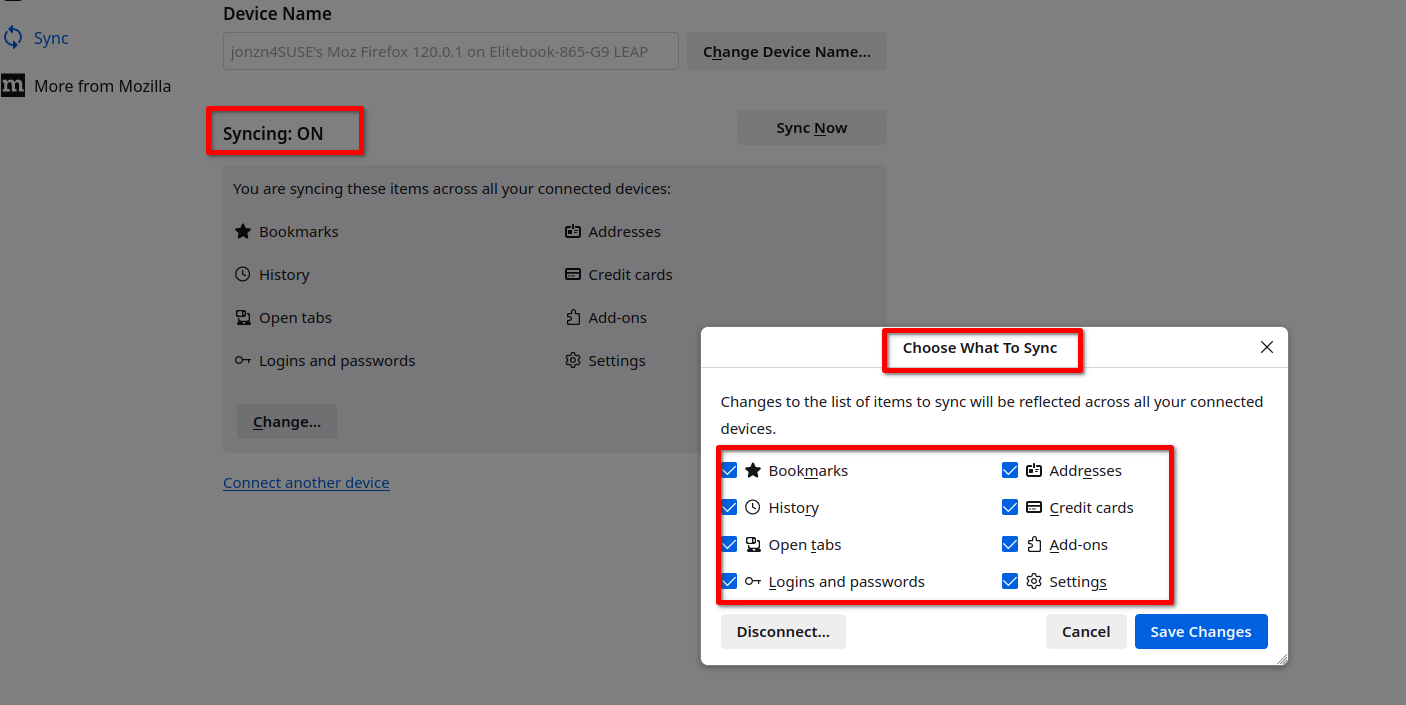
Zmodyfikowany przez jonzn4SUSE w dniu
Thank you that worked! Though I am sure you are not surprised. I had added synced tabs to my toolbar and that was not working out. Thank you again
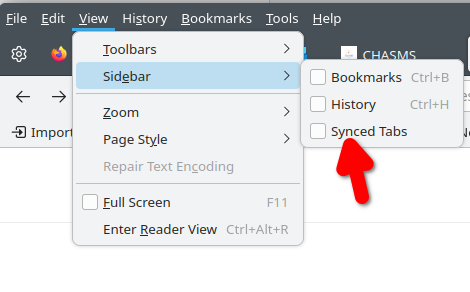
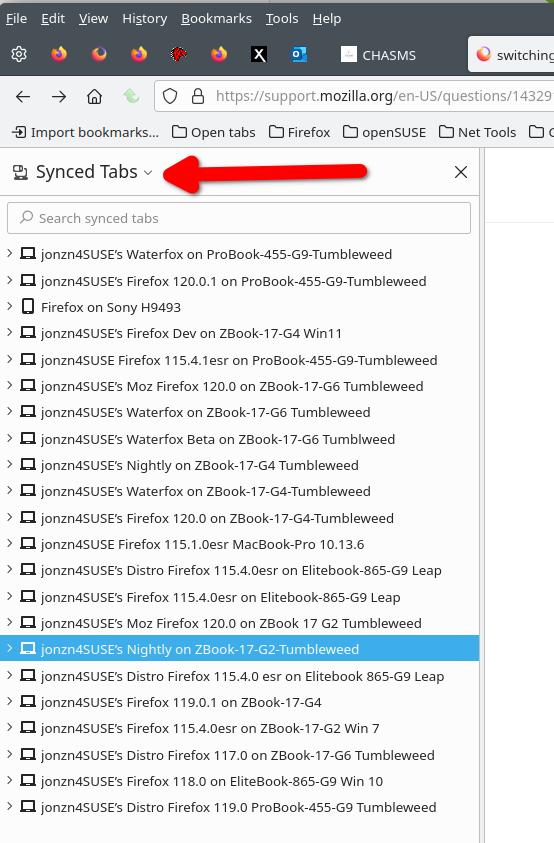
Glad to hear the issue is resolved. See the screenshots to see the sync tabs sidebar. I'm curious to see your sidebar. Post a screenshot of what you're seeing.