


How to modify/add website to drop down in address bar

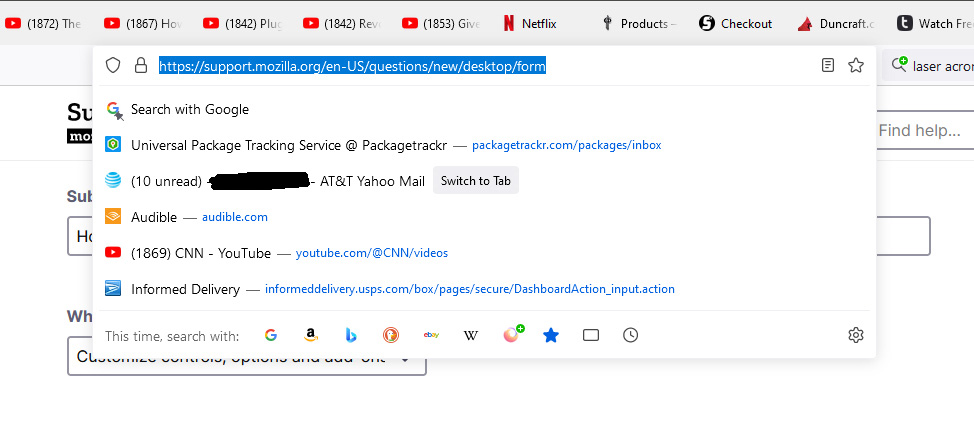
I used to have ten websites in the drop down of my address bar. Through an update or something I did there are only five now. I can't find a setting for this anywhere. I want to remove a few and some others. How to do?
I used to have ten websites in the drop down of my address bar. Through an update or something I did there are only five now. I can't find a setting for this anywhere. I want to remove a few and some others. How to do?
Wszystkie odpowiedzi (2)
You can modify the list by editing shortcuts on the about:home page. See Customize items on your Firefox New Tab page.
Zmodyfikowany przez TyDraniu w dniu
To make the list longer, go to about:config and set the browser.urlbar.maxRichResults preference to a higher number.