


Zoom meeting links not opening

This morning I re-installed an update to Zoom (on Linux - ElementaryOS / Ubuntu 18.04). Since installing, I've not been able to follow links from Firefox to Zoom (zoommtg links don't open the app). However, they still work from Epiphany.
The slight confounding factor is that I realised that I've been updated to FF 104 overnight, so that might be an issue.
I've been looking at network.protocol-handler.... settings in about:config, based on this article: https://superuser.com/questions/1343020/how-to-configure-firefox-open-zoom-urls-using-zoom-application#1351073
I've also been looking at xdg-settings (based on this article) https://www.reddit.com/r/kde/comments/i83m8i/zoom_desktop_client_isnt_launching_from_browser/ which suggests the problems might be to do with xdg-settings calling /usr/share/applications/zoom.desktop when the available file is /usr/share/applications/Zoom.desktop However, I have not been able to alter the xdg-settings parameter - when I try: $ xdg-settings set default-url-scheme-handler zoommtg zoom.desktop it does not change the setting - it remains as Zoom.desktop
I should mention that the version of FF I'm running is delivered as a snap - but this was not a problem before 104 / my latest Zoom installation. Also, this version of FF has no problem opening up MS Teams meetings or Slack groups. handlers.json includes : ... "slack":{"action":4},"snap":{"action":4},"zoommtg":{"action":4},"msteams":{"action":4}}, .... so I am thinking the problem must lie somewhee else.
Any suggestions would be gratefully received.
thanks Andy
Zmodyfikowany przez Andy Dearden w dniu
Wszystkie odpowiedzi (3)
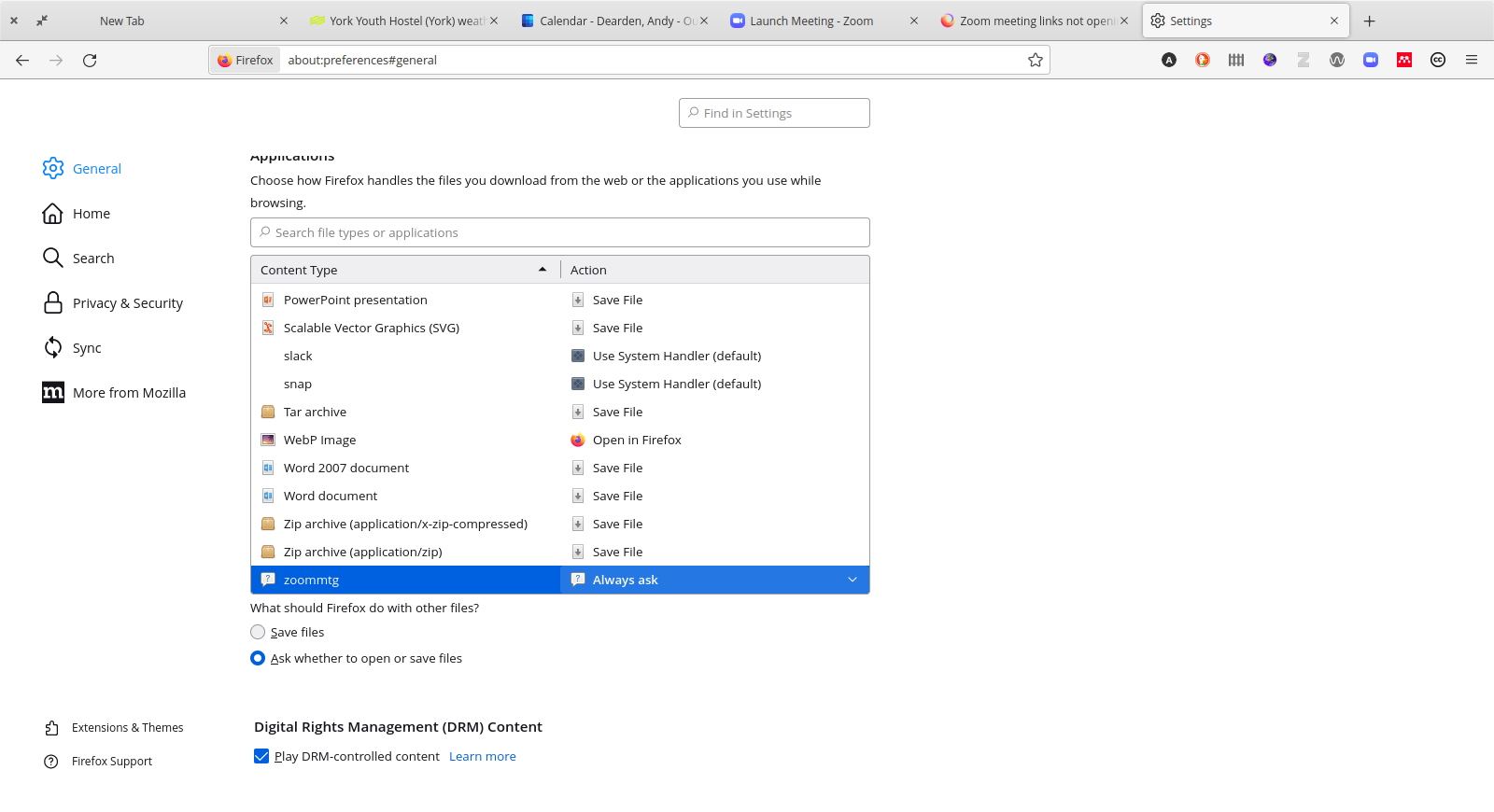
If you change the action for zoommtg on the Settings/Preferences page to "Always ask" does Firefox let you choose Zoom when you try to launch a meeting?
I've tried that - but it seems to revert to 'Use System-Handler' when I close & reopen FF.
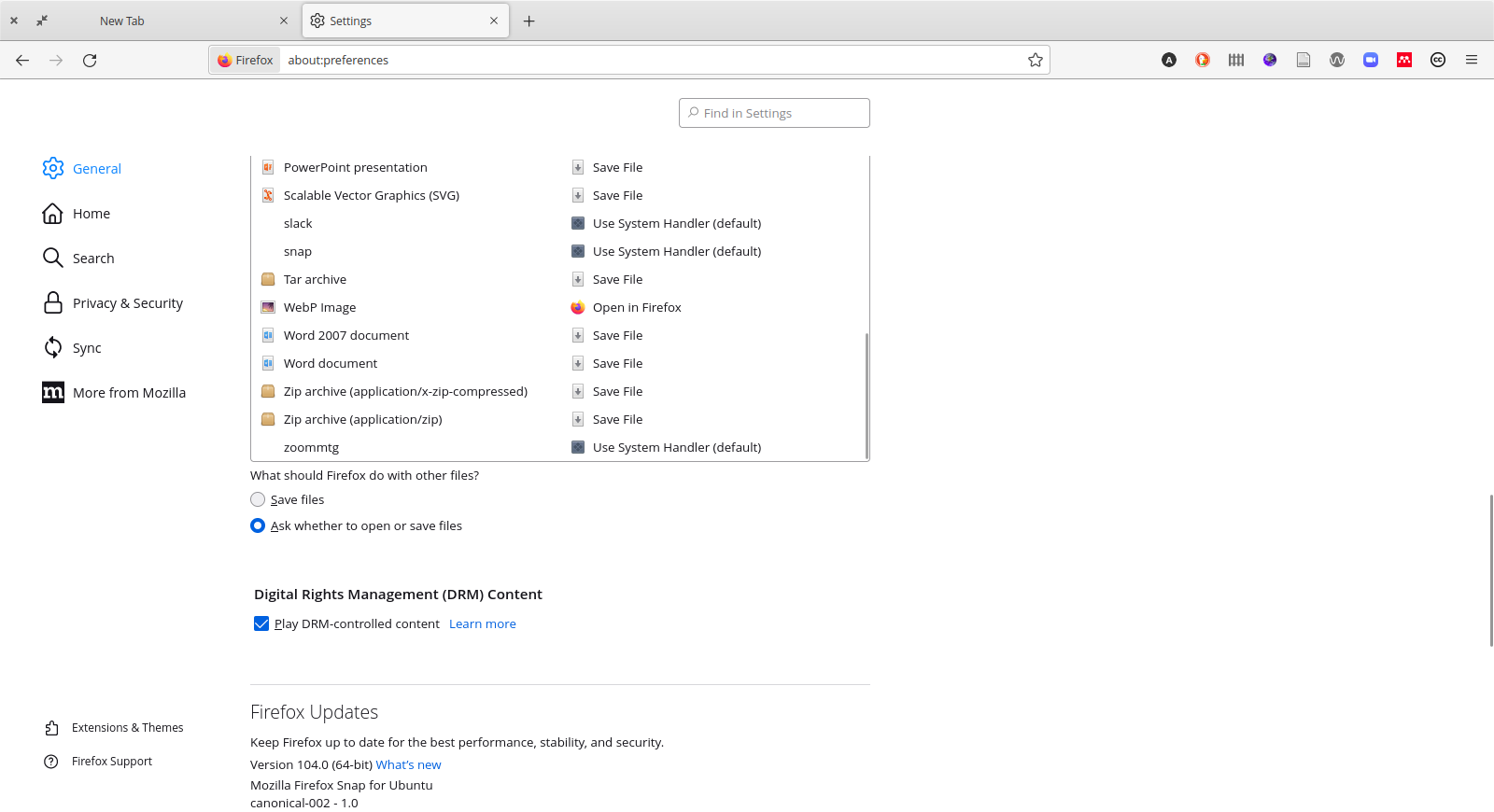
Hmm, hopefully someone more familiar with Linux builds of Firefox can chime in on why the setting change wasn't retained in handlers.json.