


browser continues to change my chosen Red color back to gray
browser color goes back to gray vs staying in my chosen Red color. Under appearance
All Replies (13)

That sounds like Firefox is switching back to the default theme rather than actually saving your color choice. I’d check Settings → General → Language and Appearance → Website appearance and also check Extensions and Themes to make sure another theme is not overriding it.
If it keeps changing back to gray after that, I’d try switching to another theme, restarting Firefox, and then selecting the red one again.
I changed to another red theme but same issue. Gray replaces red theme even when I use another red theme. Not sure what else to do now? Ap[pecoate any help.
It's not exactly clear if the question is about addon theme not sticking, "Firefox Color" custom palette getting forgotten presumably between restarts? and/or some accessibility adjustment, or the "website appearance" content section potentially not ending up honoring some addon color changes to the documents' appearance.
Would you be able to attach a screenshot here, of before, "working", and after, "reverted", to help understand what feature you're having issues with? Thanks.
Under appearance: My Mac is set to Dark. Firefox is set to (System Settings vs OFF or Custom) which forces web sites to show dark vs blaring White (most uncomfortable for my eyes).
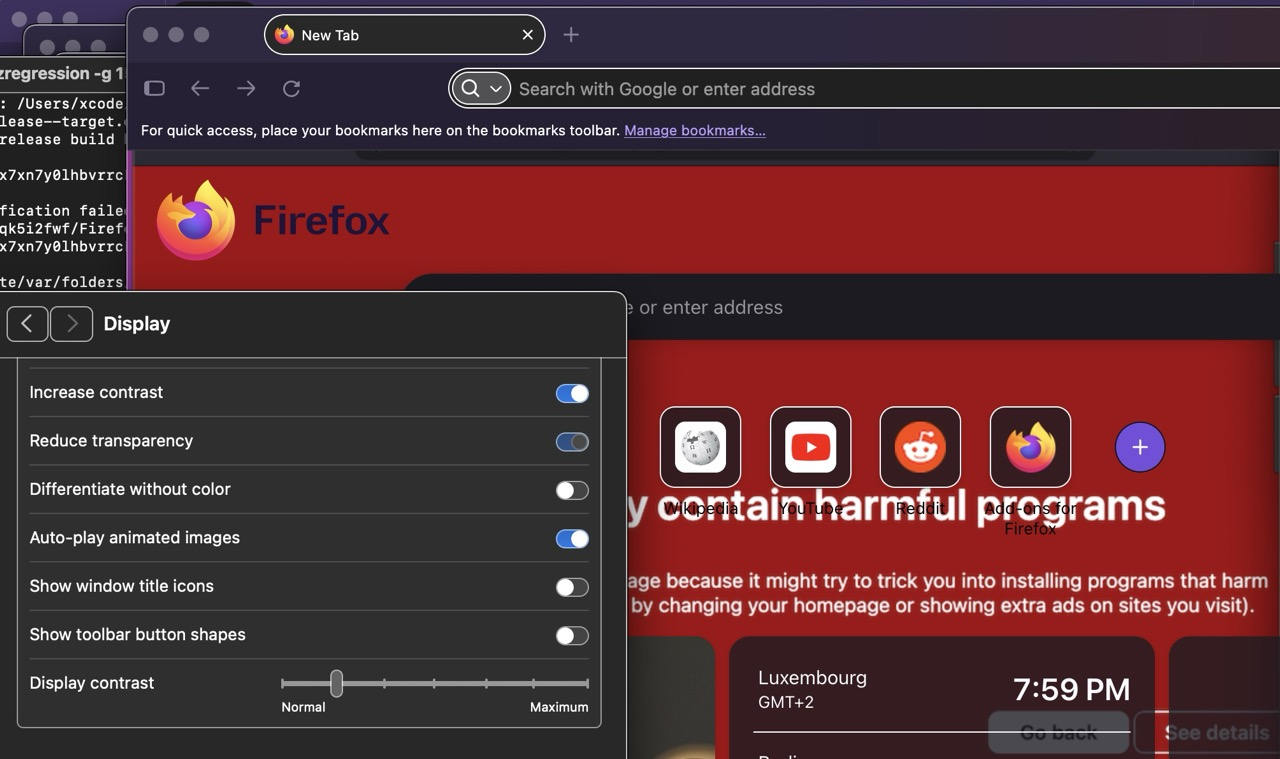
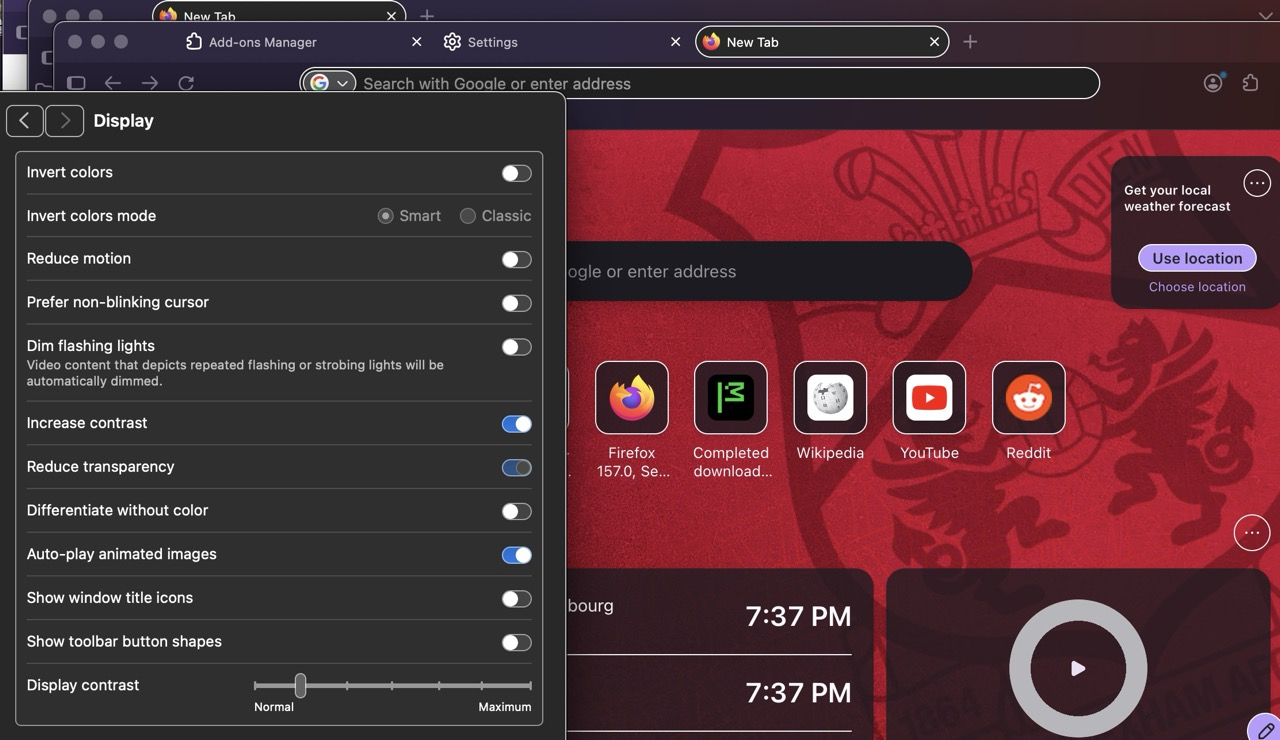
After 157 Version installed, my Firefox splash page shows Black background. Previously, Firefox displayed the selected photo (Firefox photos) as chosen using the edit link located at the lower right side of Firefox page. If I turn "Increase Contrast off" in my Mac, the selected photo displays as it always did. I used ChatGPT to help me fix this issue which means it viewed hundreds of Firefox updates etc, but to no avail. I have all Firefox saved in a folder and can send that folder (not sure how so need your direction) if you would review all and help me cure this issue. I do not want to use Safari as I've supported Mozilla and enjoy my beautiful Firefox app on my miniMac and my iPhone 17 ProMax and Air Pad.
Help.
First screeenshot...2nd one will not go system sayd too large so will send next
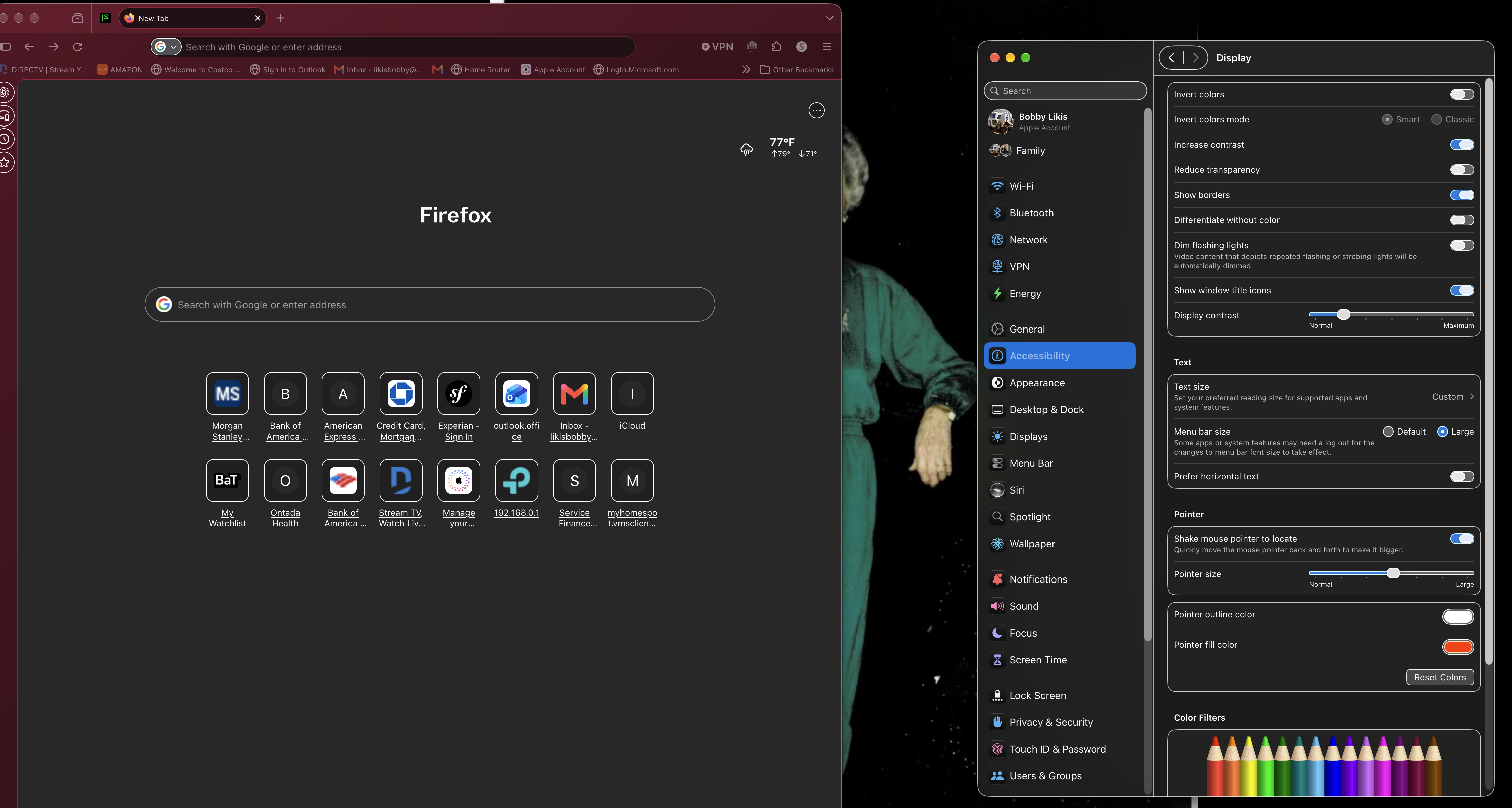
frustrating... too large for my second pic... screenshot too large???
Trying to send 2n schot again.
Finally... here is the orifinal splash page as I prefer.
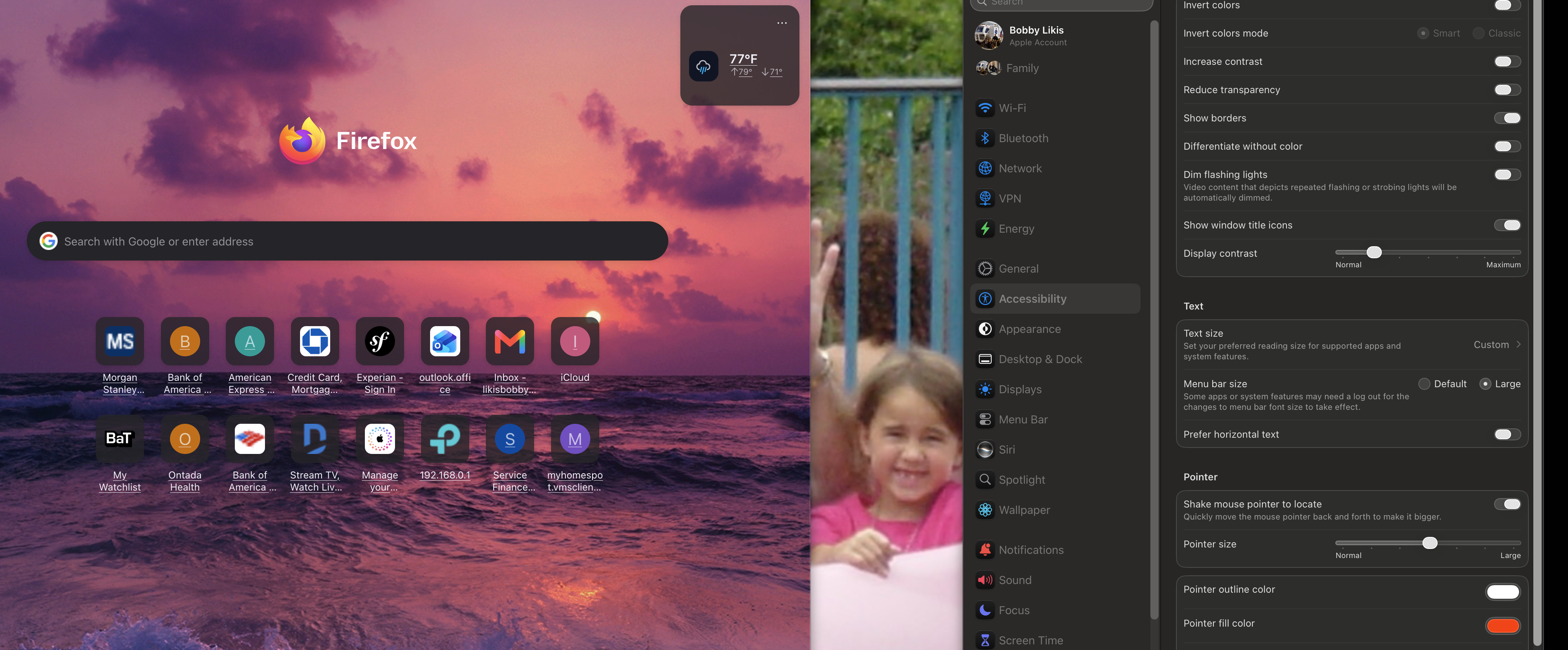
(yes, there's no need to upload 10MB+ images, a lower resolution preview would suffice)
So the issue is when you use your system accessibility settings, the default Home stops showing the custom wallpaper? Does it disappear between restarts, or just within normal browsing? And if you disable system accessibility, it stops exhibiting?
I did set my macOS to the same increased contrast +bumped up the contrast slider one up, and using a few red wallpapers they seem to stick for me between restarts, and the contrast slider doesn't seem to make them pitch black in any setting so I can't reproduce — however I only have access to macOS 15.8 Sequoia — might be a bug in the newer macOSes?
Endret av jbr
Using Mac's system settings (Accessibility/Display/Increase Contrast) Firefox home background page immediately goes Black - still shows all my blocks/links such as Bank of America, Morgan Stanley, Home Router etc - but refuses to display any Firefox photo that is located under the Edit Icon located on the Firefox home page. Will not show colors either so this link breaks when Mac's Increase Contrast is On.
This started - as best I can tell - when Version 157 updated Firefox. Prior to that, I never had issues with these settings, except some sites "link" were gary over dark background which made them hard to read...like Gopcha Codes. I have Firefox backed up in one folder and would appreciate Firefox Team reviewing all to see for themselves what the issue/cause may be. I'm not sure where or how to send that folder as email would never accept such a large file...perhaps Firefox could open some portal for me? Thank you for you reply.
If this happens with the built–in wallpapers and colors too, and you can reproduce in a separate empty profile outside of your normal day–to–day one as well for testing, there's no need to upload anything — just report the macOS version and its accessibility features to set up that reproduce the issue for you, and file a bug: Contributors guide for writing a good bug
It might be something outside of Firefox realm though, as there are a few more rough corners in some edge cases of increased contrast on latest macOS versions — but the engineers on the bug will be able to triage accordingly, and see if there is anything tracked upstream, in Apple Feedback for example.
After 2 Frustrating days investment trying to solve this new issue, I don't have it in me to start all over explaining what and how this happened. I want to go back to to the previous Firefox or.... wait another few days for 158 to come my way.
I am considering using Safari as my Mac is certainly well associated there but Firefox has been my go to browser for years... and I like my design that went south after 157 installed.
If you want to confirm it is caused by Firefox changes, you can use the separate Nightly as a test build from history that you can download and install on the side as an experiment.
Here's a mid–August v156.0a1 to try: ftp.mozilla.org/pub/firefox/nightly/2026/08/2026-08-19-21-08-08-mozilla-central/firefox-156.0a1.en-US.mac.dmg