Deze conversatie is gearchiveerd.
Stel een nieuwe vraag als u hulp nodig hebt.

Gearchiveerd
Firefox 24 opens multiple tabs on startup and won't save my home page. How to fix?

The tabs seem to be associated with my add-ons/extensions. For example, one tab asks me to set up my speed dial - although I've long ago set up speed dial.
In addition, I cannot set my home page. Regardless of what I try to do, FFX always opens to the mozilla home page. This behavior is all new to FFX 24.
The tabs seem to be associated with my add-ons/extensions. For example, one tab asks me to set up my speed dial - although I've long ago set up speed dial.
In addition, I cannot set my home page. Regardless of what I try to do, FFX always opens to the mozilla home page. This behavior is all new to FFX 24.
Alle antwoorden (2)
Hi,
try Help -> restart with add-ons disabled.
Regards Deepak Krishnan P.R
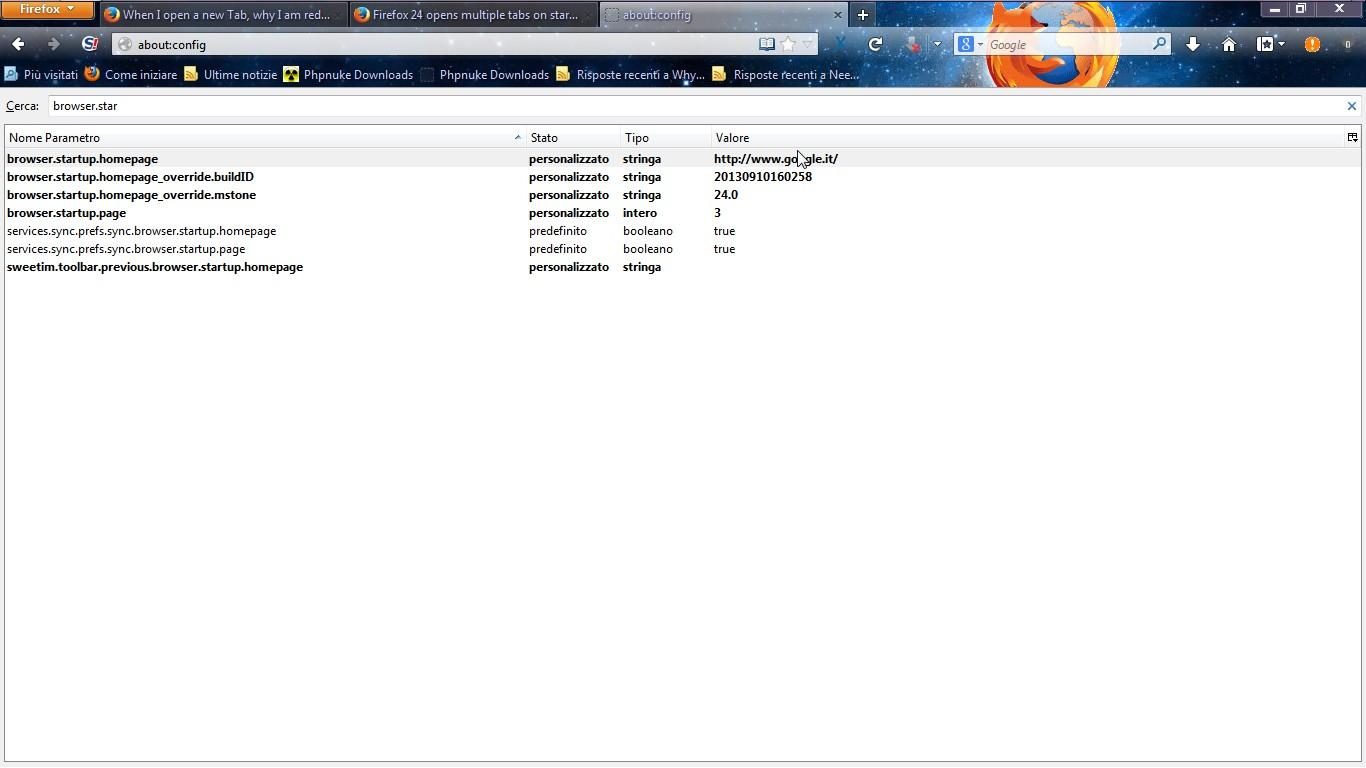
Try to follows these steps.
1. Write in the address bar"about:config"
2.accept the popup
3.search in the list this string "browser.startup.homepgare"
4.click twice,change address and then click ok. Restart Firefox...Does it work?