


how to stop blocking files downloaded by firefox automatically not manualy after download finished ?

how to stop blocking files that were downloaded by Firefox, automatically not manually after downloads finished ?
Gekozen oplossing
Try changing the above setting from true to false.
(1) In a new tab, type or paste about:config in the address bar and press Enter. Click the button promising to be careful.
(2) In the filter box, type or paste scan and pause while the list is filtered
(3) Double-click browser.download.manager.scanWhenDone to toggle its value.
Firefox now should ignore Windows' download security. Does it change how Windows handles the file?
Alle antwoorden (5)
What do you mean by unblocking manually?
On Windows, the following preference both submits the file to your antivirus software and enforces your Windows (IE Internet Zone) download settings:
browser.download.manager.scanWhenDone - MozillaZine Knowledge Base
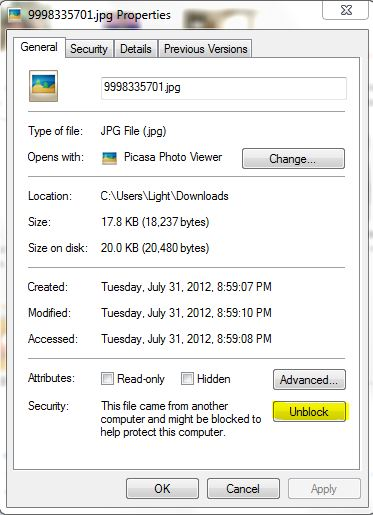
unblock manually (right click - file properties - unblock)
I download file using Firefox ,then I send URL at server to other people to download it using HTTP ,and because the file mark as block they have error that file not exciting , after i remove blocking manually it works.
Gekozen oplossing
Try changing the above setting from true to false.
(1) In a new tab, type or paste about:config in the address bar and press Enter. Click the button promising to be careful.
(2) In the filter box, type or paste scan and pause while the list is filtered
(3) Double-click browser.download.manager.scanWhenDone to toggle its value.
Firefox now should ignore Windows' download security. Does it change how Windows handles the file?
thanks the problem solved
That is about adding adding alternate stream data to indicate that the file was downloaded via internet.
See comment 3 in this bug report:
- bug 499448 - Zone.Identifier information saved on downloads regardless of policy settings
- bug 426544 - Disable browser.download.manager.alertOnEXEOpen and set internet zone bit on all downloaded files