


Firefox tab behavior
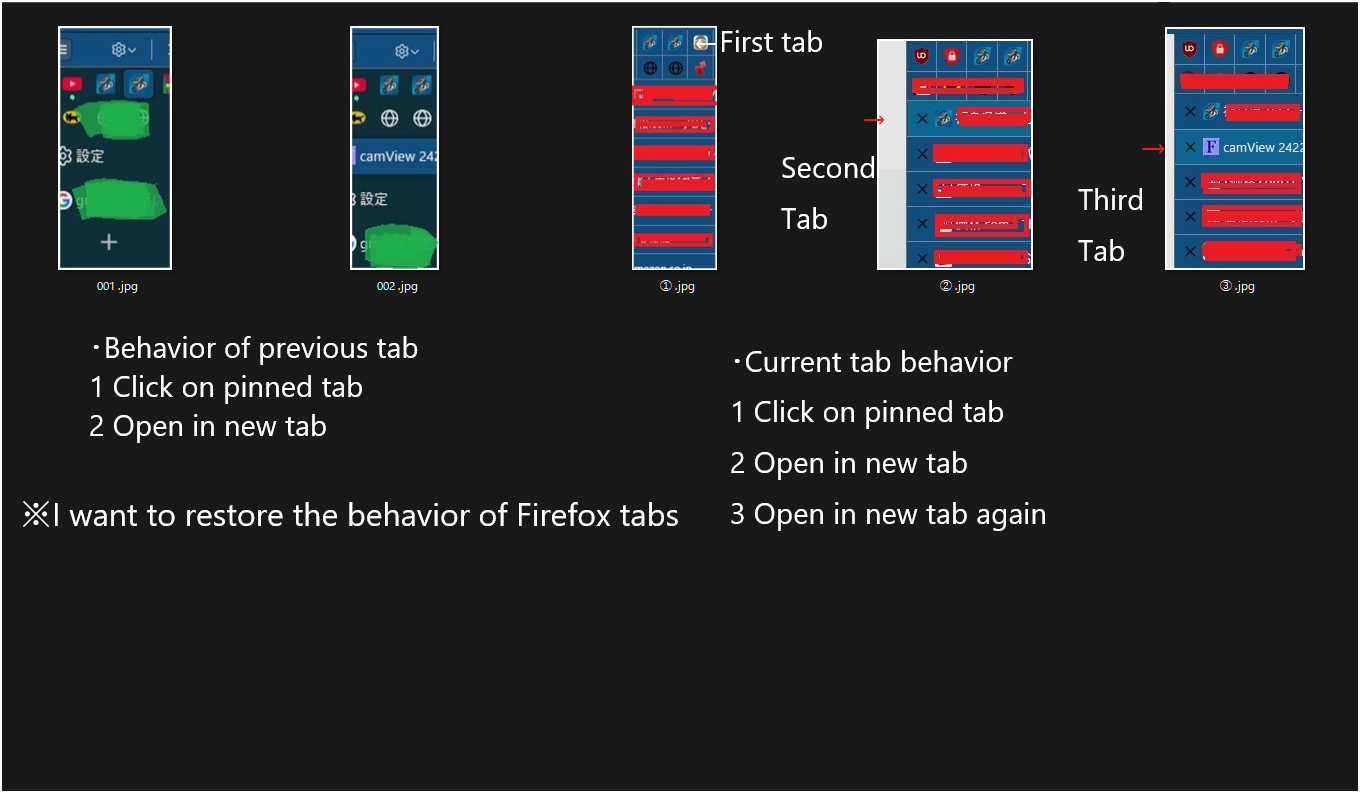
I'd like to ask about Firefox's behavior and settings. I'm using Firefox with vertical tabs (using an add-on), but it seems to be behaving strangely. The things that have changed since before are: 1. Open from pinned tab 2. Now opens in a new tab → Previously it opened in the same tab 3. Clicking on a newly opened tab opens a new tab again → Previously it would open pinned tabs/same tabs → in a new tab It has changed. I haven't changed any of my Firefox settings. Windows 11 Home 23H2 Firefox version 139.0.4 (64-bit).
Gekozen oplossing
Nice to meet you. I tried the steps you mentioned. 1: I tried the vertical tab in Firefox, but it didn't work well on my PC. 2: I disabled all add-ons in Firefox, restarted it, and checked to see if the problem would occur, and it returned to the previous state. 3: I disabled the vertical tab in Firefox, brought the vertical tab add-on back, and checked again, but it returned to the previous state. For now, the tabs are working properly, so I'll keep using it and see how it goes. Thank you for all your advice.
Dit antwoord in context lezen 👍 1Alle antwoorden (2)
Hello,
Why don't you try the Firefox's built in Vertical Tabs feature? You can run Firefox in Troubleshoot Mode (which temporarily disables all the add-ons) and turn on Vertical Tabs (if needed). Does the problem persist?
Gekozen oplossing
Nice to meet you. I tried the steps you mentioned. 1: I tried the vertical tab in Firefox, but it didn't work well on my PC. 2: I disabled all add-ons in Firefox, restarted it, and checked to see if the problem would occur, and it returned to the previous state. 3: I disabled the vertical tab in Firefox, brought the vertical tab add-on back, and checked again, but it returned to the previous state. For now, the tabs are working properly, so I'll keep using it and see how it goes. Thank you for all your advice.
Bewerkt door sweet0670 op