


Error in Migrating Thunderbird Profile to new PC

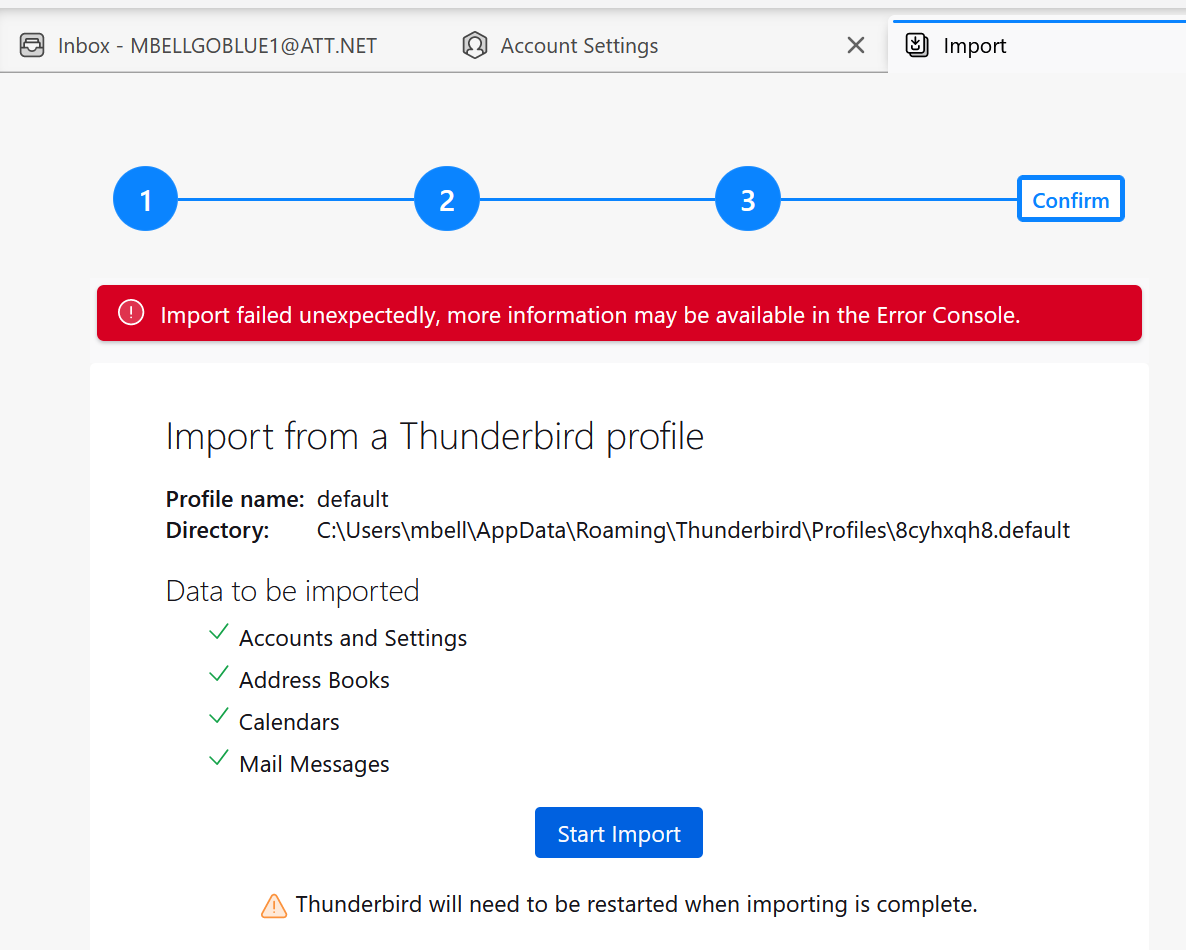
Hi, am getting this error and am unable to use our new PC as this Thunderbird mail app is failing to migrate the profile from the other windows PC. Need your help asap on how to fix this. Not very technical, so need help. I updated Thunderbird to the latest version (115.11.0 32 bit) on my old PC before copying the profile over and loading Thunderbird on this new PC which has 115.11.0 64 bit version.
Uncaught (in promise) NS_ERROR_FILE_NOT_FOUND: Component returned failure code: 0x80520012 (NS_ERROR_FILE_NOT_FOUND) [nsIFile.copyTo]
   _recursivelyCopyMsgFolder resource:///modules/ThunderbirdProfileImporter.jsm:659
   _recursivelyCopyMsgFolder resource:///modules/ThunderbirdProfileImporter.jsm:668
   _mergeLocalFolders resource:///modules/ThunderbirdProfileImporter.jsm:641
   _importServersAndAccounts resource:///modules/ThunderbirdProfileImporter.jsm:250


Alle antwoorden (3)
I am not sure the steps you took, but I suggest this: - exit TB on old pc - copy c:\users\<yourid>\appdata\roaming\thunderbird to external media - be sure TB is not running on new PC - copy the thunderbird folder from external media to c:\users\<yourid>\appdata\roaming to overlay the current thunderbird folder. If prompted for overwrite, allow it. - start TB and all should be there
Followed instructions, did not work. Got an error saying "Your Thunderbird profile cannot be loaded. It may be missing or inaccessible" . I tried renaming the profiles.ini file to profiles.iniOLD and restarted TB. It prompted me to create a new profile and of course when it loaded, it came in with no mail. HELP please.
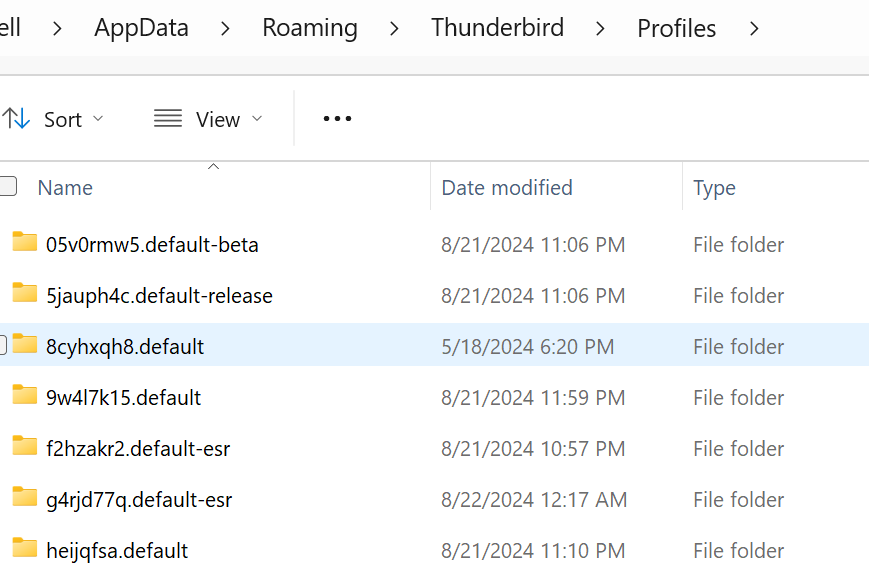
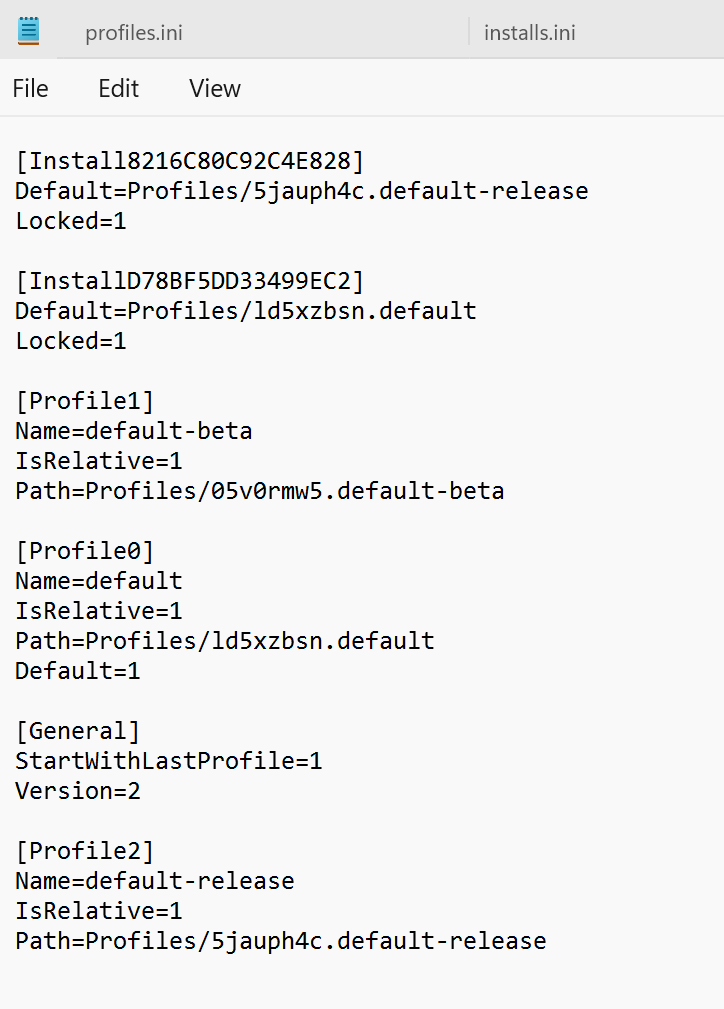
If you had copied the thunderbird folder intact from old to new, with no changes, the process works. Somehow, your profiles.ini got changed. That is the one file that thunderbird obeys: if the profile being pointed to doesn't exist, you get that error message. To fix this, you can edit the profiles.ini so that all pointers are to the correct profile. Any spelling error will cause the message to occur.