No writable calendars are configured ...

I can see the calendar and am getting an error when I right-click the calendar and go to the properties that says "If you want to use this calendar to store invitations to or from other people you should assign an email identity below."
But there is nothing in that box that gives me the ability to assign an email.
How do I fix this?
Gekozen oplossing
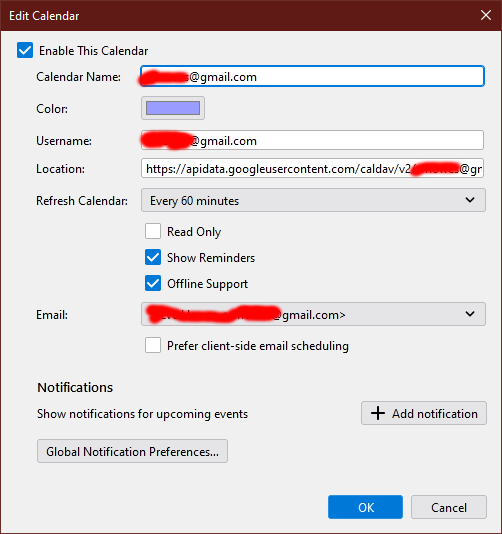
Do you not see the Properties window like the attached picture?
Dit antwoord in context lezen 👍 0Alle antwoorden (3)
Gekozen oplossing
Do you not see the Properties window like the attached picture?
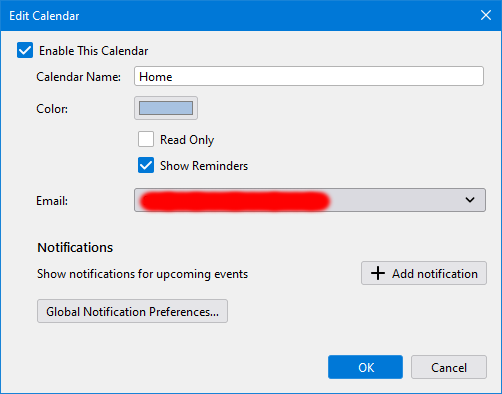
No, the window looks like the attached
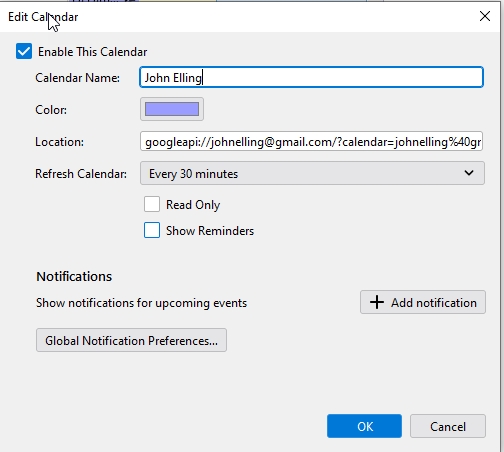
The window should look like the attached picture. Are you using an add-on like Provider to sync the calendar? If so, disable or remove the add-on and add the calendar from File/New/Calendar...On The Network...enter your gmail address...calendars autodetected...enter the account password in the OAuth window to allow access (cookies must be accepted in TB Preferences for OAuth to authenticate).