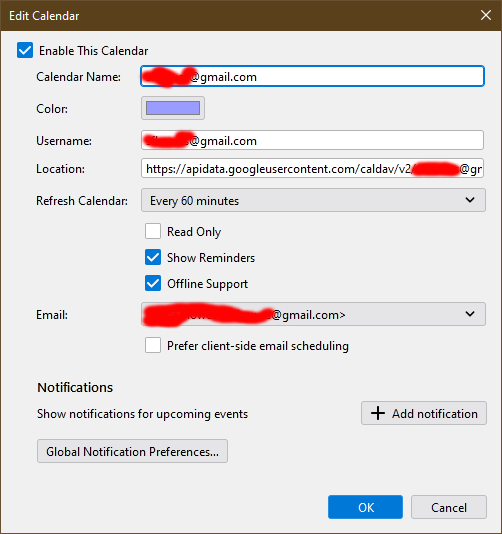
Assigning an email identity to a calendar to accept invitations

Hi, I keep getting prompts saying there are no writable calendars set up in Thunderbird (v 91.6.0 (32-bit)). So I select the calendar properties, as stated on this page: https://support.mozilla.org/en-US/kb/changing-calendar-preferences, but there's no option to assign the email address. Screenshot attached. So how can I assign an email address to a calendar to allow invitations to be added to it?
Thanks, Gareth.
כל התגובות (1)
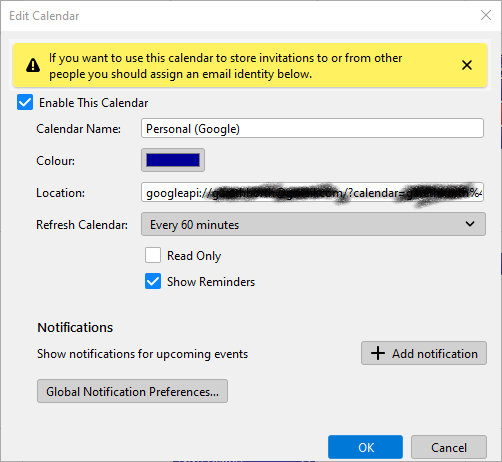
How did you add the Google calendar to TB? You must have entered a gmail account at some point. The attached picture shows the calendar Properties for my Google calendar, added directly without add-ons from File/New/Calendar...On the Network...enter the gmail account...calendars are autodetected...enter the account password in the OAuth2 window to allow access.