


missing items in webpage on Surface Go

When I view Morningstar charts, such as the one at: https://www.morningstar.com/funds/xnas/vfiax/performance on my Microsoft Surface Go (Windows 10), in Firefox 93.0 and some previous versions, the legend does not display the line colors for the investment, category and index. The page is displayed correctly in Firefox 93.0 on my Desktop Windows 10 system, and when using Microsoft Edge on the Surface Go. Any suggestions?
Gekozen oplossing
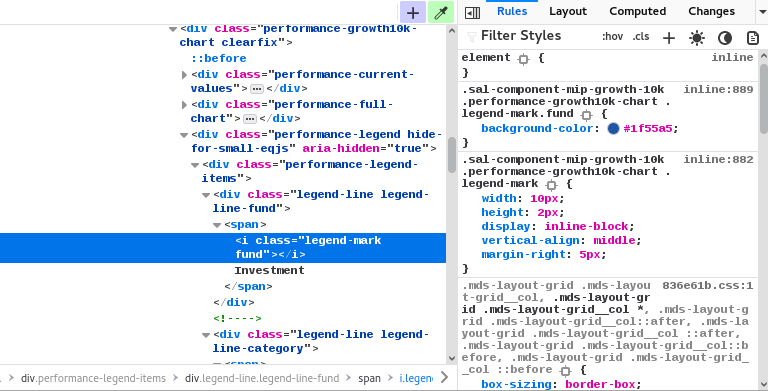
That color data is displayed as a background-color with specific dimensions in an i.legend-mark.fund tag, so it is possible that you block background images/elements on that device.
Dit antwoord in context lezen 👍 1Alle antwoorden (4)
That is an SVG image. Do you otherwise have issues with SVG images ?
Can you attach screenshots for comparison ?
- https://support.mozilla.org/en-US/kb/how-do-i-create-screenshot-my-problem
- use a compressed image type like PNG or JPG to save the screenshot
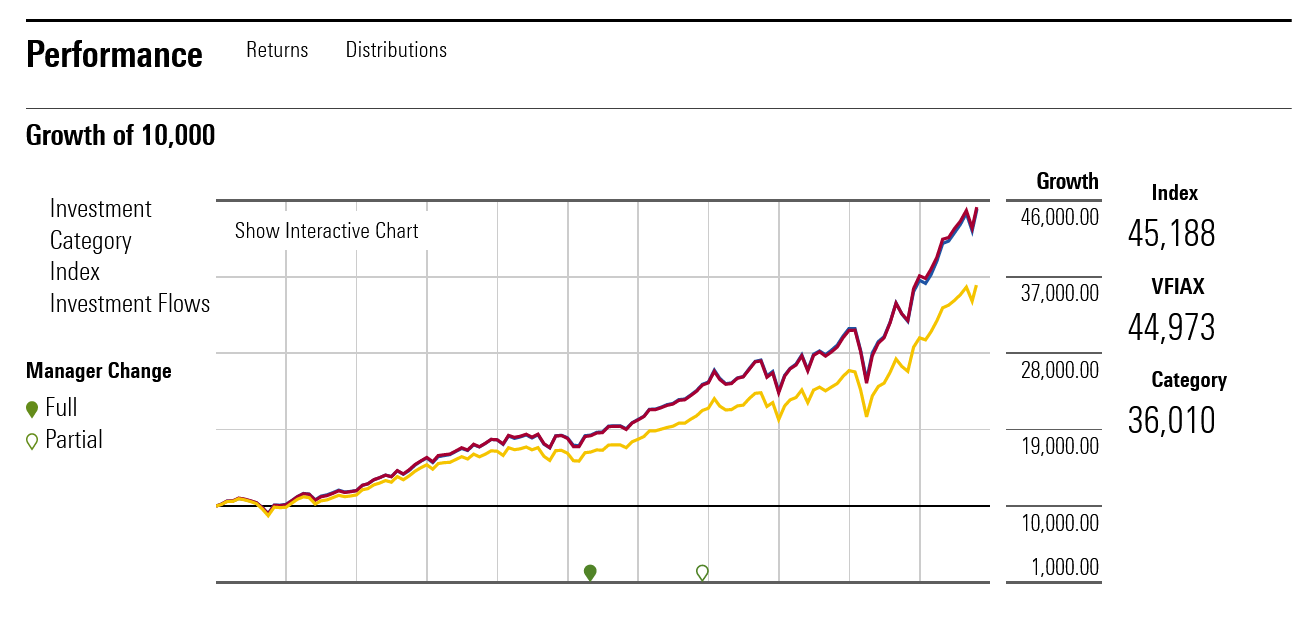
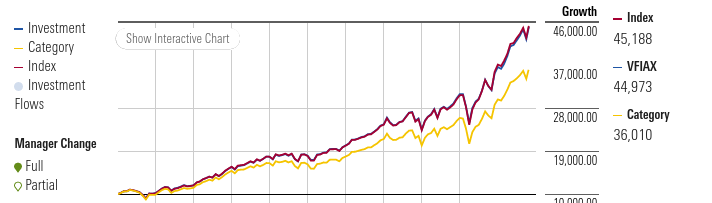
Here are screenshots from the Surface Go and Desktop, notice the legends on either side of the graph do not show the line colors on the Surface Go.
https://user-media-prod-cdn.itsre-sumo.mozilla.net/uploads/images/2021-10-25-17-26-40-7cf99f.png https://user-media-prod-cdn.itsre-sumo.mozilla.net/uploads/images/2021-10-25-17-27-05-b1eed0.png


Gekozen oplossing
That color data is displayed as a background-color with specific dimensions in an i.legend-mark.fund tag, so it is possible that you block background images/elements on that device.
Thanks. I had Settings -> General: Fonts & Colors -> Colors: Override colors: "Always" set, due to a problem I had using "Only with High Contrast themes". It seems that High Contrast Themes problem has been fixed.