


Facebook screen all white

When I try to log into Facebook the whole screen is white with the text all over to the left side. Has anyone had this and how do I fix it? Oh, it does the same if I try any other web browser also.
Thanks,
Alle antwoorden (4)
here is what the screen looks like
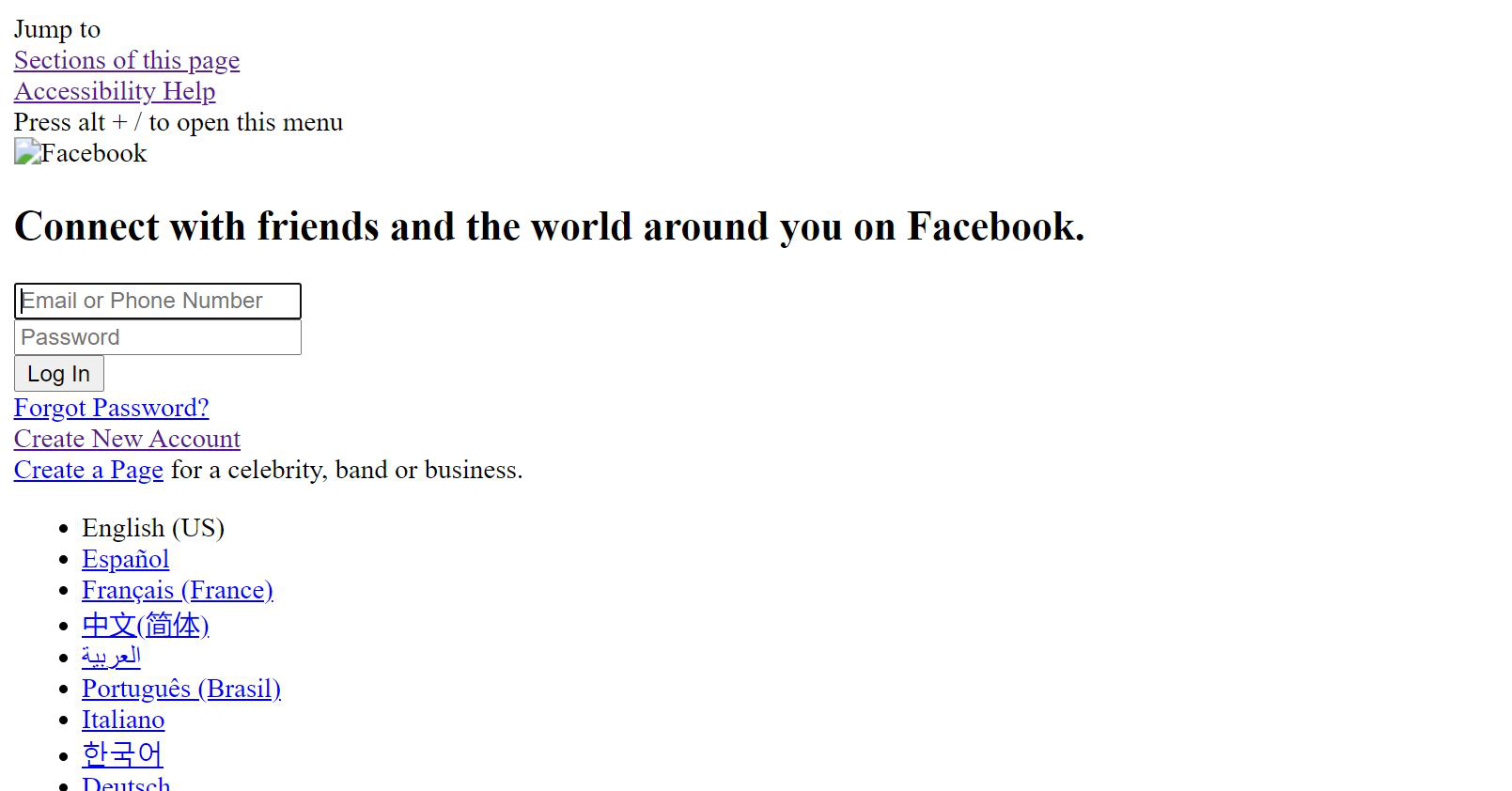
It looks like addresses on this server are blocked by some other software on your computer, or in your router, possibly a security filter or parental control software. This same server is used for style sheets and script files, but this example is the Facebook Logo:
https://static.xx.fbcdn.net/rsrc.php/y8/r/dF5SId3UHWd.svg

If you try to open it directly, do you get any unusual messages?
jscher2000 said
It looks like addresses on this server are blocked by some other software on your computer, or in your router, possibly a security filter or parental control software. This same server is used for style sheets and script files, but this example is the Facebook Logo: https://static.xx.fbcdn.net/rsrc.php/y8/r/dF5SId3UHWd.svg If you try to open it directly, do you get any unusual messages?
When I clicked your link it said, "Secure Connection Failed"
What security software do you have?
It is possible that your firewall or other security software blocks or restricts Firefox without informing you, possibly after detecting changes (update) to the Firefox application. Remove all rules for Firefox from the permissions list in the firewall and let your firewall ask again for permission to get full, unrestricted, access for Firefox and the plugin-container process and the updater process.
See:
- https://support.mozilla.org/en-US/kb/server-not-found-connection-problem
- https://support.mozilla.org/en-US/kb/Firewalls
- https://support.mozilla.org/en-US/kb/fix-problems-connecting-websites-after-updating
Boot the computer in Windows Safe mode with network support to see if that has effect in case security software is causing problems.