

Deze conversatie is gearchiveerd.
Stel een nieuwe vraag als u hulp nodig hebt.

Gearchiveerd
Cannot Connect to Incoming or Outgoing Mail Server after Changing Password

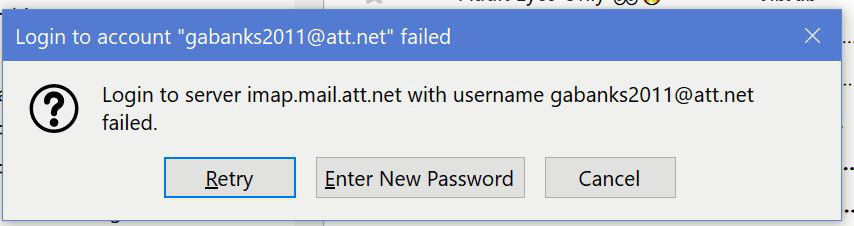
After changing my password for my ATT mail account, I can use that email account via webmail and by using the mail app on my iPhone. In Thunderbird, I entered the new password several times through the "Saved Passwords" feature. However, each time I use Thunderbird to try to receive or send messages in that email account, I get the error message "Login to server imap.mail.att.net with username +++++ failed. Retry. Enter New Passoword. Cancel." Adding the new password there doesn't do the trick either. What's going wrong? How can I correct this? Thanks for the help.
After changing my password for my ATT mail account, I can use that email account via webmail and by using the mail app on my iPhone. In Thunderbird, I entered the new password several times through the "Saved Passwords" feature. However, each time I use Thunderbird to try to receive or send messages in that email account, I get the error message "Login to server imap.mail.att.net with username +++++ failed. Retry. Enter New Passoword. Cancel." Adding the new password there doesn't do the trick either. What's going wrong? How can I correct this? Thanks for the help.
Alle antwoorden (1)
Generate a secure mail key on the AT&T site and use that as the password in TB.
https://www.att.com/support/article/u-verse-high-speed-internet/KM1010523/